राजस्थान का सरकारी school system एक database पर चलता है और Shala Darpan उसमें देखने की खिड़की है। Staff service records, student enrolment, रोज़ की attendance, transfer requests, result entry, progress reports, scholarship और DBT payments, ये सब Integrated Shala Darpan portal rajshaladarpan.rajasthan.gov.in पर दर्ज, जाँचे और प्रकाशित होते हैं।
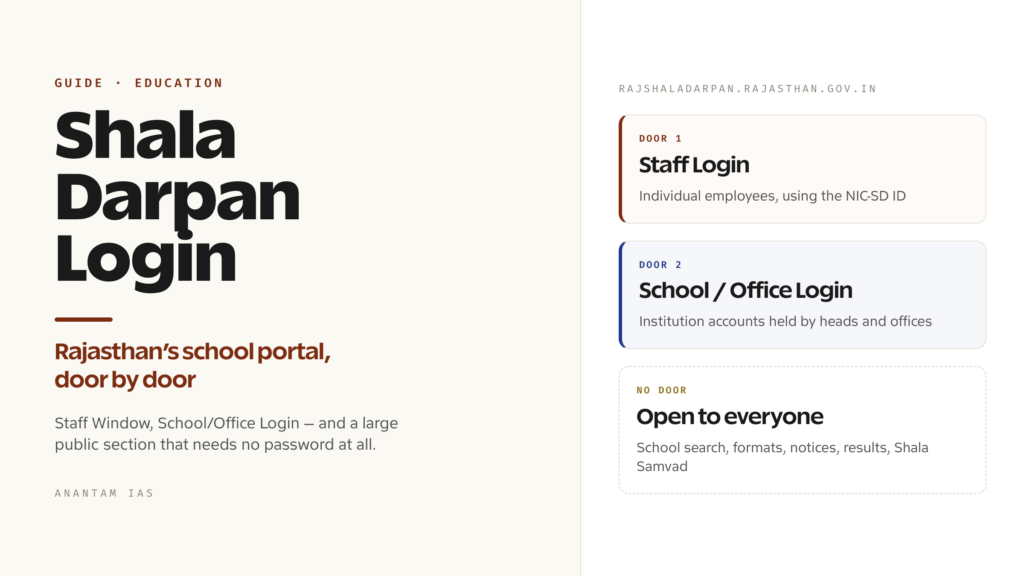
ज़्यादातर लोग एक ही चीज़ ढूँढ़ते हुए आते हैं: login box। लेकिन “Shala Darpan login” अलग-अलग लोगों के लिए अलग दरवाज़े हैं और कई visitors को login की ज़रूरत ही नहीं है। नाम का एक असली भ्रम भी है। Kendriya Vidyalaya system का अपना Shaala Darpan platform है, जिसका राजस्थान से कोई संबंध नहीं। यह guide दोनों को अलग करती है, login और registration का तरीका बताती है और portal मना करे तो क्या करना है, यह समझाती है।
Shala Darpan क्या है और किसे इस्तेमाल करना चाहिए
Integrated Shala Darpan राजस्थान सरकार के School Education Department का portal है। इसे Jaipur में Rajasthan Council of School Education के साथ चलाया जाता है। यह राज्य के सरकारी स्कूलों के students, staff, infrastructure और रोज़ की academic activity का school management और monitoring system है। Official address rajshaladarpan.rajasthan.gov.in है और portal का disclaimer भी विभाग को इसका owner बताता है।
मुख्य system के साथ इसी domain पर कई जुड़े modules हैं: student admission, internship allotment, Class 5 और Class 8 board examinations तथा results, national means-cum-merit scholarship, sports, DBT common login, students के लिए Shala Samvad और राज्य के Vidya Samiksha Kendra के dashboards। साथ में Samagra Shiksha rajsmsa.nic.in, Private School Portal rajpsp.nic.in, Gyan Sankalp donation portal और Sanskrit education section भी हैं।
सबसे पहले यह फर्क समझ लें। अगर आपका बच्चा Kendriya Vidyalaya में पढ़ता है, तो यह आपका portal नहीं है। Kendriya Vidyalaya Sangathan देशभर के अपने Kendriya Vidyalayas के लिए darpan.kvs.gov.in पर अलग e-governance platform चलाता है। अलग organisation, अलग database और अलग login हैं। KV parent या teacher को राजस्थान की site पर अपना school नहीं मिलेगा और Rajasthan government-school teacher का KVS site पर account नहीं होगा। नाम और मोटे तौर पर काम एक जैसा है, बाकी कुछ नहीं। Password डालने से पहले address bar में domain ज़रूर देखें।
राजस्थान में इसके users हैं:
- Government school teachers और non-teaching staff, जिनके individual accounts Staff Window से चलते हैं।
- School heads और office users, जिनके institution-level accounts block, district और state offices में School/Office Login से चलते हैं।
- Students और parents, जिन्हें personal password नहीं मिलता। Public information site के खुले sections में मिलती है।
Login कैसे करें, चरण-दर-चरण
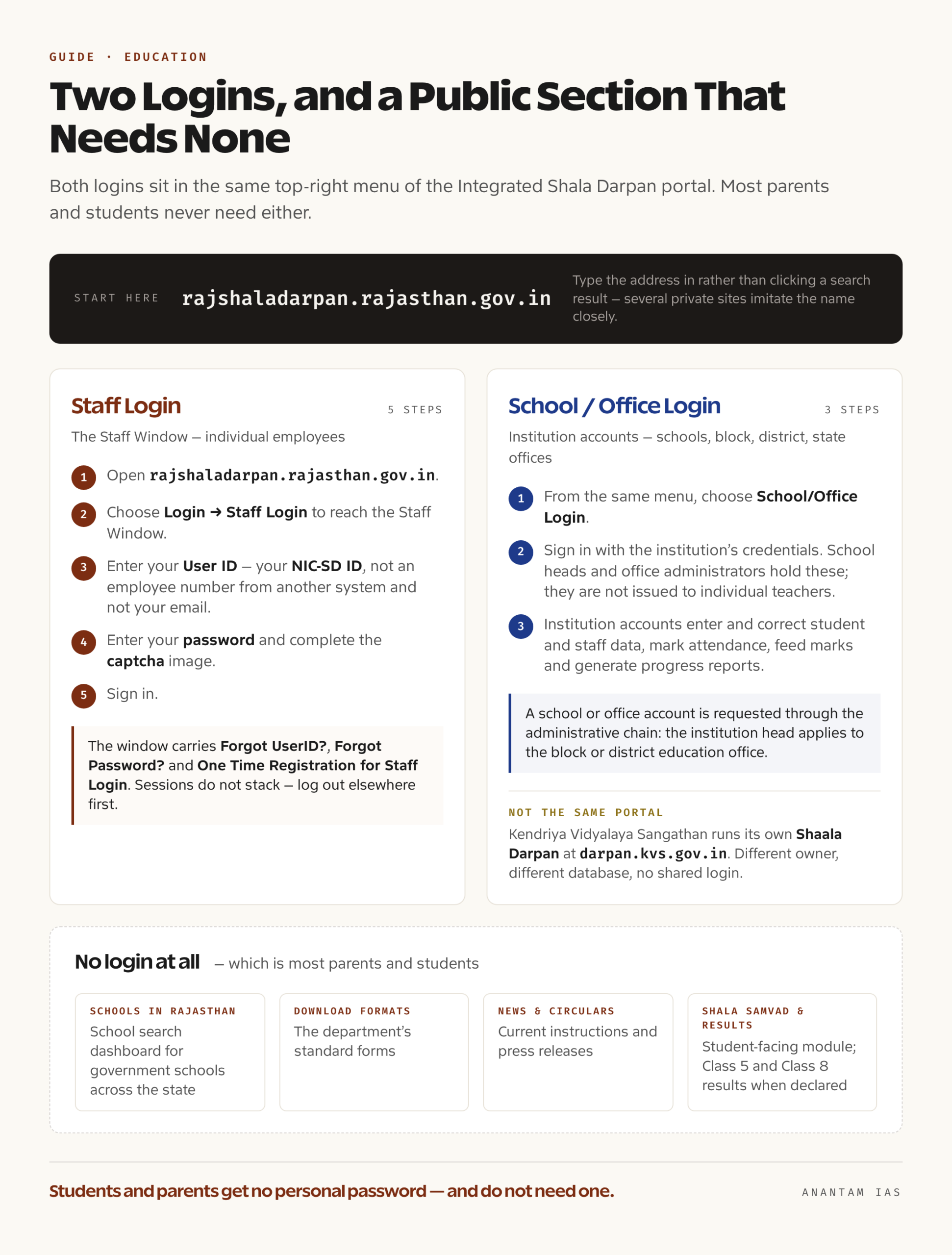
Portal के top-right menu में School/Office Login और Staff Login दोनों साथ दिखते हैं।
Staff Window, individual employees के लिए:
- Browser में rajshaladarpan.rajasthan.gov.in खोलें। Search result पर click करने के बजाय address खुद type करें, क्योंकि कई private sites नाम की नकल करती हैं।
- Login → Staff Login चुनें। इससे Staff Window खुलेगी।
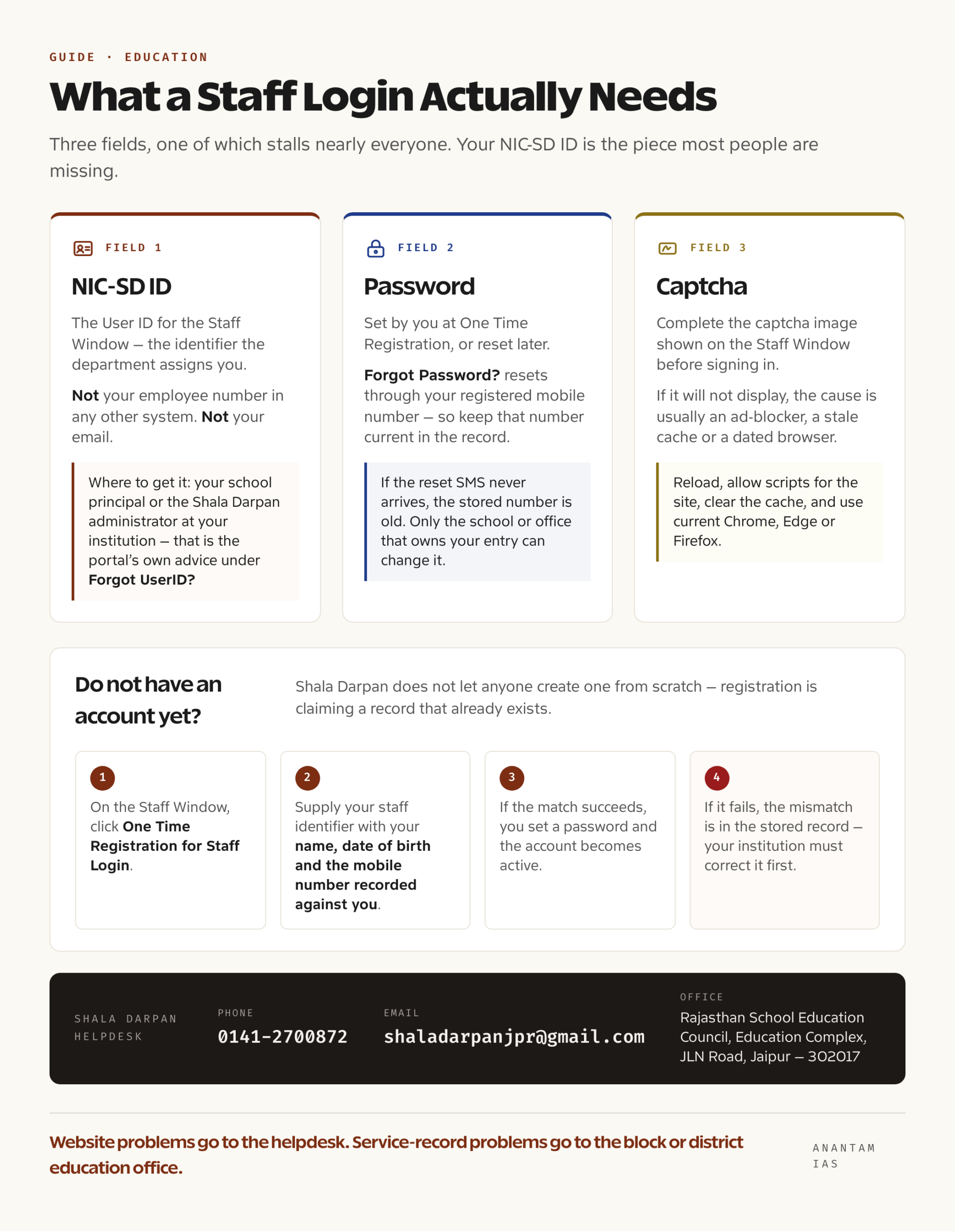
- User ID डालें। यह विभाग द्वारा दिया गया NIC-SD ID है, किसी दूसरे system का employee number या आपका email नहीं।
- Password डालें और captcha image पूरा करें।
- Sign in करें।
Staff Window में तीन self-service links काम के हैं: Forgot UserID?, Forgot Password? और One Time Registration for Staff Login। Portal यह चेतावनी भी देता है कि अगर आप कहीं और पहले से logged in हैं, तो दोबारा sign in करने से पहले log out करें या browser बंद करें। Sessions एक-दूसरे पर नहीं चढ़ते।
School/Office Login, institutions के लिए:
- उसी menu से School/Office Login चुनें।
- Institution के credentials से sign in करें। ये school heads और office administrators के पास होते हैं, individual teachers को नहीं दिए जाते।
- इन्हीं accounts से student और staff data दर्ज या ठीक किया जाता है, attendance लगती है, marks feed होते हैं और progress reports बनती हैं।
अगर आपके पास login ही नहीं है, जैसा कि ज़्यादातर parents और students के साथ है, तो खुले sections इस्तेमाल करें। Schools in Rajasthan में राज्यभर के सरकारी schools की search dashboard है। Download Formats में department के standard forms हैं। Shala Darpan और news, circular तथा press-release panels में current instructions मिलती हैं। Shala Samvad students के लिए है और Class 5 तथा Class 8 के examination results घोषित होने पर portal के results pages पर डाले जाते हैं।
पहली बार registration
Shala Darpan किसी को scratch से account बनाने नहीं देता। आपकी पहचान department database में पहले से होती है। Registration का मतलब उस record को अपने login से claim करना है।
Staff के लिए रास्ता One Time Registration for Staff Login है:
- Staff Window में One Time Registration for Staff Login पर click करें।
- Staff identifier, नाम, जन्मतिथि और department record में दर्ज mobile number दें। System आपके input को पुराने record से मिलाएगा।
- Match होने पर password set करें और Staff Window account active हो जाएगा।
- Match fail हो तो stored record में अंतर है, आम तौर पर जन्मतिथि या पुराना mobile number। Registration चलने से पहले institution को record ठीक करना होगा।
NIC-SD ID लेना सबसे अधिक अटकने वाला चरण है। ID department जारी करता है और school के पास रहती है। Portal के Forgot UserID? guidance के अनुसार अपने school principal या institution के Shala Darpan administrator से NIC-SD ID लें। Staff section में staff और school identifiers के खुले lookups भी हैं, इसलिए phone करने से पहले वहाँ देखना ठीक है।
School या office account के लिए request form से नहीं, administrative chain से जाती है। Institution head block या district education office में आवेदन करता है, जो portal पर institution mapping के लिए ज़िम्मेदार है।
दो छोटी बातें याद रखें। Record में mobile number current रखें, क्योंकि recovery की हर प्रक्रिया उसी number पर खत्म होती है। दूसरा, staff details को समय-समय पर department के prescribed personnel format में update करना पड़ता है। Portal home page की scrolling notice bar में deadlines बताता है। एक deadline छूटने पर record के कुछ हिस्से freeze हो सकते हैं।
Dashboard पर मुख्य services
| क्षेत्र | क्या मिलता है | कौन इस्तेमाल करता है |
|---|---|---|
| Staff service record | व्यक्तिगत और service details, personnel format, postings | Staff, Staff Window से |
| Attendance | Students और staff की daily online attendance, जिसे department पूरी तरह online करने की दिशा में ले जा रहा है | Schools |
| Student records | Admission, enrolment, class और section data, transfers | Schools, student admission module से |
| Examinations and results | Board और non-board classes के marks, Class 5 और Class 8 examinations, तय deadline में result entry | Schools |
| Progress reports | Pre-primary, Classes 1-4, 6, 7, 9 और 11 की holistic progress report और marksheets download, verify और print करना | Schools; parents को print मिलता है |
| Transfers | Staff section में transfer schedule और transfer orders | Staff |
| Internship | Trainee teachers के लिए internship allotment | Institutions और interns |
| Scholarships and DBT | National means-cum-merit module और DBT common login | Schools और sanctioning offices |
| School search | राजस्थान के schools की public directory | कोई भी, बिना login |
| Shala Samvad | Students के लिए portal module | Students |
| Monitoring | Vidya Samiksha Kendra के ज़रिए state dashboards | Department और offices |
Department school monitoring के लिए mobile app भी चलाता है। यह उसी database से data पढ़ता है, कोई दूसरा account नहीं बनाता।
आम login problems और उनके हल
| Problem | संभावित कारण | क्या करें |
|---|---|---|
| “Invalid user ID” | दूसरे system का employee number, NIC-SD ID की जगह इस्तेमाल किया | Forgot UserID? इस्तेमाल करें या principal/Shala Darpan administrator से NIC-SD ID लें |
| Password काम नहीं कर रहा | Password भूल गए या record update के बाद set नहीं किया | Forgot Password? लें; registered mobile से reset होगा |
| One Time Registration match नहीं होती | जन्मतिथि, नाम की spelling या mobile number stored record से अलग | पहले institution से record ठीक कराएँ; portal वही match करेगा जो record में है |
| Reset SMS नहीं आया | Record में पुराना mobile number | School या office से number update कराएँ; कोई self-service रास्ता इसे bypass नहीं करता |
| “Already logged in” message | कहीं और खुला session | पूरी तरह log out करें या browser बंद करके फिर sign in करें |
| Captcha नहीं दिख रहा | Ad-blocker, पुराना cache या पुराना browser | Reload करें, site के scripts की अनुमति दें, cache साफ़ करें और current Chrome, Edge या Firefox इस्तेमाल करें |
| Portal slow या unreachable | Updation/result-entry deadline पर load या scheduled maintenance | Deadline के बाहर कोशिश करें और home page की scrolling notices देखें |
| Portal पर data गलत है | Entry school या office की है, आपकी नहीं | Institution से correction कराएँ; verified fields staff खुद overwrite नहीं कर सकते |
Self-service links से हल न हो तो department का Shala Darpan helpdesk 0141-2700872 और email [email protected] है। पता Rajasthan School Education Council, Education Complex, JLN Road, Jaipur — 302017 है। Working hours में weekday morning पर call करें। Service record से जुड़ी बात में block या district education office ही correction करने का अधिकार रखता है।
सामान्य प्रश्न
क्या Shala Darpan पर student या parent login है? राजस्थान portal पर students या parents को individual password नहीं मिलता। School search directory, department के downloadable formats, circulars, notices, प्रकाशित examination results और Shala Samvad student module सभी के लिए खुले हैं। Progress reports और marksheets school बनाकर parents को देता है।
NIC-SD ID क्या है और कहाँ मिलेगी? यह Staff Window की user ID है, जिसे department देता है। Portal के Forgot UserID? link पर खुद यही सलाह है कि ID school principal या institution के Shala Darpan administrator से लें।
पहली बार staff login के लिए register कैसे करूँ? Staff Window खोलें और One Time Registration for Staff Login इस्तेमाल करें। Staff identifier, नाम, जन्मतिथि और registered mobile number दें। Password set करने देने से पहले system इन्हें पुराने record से मिलाता है।
क्या Rajasthan का Shala Darpan KVS Shaala Darpan जैसा ही है? नहीं। राजस्थान का Integrated Shala Darpan rajshaladarpan.rajasthan.gov.in राज्य के सरकारी schools के लिए है। Kendriya Vidyalaya Sangathan darpan.kvs.gov.in पर Kendriya Vidyalayas का अलग platform चलाता है। Owner, database और login सभी अलग हैं।
School Login और Staff Login में क्या अंतर है? School या Office Login institution account है, जो school head या office administrator के पास रहता है। इसी से student और staff data दर्ज और ठीक किया जाता है। Staff Login Staff Window का personal account है, जिससे individual employee अपना record देख और update कर सकता है।
Portal पर मेरी जानकारी गलत हो तो किससे संपर्क करूँ? Data correction वही office करता है जिसने entry की है। आम तौर पर पहले school, फिर block या district education office से संपर्क करें। Website की समस्या के लिए 0141-2700872 या [email protected] पर Shala Darpan helpdesk को लिखें।