

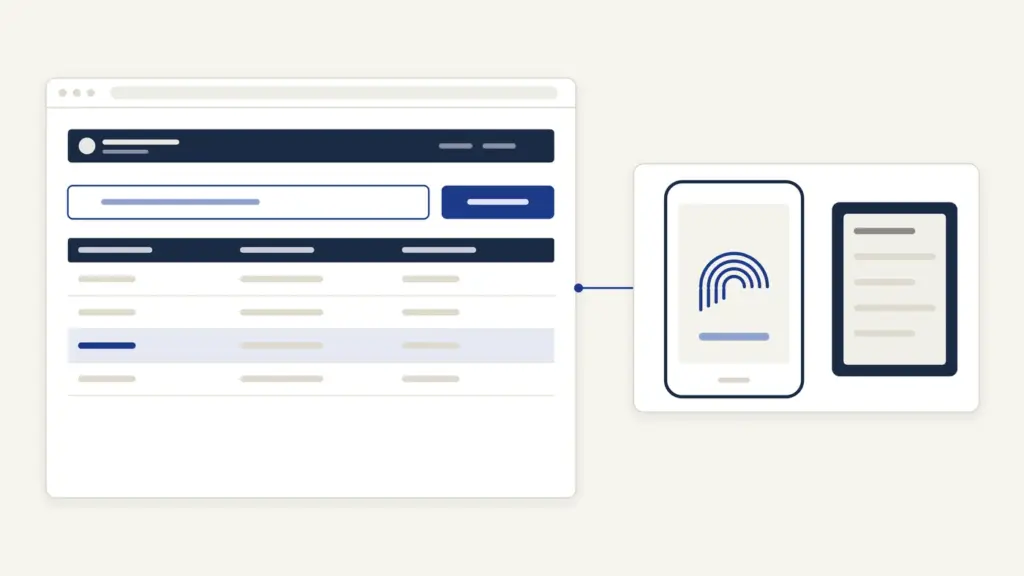
PFMS (Public Financial Management System) is the Government of India’s payment and accounting platform, run by the Controller General of Accounts (CGA) in the Ministry of Finance at pfms.nic.in. Almost every central scheme payment to a citizen passes through it, which is why people search for it: to check whether a scholarship, PM-Kisan instalment or other Direct Benefit Transfer has left the government and reached their bank account, and to find out why it failed.
The confusion worth clearing first is that PFMS doesn’t decide who gets paid. The scheme department approves your application and sanctions the amount; PFMS only validates your bank account and moves the money. So a “pending” scholarship on PFMS is usually a problem with your bank details or Aadhaar seeding, not with the portal, and the fix happens at your bank or the scheme office.
PFMS at a glance
PFMS began in 2009 as the Central Plan Schemes Monitoring System (CPSMS) to track funds under Plan schemes, and its scope was widened in 2013 to pay beneficiaries directly. Today it handles payments, receipts, accounting and reporting for the Union government.
| Fact | Detail |
|---|---|
| Owner | Office of the Controller General of Accounts, Department of Expenditure, Ministry of Finance |
| Official portal | pfms.nic.in |
| Earlier name | Central Plan Schemes Monitoring System (CPSMS), started 2009 |
| Citizen services | Know Your Payment, DBT Status Tracker, GSTN Tracker, bank branch and scheme search |
| Fee | Nil; the portal warns that PFMS does not seek money from vendors or beneficiaries |
| Bank network | Core banking systems of over 650 banks, including all public sector banks and RRBs, India Post and RBI |
| Helpline | 1800 118 111, Monday to Saturday, 9 AM to 6 PM (except national holidays) |
| [email protected] | |
| Head office | Shivaji Stadium Annexe, Connaught Place, New Delhi 110001 |
What PFMS does and who uses it
For a citizen, PFMS is a status checker. For governments, it is the pipe through which money moves. Every ministry, state government and implementing agency that sends a benefit electronically to an individual or institution does it through PFMS, as the portal’s own description of its DBT mandate says.
The system works because it is wired into four kinds of other systems:
- Banks. PFMS talks to the core banking software of over 650 banks, so it can validate an account before money is sent and confirm the credit afterwards.
- State treasuries. It is linked to the treasury systems of all states and the two Union Territories with legislatures, which matters for centrally sponsored schemes where both governments pay a share.
- NPCI. The interface with the National Payments Corporation of India handles Aadhaar-based payments through the NPCI mapper.
- Scheme portals. PM-KISAN, NSAP, MNREGASoft, AwasSoft and dozens of state scholarship portals send beneficiary lists to PFMS for validation and payment.
That last point explains a pattern you’ll notice: you apply on one portal, such as the National Scholarship Portal, and check the money on another. The note on Direct Benefit Transfers covers why the government moved subsidies onto this route.
One more distinction trips people up. The Controller General of Accounts, who runs PFMS, keeps the government’s accounts. The Comptroller and Auditor General is a constitutional authority who audits them. They are different offices.
How to check payment status on PFMS with Know Your Payment
Know Your Payment is the quickest check when you know which bank account should receive the money. It shows transaction-wise payments to that account from any scheme.
- Open pfms.nic.in and choose Know Your Payment under the Payment Status menu. The page that opens is titled Payment by Account Number.
- In Bank, type the first few characters of your bank’s name and pick it from the list.
- Type your account number in Enter Account Number and again in Enter Confirm Account Number.
- Fill the Word Verification box with the letters shown in the image. These letters are not case-sensitive on this page.
- Click Send OTP on SMS / Sandes App. The OTP goes to the mobile number registered with your bank, or you can scan the QR code to receive it on the Sandes app.
- Enter the OTP and submit to see the list of payments.
If you changed the mobile number in your bank recently, tick I have updated my Mobile Number in Bank in last 14 days before you ask for the OTP. Without the bank-registered mobile, this route won’t work, so keep that phone at hand.
How to use the DBT Status Tracker for scholarships and PM-Kisan
The DBT Status Tracker is the better tool when you want to know where a specific scheme application stands, including whether your account has even been validated. It covers national schemes such as NSP, PMKISAN, PAHAL, NREGA, PMAY and PMSVANidhi, and many state portals.
- Open DBT Status Tracker from the Payment Status menu.
- In Category, pick the scheme or portal, for example NSP for a national scholarship or PMKISAN for the farmer instalment.
- Under DBT Status, choose Beneficiary Validation to see whether your bank account passed PFMS checks, or Payment to see the money.
- Pick your Bank, then enter one of three identifiers: the Application Id, the Beneficiary Code or the Account Number.
- Type the word verification letters (case-sensitive here) and click Search.
The tracker shows results for the last 2 years only. For older payments, the portal asks you to contact the PFMS helpdesk. For scholarships, keep the NSP application ID handy; the NSP scholarship guide explains where to find it. Farmers can cross-check with the PM-Kisan status and e-KYC guide, since a stuck instalment often traces to e-KYC rather than PFMS.
What you need before you check
PFMS asks for nothing to be uploaded, and there is nothing to register for as a citizen. Keep these ready:
- the exact bank and account number that you gave in the scheme application;
- the scheme application ID or beneficiary code, if you’re using the DBT Status Tracker;
- the mobile phone registered with that bank account, for the OTP;
- your Aadhaar number, if you need to check seeding with your bank.
What PFMS status messages mean and how to fix them
Most failures fall into a few groups, and PFMS’s own remedies sheet says who must act on each. The pattern is simple: bad account details go back to the scheme department, Aadhaar problems go to your bank branch.
| Status or reason shown | What it means | What to do |
|---|---|---|
| Account Validated or Payment success | Your account passed checks, or the money was sent | Nothing; if you can’t see the credit, check other accounts linked to your Aadhaar |
| Bank Account Number is Invalid, or Account No does not exist in Bank | The bank rejected the account | Give a correct account to the scheme department |
| Invalid IFSC Code, or Bank Name and IFSC Code not related | Branch details don’t match | Give correct branch details to the scheme department |
| Account status is closed, or Blocked Account | The account can’t receive money | Give an active account to the scheme department |
| Validation Pending Since Last 6 Month from Bank | The bank hasn’t responded, often due to KYC | Visit your branch for KYC update |
| Aadhaar Number is not seeded in NPCI | Aadhaar isn’t mapped to any account | Ask your bank to seed Aadhaar and update the NPCI mapper |
| UID is Disable for DBT, or UID NEVER ENABLE FOR DBT | Your Aadhaar isn’t enabled for DBT credits | Same fix: Aadhaar seeding at your bank, with the NPCI mapper updated |
| UID is CANCELLED BY UIDAI | The Aadhaar itself is cancelled | Give valid Aadhaar details to the scheme department |
The puzzling case is a “success” status with no money in your passbook. PFMS’s DBT FAQ gives the reason: an Aadhaar-based payment goes to whichever account was seeded last. If you seeded Aadhaar with a new bank, the money went there. Check that account before you file a complaint.
Aadhaar seeding and the NPCI mapper
Aadhaar seeding means linking your Aadhaar number to one bank account so that Aadhaar-based payments land there. It is done only by your bank, in two steps that people often confuse: the branch links Aadhaar in its own core banking system, and the bank’s central team updates the NPCI mapper. Only the second step makes you payable by Aadhaar.
The DBT Mission’s guide, hosted on PFMS, sets out the process:
- Visit the branch where you hold the account and submit the Aadhaar seeding consent form, physically or electronically if the bank offers it.
- Take the acknowledgement the branch gives you. If you’re moving Aadhaar from another bank, name that bank on the form.
- The bank links Aadhaar to your account and updates the NPCI mapper.
Two rules matter. Only one account can be seeded with an Aadhaar at a time, so seeding a new account silently moves future benefits there. And if the mapper isn’t updated, the guide says the responsibility lies with the bank, not NPCI; a CBS screen showing Aadhaar linked does not prove the mapper is updated. If the bank doesn’t resolve it, escalate through its grievance cell, then write to [email protected] with the bank’s acknowledgement copy. The Jan Dhan Yojana note covers the basic accounts many beneficiaries use, and the Aadhaar update guide helps if your Aadhaar details themselves are wrong.
PFMS login for agencies and officials
The PFMS Login on the home page is for government users, not beneficiaries. Implementing agencies, ministries, banks and state treasuries log in with a user ID and password to create schemes, register beneficiaries and push payments. The home page’s Registration menu has Create Login id and Retrieve Agencies Login id for agencies, and a Register Different Users option with forms for MIS users and DBT beneficiaries.
If you’re a student or farmer, you don’t need a PFMS login at all. Everything you can see about your own payment is available through Know Your Payment and the DBT Status Tracker without one.
Fees, timelines and recent changes
Checking status on PFMS is free, and the home page carries a fraud alert saying PFMS does not seek money from vendors or beneficiaries to process claims or payments. Anyone asking for a fee to “release” a PFMS payment is not from PFMS.
PFMS publishes no payment timeline. When a benefit is paid depends on the scheme department’s sanction and the fund release, so ask the scheme office or its portal about dates. The home page also announced technical upgradation work from 7 August 2026 to 28 September 2026; if a status didn’t load during that window, try again now.
Where to complain
Start with the right office, because PFMS can’t change your bank details or approve your application:
- Wrong or rejected account details: the scheme department or portal where you applied.
- Aadhaar not seeded or mapper not updated: your bank branch, then its grievance cell.
- Portal or payment-trail problems: PFMS helpline 1800 118 111 (Monday to Saturday, 9 AM to 6 PM), email [email protected], or the Post Grievance link under Contact Us, which opens PFMS’s online helpdesk ticket form.
PFMS also lists its state directorates under Contact Us, and these handle state-linked schemes. A sound habit is to note the date, scheme, application ID and the exact status text before you call; it saves a round of questions.
Frequently Asked Questions
What is PFMS used for?
PFMS is the Ministry of Finance platform through which central and state schemes pay beneficiaries and keep accounts. Citizens use it to check whether a scheme payment has been validated, sent and credited to their bank account.
How can I check my PFMS payment status?
Open pfms.nic.in and use Know Your Payment with your bank name and account number, confirmed by an OTP on your bank-registered mobile. For a specific scheme, use the DBT Status Tracker with the scheme category and your application ID, beneficiary code or account number.
How do I check my NSP scholarship payment on PFMS?
Open the DBT Status Tracker, select NSP as the category and choose Payment under DBT Status. Enter your bank and the NSP application ID, solve the captcha and click Search. The tracker shows the last two years of results.
Why does PFMS show payment success but no money in my account?
An Aadhaar-based payment goes to the account most recently seeded with your Aadhaar in the NPCI mapper. If you seeded a newer account, the money was credited there. Check all your accounts before raising a complaint.
What does ‘Aadhaar not seeded in NPCI’ mean?
It means your Aadhaar isn’t mapped to any bank account for DBT credits. Visit your bank branch, submit the Aadhaar seeding consent form and ask the bank to update the NPCI mapper, which only the bank can do.
Do I need a PFMS login to check my payment?
No. The PFMS login is for government agencies, ministries and banks. Beneficiaries check status without an account through Know Your Payment and the DBT Status Tracker.
Is there a fee to use PFMS?
No. Status checks are free, and PFMS warns that it never asks vendors or beneficiaries for money to process a claim or payment. Treat any such demand as fraud.
What is the PFMS helpline number?
The toll-free number is 1800 118 111, available Monday to Saturday from 9 AM to 6 PM except national holidays. You can also email [email protected] or raise a ticket through the Post Grievance link.
Tell Google you want more of this.
Add Anantam IAS as a preferred sourceOne tap, and this site shows up more often in your own Top Stories, AI Overviews and AI Mode. Remove it any time.






