

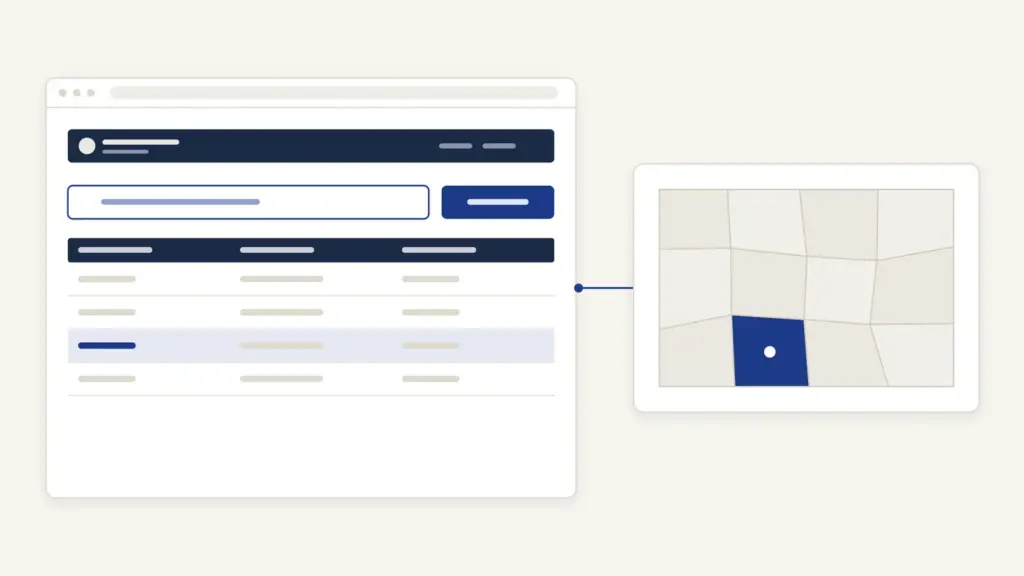
Bhu Bharati is the land records portal of the Revenue Department, Government of Telangana, at bhubharati.telangana.gov.in. It took over from the Dharani portal when the Telangana Bhu Bharati (Record of Rights in Land) Act, 2025 replaced the 2020 law behind Dharani, and the government issued its implementing orders on 14 April 2025. People use Bhu Bharati to search land details by survey number or passbook number, to book a slot for registering a sale or gift of farm land, and to apply for mutation, succession or a correction in the record.
The common belief is that Bhu Bharati is Dharani with a new name. It isn’t quite that. Your old pattadar passbook stays valid and the record carried over, but the new Act adds what Dharani lacked: a written route to correct a wrong entry and a ladder of appeals that stops short of the civil court. If you were stuck on Dharani with an error you couldn’t fix, that change is the part that matters to you.
Bhu Bharati at a glance
Bhu Bharati is both a public search window and the application desk for most farm-land transactions in Telangana.
| Fact | Detail |
|---|---|
| Owner | Revenue Department, Government of Telangana; content with the Chief Commissioner of Land Administration (CCLA) |
| Built by | National Informatics Centre (NIC) |
| Address | bhubharati.telangana.gov.in |
| Law | Telangana Bhu Bharati (Record of Rights in Land) Act, 2025 (Act No. 1 of 2025), assent 3 January 2025 |
| Replaced | Telangana Rights in Land and Pattadar Pass Books Act, 2020 and its Dharani portal |
| Implementing orders | G.O.Ms.No.36 and G.O.Ms.No.39, both dated 14 April 2025 |
| Free services | Land details, encumbrance details, market value, prohibited lands and registered document searches |
| Paid services | Registration, mutation, succession, passbook and conversion applications, paid by e-Challan |
| Helpline | 040-29313999, 10 AM to 5 PM |
What changed from Dharani for an existing user
Very little changed in what you hold, and a lot changed in what you can do about a mistake. Section 23 of the Act repealed the 2020 law and kept every action taken under it valid, so mutations done on Dharani still stand. The word “Dharani” in other state laws now reads “RoR Portal”.
Here is what carried over:
- Your passbook: a Pattadar Pass Book-cum-Title Deed issued under the 2020 Act is treated as issued under the new Act.
- Your record: the Record of Rights kept electronically under the 2020 Act continues until a fresh one is prepared.
- Old encumbrances: the portal has a separate search for encumbrance details from before Dharani.
And here is what’s new:
- Corrections: section 4 lets anyone affected by a wrong entry apply for rectification, and lets a person in lawful possession whose land was left out apply for a new entry. The district administration’s own summary of the change notes that the Dharani law had no such provision, so errors went to the civil court.
- Appeals: section 15 sets out appeals to the Revenue Divisional Officer (RDO), the District Collector and a Land Tribunal, each with a time limit.
- Bhudhaar: every parcel gets a unique land number, temporary at first and permanent once the parcel is geo-referenced.
- Survey maps: from a date the government notifies, sale and succession applications must carry a survey or sub-division map.
That’s the whole difference in practice. A Dharani user who was told “go to court” can now try the revenue route first.
How to search land details on Bhu Bharati
The land details search is free and doesn’t need an account. It’s the page most people want when they type the portal’s name.
- Open bhubharati.telangana.gov.in and choose the Details of Land service under Information Services.
- In Search By, choose Survey No./Sub-Division No. or Pattadar Passbook Number.
- Select the District, then the Mandal, then the Village.
- Enter the survey number or the khata number, or the passbook number if you chose that option.
- Read the record shown on screen.
The page shows the date to which records are updated; it read 04-10-2026 when this guide was checked. If your village doesn’t appear under a mandal, confirm the current district and mandal against the list of districts in Telangana, since several mandals moved when districts were reorganized.
The other free searches on the home page answer narrower questions:
- Encumbrance Details: charges and transactions on the land.
- EC Details Before Dharani: the older encumbrance record.
- Market Value for the specific land: the government value used for stamp duty.
- Prohibited Lands Details: land barred from registration, such as assigned or government land.
- ROFR Lands Details: land under forest rights titles.
- Registered document details: deeds already registered.
How to register and log in for applications
Every paid service needs a citizen account. The official user manual sets out the sign-up in a few screens.
- Click Login on the home page, then Signup.
- Enter your personal details and click Get OTP.
- Enter the OTP and captcha and click Validate & Register.
- A password reaches you by SMS. Log in with your mobile number, that password and the captcha, then validate the OTP.
- Reset the password when asked. The citizen dashboard opens.
Keep the same mobile number for every application. Status messages and slot confirmations go to it.
How to apply for mutation, registration and succession
Each application follows the same rhythm: fill the form, pay by e-Challan, download the challan and transaction summary, then either book a slot or complete eKYC at a MeeSeva center. The application then moves to the department for a decision.
Sale, gift, mortgage, exchange and partition
These are registered and mutated together. You book a slot online, and on the slot date the Tahsildar cum Joint Sub Registrar registers the deed and updates the record. The portal’s FAQ lists what to carry:
- the seller’s passbook and the buyer’s passbook, if the buyer has one;
- the original document and the e-Stamp e-Challan;
- PAN cards of both parties, or Form 61;
- Aadhaar cards of the seller, the buyer and two witnesses, and of consenting parties if any.
Seller, buyer and both witnesses must be present. According to the FAQ, the registered document is handed over the same day. Section 5 of the Act asks the Tahsildar to amend the record immediately after registration and issue a new or updated passbook.
Land bought earlier but never mutated
If you bought land before Bhu Bharati and the mutation never happened, the FAQ points you to Apply for Mutation in the citizen login. The process flow adds MeeSeva eKYC after payment.
Succession
All legal heirs of a deceased pattadar apply together under Application for succession including assigned lands (with or without PPB). Carry the death certificate, the family member certificate, a joint agreement of the legal heirs and other relevant documents. Under section 7, the Tahsildar must issue notice to interested persons before amending the record, and the record is treated as amended if no order comes within the prescribed period.
Corrections and other fixes
The Modification Request Application module handles most errors: a misspelled name, a wrong extent, a missing survey number, a wrong land nature or land wrongly shown as government land. Two pattadar accounts in one village under the same Aadhaar must first be joined through Application for Khata Merging, or a duplicate passbook won’t go for printing. Court decrees are implemented through Application for PPB Court Case, and disputed survey numbers can be blocked through Court Cases & Intimation.
Fees, timelines and your passbook’s legal value
Bhu Bharati doesn’t publish a single fee table on its home page. The amount for each service is calculated in the application and paid by e-Challan before the slot or eKYC step; for agricultural land conversion (NALA), the FAQ says the system calculates and shows the charge before slot booking. Stamp duty and registration fee follow the Registration Act, 1908 and the Indian Stamp Act, 1899.
Timelines for each module are left to the rules, not printed on the portal. Use the e Challan / Application Status page to see where your file is.
The passbook carries real weight. Section 10(5) gives a certified Pattadar Pass Book-cum-Title Deed the same evidentiary value for an equitable mortgage as a registered document, and section 10(6) says a credit agency shall not insist on the physical passbook to grant a loan, since the charge can be recorded electronically. Section 11 adds that every entry in the Record of Rights is presumed correct until the contrary is proved. For a certified copy of the record, section 12 provides for one on payment of the prescribed fee. The role land records play in farm lending is explained in the note on agricultural credit.
Common Bhu Bharati errors and their fixes
Most problems trace back to an old entry that didn’t match reality when the record was digitized. The FAQ maps each to a module.
- Survey number missing from your khata: apply under Modification Request Application, Missing Survey number/Sub division Number. For a deceased pattadar, choose the deceased pattadar option.
- Name spelled wrongly: Modification Request Application, change of name.
- Extent wrong: Modification Request Application, extent correction.
- Land shown as government land: Modification Request Application, transfer from notional khata to patta.
- Duplicate passbook not printing: merge khatas held under the same Aadhaar first.
- Survey number on the prohibited list: Grievance relating to inclusion in Prohibited Properties List.
- Land converted before Bhu Bharati still shown as agricultural: Application for Pending NALA, with the old challan details.
- Village not found in search: recheck the district and mandal; the portal follows current boundaries.
How to appeal a Bhu Bharati decision
Section 15 of the Act sets out the appeal ladder, and the time limits are short, so note the date the order reached you.
| Order passed by | First appeal to | Time limit | Second appeal |
|---|---|---|---|
| Tahsildar (sale, partition, succession mutation) | Revenue Divisional Officer | 60 days | District Collector, within 30 days; Collector’s decision final |
| Revenue Divisional Officer (other mutations) | District Collector | 60 days | Land Tribunal, within 30 days; final |
| Decision on Bhudhaar card or passbook | Revenue Divisional Officer | 60 days | District Collector, within 30 days |
| Rectification order of Tahsildar, RDO or Collector | RDO, Collector or Land Tribunal | 30 days | Next level, within 30 days |
Until the government sets up Land Tribunals, section 14 makes the CCLA the Land Tribunal. Section 15(8) also lets the government provide free legal services to farmers who can’t afford to file an appeal. For a general complaint about the portal, call the helpline 040-29313999 between 10 AM and 5 PM.
Bhu Bharati is one state’s answer to a national push to make land records conclusive and searchable. The broader program is explained in land records management in India, and the next national step is discussed in the note on DILRMP 3.0 and the land stack. The long fight over who owns land in Telangana, from jagirs to inams, is part of the history of land reforms, and the Act still records abolished jagir and inam lands as government land unless they were lawfully settled or granted.
Frequently Asked Questions
Has Bhu Bharati replaced Dharani?
Yes. The Telangana Bhu Bharati (Record of Rights in Land) Act, 2025 repealed the 2020 Act behind Dharani, and the implementing orders were issued on 14 April 2025. Records and actions under Dharani remain valid. Other state laws now refer to the RoR Portal instead of Dharani.
Is my Dharani passbook still valid?
Yes. Section 10 of the new Act treats a passbook issued under the 2020 Act as issued under Bhu Bharati. You don’t need a new one unless the record changes. Banks and registering officers can’t insist on the physical passbook.
How do I check land details on Bhu Bharati?
Open the Details of Land service, choose to search by survey number or passbook number, then select the district, mandal and village. Enter the survey or khata number and view the record. This search is free and needs no login.
What is Bhudhaar?
Bhudhaar is a unique identification number for each land parcel under the Bhu Bharati Act. It’s temporary until the parcel is geo-referenced and permanent after that. Bhudhaar cards are to be made available online from a date the government notifies.
How can I correct a wrong entry in Bhu Bharati?
Use the Modification Request Application module and choose the option that fits, such as change of name, extent correction or missing survey number. The new Act gives a rectification route that the Dharani law did not. If the officer refuses, you can appeal.
Where do I appeal against a Tahsildar’s mutation order?
Appeal to the Revenue Divisional Officer within 60 days of receiving the order. A second appeal lies to the District Collector within 30 days, and the Collector’s decision is final. Orders of the RDO go to the Collector and then the Land Tribunal.
Do I need to visit an office for registration?
Yes, once. You book a slot online, and on the slot date the seller, buyer and two witnesses appear before the Tahsildar cum Joint Sub Registrar. The registered document and the updated record are issued the same day according to the portal.
What is the Bhu Bharati helpline number?
The portal lists 040-29313999 for assistance, available from 10 AM to 5 PM. For a dispute over an entry, the Tahsildar and the appeal route under the Act are the formal remedies. The helpline handles portal and application queries.
Tell Google you want more of this.
Add Anantam IAS as a preferred sourceOne tap, and this site shows up more often in your own Top Stories, AI Overviews and AI Mode. Remove it any time.






