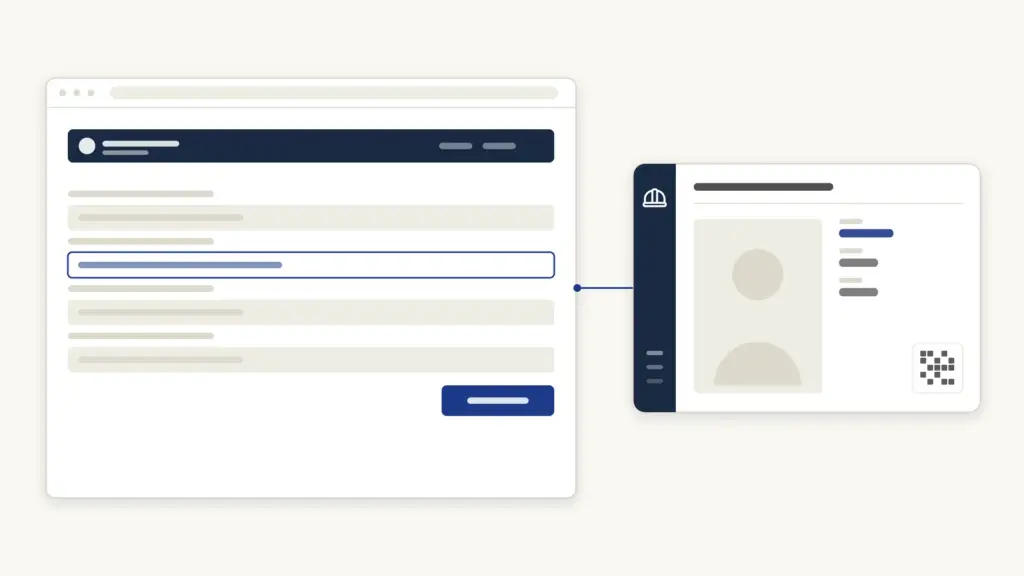
The e-Shram card is a free identity card for India’s unorganised workers, issued through the government’s eShram portal. Registering takes about ten minutes with your Aadhaar and a linked mobile number, costs nothing, and gives you a permanent 12-digit Universal Account Number (UAN) plus ₹2 lakh accident insurance cover. This guide explains who qualifies, how to self-register, how to download the card, and what benefits attach to it.
What is the e-Shram card?
Launched on 26 August 2021 by the Ministry of Labour and Employment, the eShram portal is the National Database of Unorganised Workers (NDUW) — the first attempt to register every unorganised worker in the country under one roof. On registering, a worker receives an e-Shram card carrying a 12-digit UAN that stays valid for life and works across states.
The point of the database is delivery: once the government knows who and where unorganised workers are, welfare benefits — insurance, pensions, skill programmes, ration portability — can reach them directly. The portal’s One Stop Solution now maps more than a dozen central schemes to registered workers, so your e-Shram profile doubles as a gateway to them. A broader map of such programmes is in our sarkari yojana list.
Who counts as an unorganised worker?
You are eligible to register if all four of these hold:
- You are aged 16 to 59.
- You work in the unorganised sector — any home-based worker, self-employed worker, or wage worker not covered by the organised sector’s protections.
- You are not a member of EPFO or ESIC (the provident fund and insurance systems of formal employment).
- You are not an income-tax payer.
The occupation list is deliberately wide: agricultural labourers, construction workers, street vendors, domestic workers, rickshaw pullers, brick-kiln workers, fishermen, milk pourers, ASHA and anganwadi workers, beedi rollers, handloom weavers, barbers, washermen, gig and platform workers (delivery riders, cab drivers), migrant workers, and hundreds of other listed occupations. Students are not eligible; this is a database of workers.
Documents you need
Registration is deliberately light on paperwork:
- Aadhaar number — mandatory.
- Mobile number linked to Aadhaar — the OTP for self-registration goes there.
- Bank account details (account number and IFSC) — for benefit transfers.
No income certificate, no occupation proof, no photographs. Your name, date of birth, and photo come from Aadhaar. If your mobile is not linked to Aadhaar, you can still register at a Common Service Centre (CSC) using biometric authentication.
How to apply: self-registration on eshram.gov.in
- Open eshram.gov.in and click Register on eShram.
- On the self-registration page, enter your Aadhaar-linked mobile number and the captcha.
- Declare whether you are an EPFO/ESIC member (you must not be) and click Send OTP.
- Enter the OTP, then your Aadhaar number, tick the consent, and validate with a second OTP.
- Your Aadhaar details appear. Confirm them and fill the remaining sections one by one:
- Personal details — nominee, emergency contact, social category.
- Address — current and permanent, plus migrant-worker status if applicable.
- Education and income — highest qualification, monthly income slab.
- Occupation and skills — pick your primary occupation from the list (this drives which schemes you are mapped to, so choose accurately).
- Bank details — account number, IFSC, account-holder name.
- Preview the full form, tick the self-declaration, and submit.
- Your UAN is generated instantly and the e-Shram card appears on screen. Download it as a PDF then and there.
Prefer assisted registration? Any CSC does it free of charge — the government pays the CSC per registration, so a genuine centre will not bill you.
How to download the e-Shram card later
Lost the PDF or want a fresh copy after an update:
- Go to eshram.gov.in and click Already Registered? Update.
- Enter your UAN, date of birth, and the captcha, then verify the OTP.
- Your dashboard opens. Click Download UAN Card.
- The card downloads as a PDF showing your name, UAN, and QR code.
If you registered by mobile OTP, the “Update Profile Using Aadhaar” route with your Aadhaar-linked mobile also gets you in. The card never expires, so a downloaded copy remains valid — but keep your details current.
Benefits linked to the e-Shram card
| Benefit | What you get |
|---|---|
| Accident insurance (PMSBY) | ₹2 lakh for accidental death or permanent total disability; ₹1 lakh for partial disability. First-year premium borne by the government for registered workers |
| Universal Account Number | Lifetime 12-digit ID valid across all states, portable when you migrate for work |
| Scheme mapping (One Stop Solution) | Your profile links to central welfare schemes — pension (PM-SYM), ration portability (One Nation One Ration Card), health cover eligibility, housing and skill schemes |
| Direct benefit transfer | Announced relief for unorganised workers (as during the pandemic) routes straight to your seeded bank account |
| Priority in future programmes | New social-security codes and welfare boards draw beneficiary lists from this database |
The insurance piece deserves a note: the cover runs under Pradhan Mantri Suraksha Bima Yojana (PMSBY), and after the government-funded first year it continues through the scheme’s regular auto-debit of a small annual premium from your bank account — worth keeping active given the cover. For old-age income on top of accident cover, registered workers between 18 and 40 can also look at pension schemes such as the Atal Pension Yojana.
Updating your e-Shram details
Income, occupation, address, and mobile numbers change; the card should keep up. Log in via Already Registered? Update, and edit any section — occupation, current address, bank account, nominee. Update your record whenever you migrate to another state or switch trades: scheme mapping follows your declared occupation and location. Updating is free through the portal. At a CSC, updates are also handled; e-Shram services to workers are meant to be free of charge.
Grievances and help
- Helpline: 14434 — the national eShram helpdesk, available in Hindi, English, and several regional languages.
- Grievance portal: the eShram site’s Grievance link lets you lodge and track complaints with your UAN.
- Beware of unofficial “e-Shram payment status ₹1,000/₹3,000” websites and videos. The e-Shram card itself carries no monthly payment; any cash benefit comes from a specific notified scheme, announced only on government channels.
Frequently Asked Questions
Is there any fee for e-Shram registration?
No. Self-registration on eshram.gov.in is free, and registration at a Common Service Centre is also free to the worker — the government compensates the CSC.
Who is eligible for the e-Shram card?
Any unorganised-sector worker aged 16 to 59 who is not a member of EPFO or ESIC and does not pay income tax. Farmers doing wage labour, street vendors, domestic workers, and gig workers all qualify.
What is the ₹2 lakh benefit on the e-Shram card?
Registered workers get accident cover under Pradhan Mantri Suraksha Bima Yojana: ₹2 lakh for accidental death or permanent total disability, and ₹1 lakh for permanent partial disability.
Can I apply for the e-Shram card without an Aadhaar-linked mobile number?
Yes, but not from home. Visit a Common Service Centre, where registration is completed using Aadhaar biometric authentication instead of OTP.
How do I download my e-Shram card again?
Go to eshram.gov.in, click “Already Registered? Update”, log in with your UAN and date of birth (plus OTP), and choose Download UAN Card.
Does the e-Shram card give a monthly pension or salary?
No. The card itself pays nothing monthly. It registers you for benefits — insurance now, and pension only if you separately enrol in a pension scheme such as PM-SYM or Atal Pension Yojana.
Do government employees or income-tax payers qualify?
No. Organised-sector employees (EPFO/ESIC members), government employees, and income-tax payers are all outside the scheme’s definition of unorganised workers.
Tell Google you want more of this.
Add Anantam IAS as a preferred sourceOne tap, and this site shows up more often in your own Top Stories, AI Overviews and AI Mode. Remove it any time.