

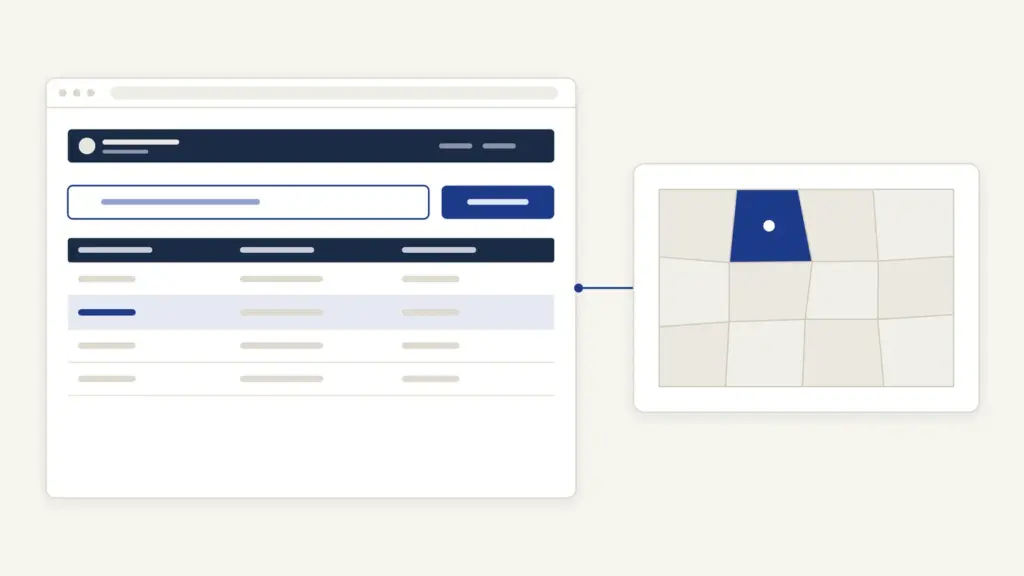
Mahabhulekh is Maharashtra’s online land-record site, and most people open it for one document: the 7/12 extract (satbara utara) of a piece of farmland, or the 8A account that lists every plot a person holds in a village. The site sits at bhulekh.mahabhumi.gov.in, is run by the office of the Settlement Commissioner and Director of Land Records in Pune and shows records for 35 districts. Viewing a 7/12 on Mahabhulekh is free and needs only the village and the survey or gat number.
What trips people up is the copy itself. The screen version carries a plain warning that it can’t be used for any government or legal purpose, so a bank, court or sub-registrar won’t take it. The copy those offices accept is the digitally signed 7/12, which comes from a separate paid site, digitalsatbara.mahabhumi.gov.in, and its user guide sets the wallet top-up in multiples of Rs 15. Keep the free view for checking and the signed copy for submitting, and the rest of Mahabhulekh is straightforward.
Mahabhulekh at a Glance
Mahabhulekh is one window in a larger set of Maharashtra land-record sites that the Revenue Department groups under the name Mahabhumi. These are the basics from the official pages.
| Fact | Detail |
|---|---|
| Run by | Settlement Commissioner and Director of Land Records, Pune (Revenue Department, Maharashtra) |
| Free view site | bhulekh.mahabhumi.gov.in (Mahabhulekh v2.0), Marathi only |
| Records shown | 7/12, 8A, property card (malmatta patrak) and K-Prat |
| Signed copy site | digitalsatbara.mahabhumi.gov.in, paid through an SBI ePay wallet |
| Price of a signed copy | Wallet top-up of Rs 15 to Rs 1,000 in multiples of 15; property card currently free |
| Mutation and corrections | e-Hakk (rural), e-PCIS (urban) |
| Helplines | Mahabhumi 020-25712712; Settlement Commissioner’s office 020-26050006 |
| dlrmah[dot]mah[at]nic[dot]in |
What the 7/12 and 8A Extracts Show
The 7/12 is the record of rights for one survey or gat number. Its name comes from two village registers kept by the Talathi (the village revenue officer): village form VII, the record of rights, and village form XII, the crop register. Printed together they tell you who holds the plot and what was grown on it.
The 8A works the other way round. It’s the holding register for one khata (account), so it lists every survey number a landholder has in that village and the land revenue on it. A buyer usually reads the 7/12 first, then the 8A to check that the seller’s khata matches.
| Record | What it proves | Where to get it |
|---|---|---|
| 7/12 (satbara) | Holder of a survey or gat number, area, tenure, other rights such as loans or tenancy, and crops | Free view on Mahabhulekh; signed copy on the digital satbara site |
| 8A | All plots in one khata in a village and the revenue assessed | Free view on Mahabhulekh; signed copy by khata number |
| Mutation entry (ferfar) | How and when a change of holder was recorded | Signed copy on the digital satbara site; apply for a new one on e-Hakk |
| Property card (malmatta patrak) | Holder of a city survey plot in urban areas | Free view on Mahabhulekh; signed copy, currently free |
The national programme behind this digitisation is the Digital India Land Records Modernization Programme, explained in our note on land records management in India.
How to View a 7/12 on Mahabhulekh
The search is a short form in Marathi with English labels in brackets. You need the district, taluka and village names and either the survey or gat number or the holder’s name.
- Open bhulekh.mahabhumi.gov.in.
- Answer the first question, “तुम्हाला तुमचा 11 अंकी प्रॉपर्टी यूआयडी क्रमांक माहीत आहे का?” (Do you know your 11-digit property UID number?). Choose नाही (No) if you don’t have it.
- Under अधिकार अभिलेखाचा प्रकार निवडा (Select Record of Right), pick ७/१२ (7/12), ८अ (8A), property card or K-Prat.
- Select जिल्हा (District), then तालुका (Taluka) and गाव (Village).
- Search by सर्वे नंबर/गट नंबर (Survey/Gat Number) or by नाव (Name). For survey search, choose plain survey number or अक्षरी सर्वे नंबर, the alphanumeric form used for subdivided plots such as 45/2A.
- Enter your mobile number, choose the display language and type the captcha.
- Open the extract and read it on screen, or print it for your own records.
District names follow the current official forms, so look for अहिल्यानगर (Ahilyanagar), छत्रपती संभाजीनगर (Chhatrapati Sambhajinagar) and धाराशिव (Dharashiv), not the old names. If you aren’t sure which district a taluka falls in now, the list of districts in Maharashtra helps before you start. Mumbai City doesn’t appear in the 7/12 district list at all; Mumbai Suburban does.
A printout of this screen is good for due diligence. It isn’t a document to hand to a bank, and it isn’t one to accept from a seller as proof.
How to Download the Digitally Signed 7/12
The signed copy comes from a different site with its own login and a prepaid wallet. The steps below follow the site’s user guide.
- Open digitalsatbara.mahabhumi.gov.in and accept the refund policy.
- Log in. OTP Based Login needs only your mobile number. Regular Login needs a one-time New User Registration with your name, mobile number, date of birth and a password. The two logins keep separate wallets, so money added in one can’t be used in the other.
- Click Make Online Payment, enter an amount between Rs 15 and Rs 1,000 and pay through SBI ePay. The guide advises paying in multiples of 15.
- Print the receipt and note the PRN (payment reference number).
- For a 7/12, select the district, taluka and village, search the survey or gat number, select it and click Download. For an 8A, enter the khata number instead.
- The charge is deducted from your wallet only after the file downloads.
The site’s own notice is the line that matters: digitally signed 7/12, 8A and property card copies can be used for all official and legal purposes. In December 2025 Revenue Minister Chandrashekhar Bawankule announced that these Rs 15 copies would be accepted in government, banking and court work without a Talathi’s signature or stamp, as reported by the press at the time.
Property cards are a small exception in the user guide: there’s currently no fee for a signed property card, and the search runs by region, district, office, village and CTS (city survey) number.
How to Verify a Signed 7/12
Every signed 7/12 or 8A carries a verification number printed in the PDF. Anyone can check it, so a bank or buyer doesn’t have to trust the paper in front of them.
- On the digital satbara home page, click Verify 7/12 (or Verify 8A, Verify Ferfar, Verify Property card).
- Enter the verification number from the PDF.
- Download the verification version and compare it with the copy you were given.
If the two don’t match, treat the paper copy as suspect and ask for a fresh download.
Fees and Timelines
Viewing on Mahabhulekh is free. The signed copy is the only paid step, and the money works like a prepaid balance rather than a per-document checkout.
- Free view: no charge, no login.
- Signed 7/12 or 8A: wallet top-up from Rs 15 to Rs 1,000, in multiples of 15; the charge per download is deducted from the balance.
- Signed property card: currently free, per the user guide.
- Refunds: none. The site treats the deposit as an advance that you can use for the same document later or for other documents, but it won’t return the money.
- Payment not showing: if the bank says success but My Balance doesn’t show it, use Check Payment Status with the PRN. Don’t pay again first.
Land-record services are also notified under the Maharashtra Right to Public Services Act, 2015, in force from 28 April 2015. The state’s list gives a certified copy of the record of rights a time limit of 7 days, with the Talathi as the designated officer, the Naib Tehsildar as first appellate officer and the Tehsildar as second. Miss that limit and the appeal route opens.
How to Fix an Error in Your 7/12
Mistakes in the online 7/12 usually come from the move from handwritten registers to the computer. Mahabhulekh itself names the four that matter most: the total area, the unit of area, the holder’s name and the holder’s share.
The fix runs through e-Hakk, the Revenue Department’s online application system for the Talathi.
- Go to the new land records site, bhumiabhilekh.maharashtra.gov.in, and register.
- Choose the Mutation 7/12 option and the correction you need.
- Upload the old handwritten 7/12 that shows the correct entry.
- Submit and track the application from the same login.
A change of holder works the same way. Under section 149 of the Maharashtra Land Revenue Code, 1966, anyone who acquires rights in land by sale, inheritance or partition must report it to the Talathi within three months. Section 150 then requires the Talathi to enter it in the register of mutations and give written notice to everyone with an interest, who can object before the entry is certified. Rural mutations go through e-Hakk; urban ones go through e-PCIS.
This is why a fresh sale may not show on the 7/12 for weeks. The mutation entry has to be made, noticed and certified before the record changes.
Common Errors and Their Fixes
Most Mahabhulekh problems repeat, and each has a known fix:
- Village not in the list. The taluka is probably wrong, often after a district split. Check the current district and taluka, then search again.
- Survey number not found. The plot may have been renumbered as a gat number after consolidation, or subdivided. Try the alphanumeric (akshari) option or search by the holder’s name.
- Name spelled differently. Old entries use Marathi spellings. Search by survey number rather than name, and raise an e-Hakk correction if the spelling is actually wrong.
- Page shows English gibberish. The site warns against third-party transliteration tools. Use the built-in language option instead.
- Site down. The site posts scheduled maintenance windows on the home page; wait for the window to end rather than retrying for hours.
- Paid but no document. Check the wallet balance, then Check Payment Status with the PRN. The balance stays usable.
Where the 7/12 Is Used
A signed 7/12 is the standard proof of agricultural land in Maharashtra, so it turns up in most farm paperwork:
- Crop loans: banks check the holder and any existing loan entry in the other-rights column; the note on agricultural credit explains why land records anchor farm lending.
- Central schemes: land seeding is a condition for PM-KISAN payments, and crop insurance under PMFBY asks for land details.
- Sale and inheritance: buyers and heirs check the holder, share and pending mutations.
Readers coming from Uttar Pradesh will find the same split between a free screen copy and a certified copy explained in our UP Bhulekh khatauni guide.
Where to Complain
Start local, because the Talathi holds the record and the circle officer certifies mutations.
- Talathi or circle office: for errors, pending mutations and copies of old registers.
- Tehsildar: if the Talathi doesn’t act; mutation disputes go up the revenue hierarchy.
- Right to Services appeal: if a notified service misses its time limit, file a first appeal with the senior officer, then a second, then a third with the Maharashtra State Right to Service Commission. A defaulting officer can be fined up to Rs 5,000 per case.
- Helplines: Mahabhumi at 020-25712712 and the Settlement Commissioner’s office in Pune at 020-26050006.
Mahabhulekh does one job well: it lets anyone read the land record before money changes hands. The habit worth building is to check the free copy, then pay Rs 15 for the signed one and verify its number before anyone signs anything.
Frequently Asked Questions
Is the 7/12 on Mahabhulekh valid for a bank loan?
No. The free Mahabhulekh copy carries a warning that it can’t be used for any government or legal purpose. Banks and courts accept the digitally signed 7/12 from the digital satbara site, which the department says is valid for all official and legal purposes.
How much does a digitally signed 7/12 cost?
The digital satbara site works on a prepaid wallet, and its user guide asks for a top-up between Rs 15 and Rs 1,000 in multiples of 15. The Revenue Department announced in December 2025 that a signed 7/12 costs Rs 15. A signed property card currently carries no fee.
What is the difference between 7/12 and 8A?
The 7/12 is the record for one survey or gat number: who holds it, its area, rights and crops. The 8A is the account for one khata, listing every plot that holder has in the village with the revenue due. Buyers usually check both.
Can I search Mahabhulekh by owner name?
Yes. The 7/12 search offers a name option next to the survey or gat number option. Name search is slower and depends on the Marathi spelling in the record, so the survey number is the more reliable key.
Why can’t I find my survey number on Mahabhulekh?
The plot may now carry a gat number after consolidation, or a subdivided number such as 45/2A. Try the alphanumeric survey option or search by name. Also confirm the district and taluka, since several were renamed or reorganised.
How do I correct a wrong name or area in my 7/12?
Apply to the Talathi through e-Hakk on the state’s land records site, choose the 7/12 correction option and upload the old handwritten 7/12 that shows the right entry. Mahabhulekh itself points users to this route for area, unit and name mismatches.
How do I check whether a 7/12 copy is genuine?
Every signed 7/12 has a verification number in the PDF. Enter it under Verify 7/12 on the digital satbara site and compare the result with the copy in hand. A mismatch means the paper copy shouldn’t be relied on.
Is Mahabhulekh available in English?
The Mahabhulekh site states that it’s available only in Marathi, though the form labels carry English in brackets and you can choose a display language for the extract. The site asks users not to rely on third-party transliteration tools.
Tell Google you want more of this.
Add Anantam IAS as a preferred sourceOne tap, and this site shows up more often in your own Top Stories, AI Overviews and AI Mode. Remove it any time.






