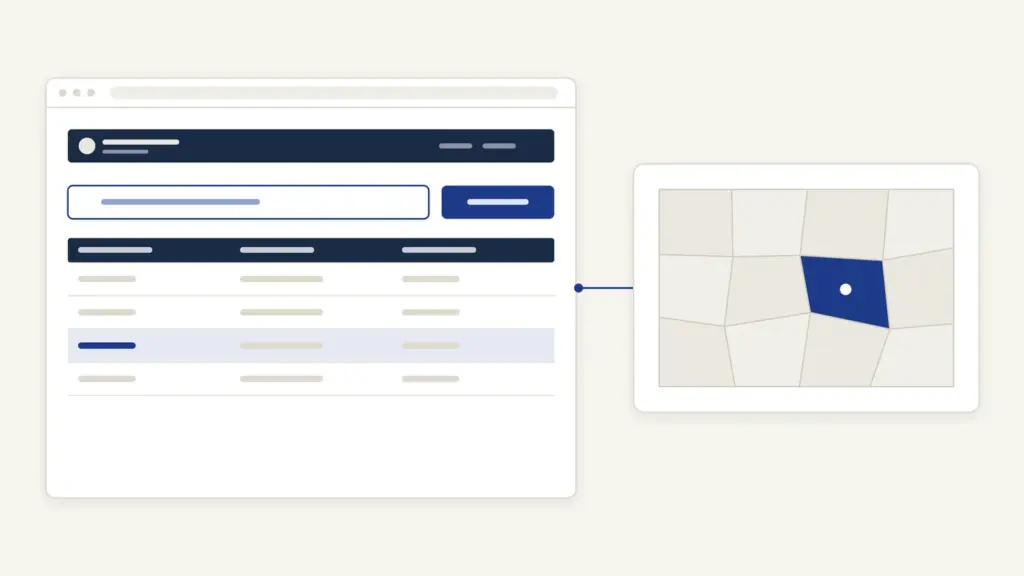
UP Bhulekh is the Uttar Pradesh government’s online land-record portal, and almost everyone who opens it wants one thing: the khatauni of a plot they own, want to buy or are fighting over. The portal is run by the Board of Revenue (Rajasv Parishad), Uttar Pradesh, sits at upbhulekh.gov.in and carries the land data of every village in the state. Searching it is free and takes a couple of minutes once you know the plot number.
What trips people up is not the search. It’s the gap between the copy you see on screen and the copy a bank, court or registry office will accept. The screen copy is marked unattested (apramanit prati), and the portal itself says the data is for viewing only. A certified copy, what most people call the khatauni nakal, comes through the portal’s online payment route, the tehsil computer centre or a CSC or Lokvani centre. Keep that one distinction in mind and the rest of UP Bhulekh is easy.
What UP Bhulekh Shows
UP Bhulekh is the public window into Uttar Pradesh’s computerised record of rights, the register that says who is recorded as holding which piece of land. It shows the khatauni for any village, the status of individual plots and links out to the village map.
A few words come up on every screen, so it helps to fix them first:
- Khatauni: the record of rights for one holding. It lists the recorded holders, their shares and every plot in that holding. Think of it as the account statement for a family’s land.
- Khata number: the number of that holding. One khata can contain several plots.
- Khasra or gata number: the number of a single plot. The portal writes the two words together as “khasra/gata sankhya”, so treat them as the same thing.
- Unique code (ULPIN): a plot-level identifier the portal accepts as a search key alongside the khasra number.
- Fasli year: the revenue year a record belongs to. The portal writes it as a July to June span, for example 1 July 2020 to 30 June 2021.
The unattested khatauni extract carries these fields:
- district, tehsil, village, village code, fasli year and khata number
- each holder’s name with the father’s, husband’s or guardian’s name, caste code, the last four digits of Aadhaar or digits 6 to 9 of PAN, address, and date of birth where the holder is a minor
- each holder’s share in the khata
- khasra/gata numbers and their area in hectares
- mortgage entries (column 18.1) and mortgage release entries (column 18.2), with the bank’s name or code, date, amount and application number
- remarks (column 19), previous orders and the computerised number of any revenue case pending on the land
That last field is the one buyers skip and later regret. A pending revenue case number on a plot means the entry can change after an order, whatever the seller says.
Who Needs a Khatauni and Why
Anyone with a stake in land in Uttar Pradesh uses UP Bhulekh, and nobody needs to register to view a record. Owners, buyers, heirs and lenders can all check the same entry from the same screen.
The common reasons:
- Buyers checking that the seller is the recorded holder, that the share matches the sale and that no mortgage or case is noted
- Heirs checking whether a varasat (succession) entry has gone through after a death
- Farmers proving their holding for schemes; PM-KISAN pays only after land records are seeded on its portal, as the PM-KISAN explainer sets out, and crop insurance forms ask for land details too, as the PM Fasal Bima Yojana guide shows
- Banks checking holdings and existing mortgage entries before a crop loan; the agricultural credit note explains why land records sit at the centre of farm lending
- Litigants checking whether an order has been carried into the record
The record has a long history behind it. UP’s village-based revenue settlement goes back to the Mahalwari system, and the national push to digitise registers like this one is covered in land records management in India.
What You Need Before You Search
You need the location and one number. Everything else is optional.
| Task | What to keep ready |
|---|---|
| View khatauni | District, tehsil and village; khasra/gata number or unique code (ULPIN) |
| Trace a recent transfer | The mutation date, for the date-wise search |
| Check a plot’s status | The khasra/gata number from your search result |
| See bank mortgage details | The khata from your search result |
| Certified copy online | Your search result and a working online payment method |
| Certified copy at a counter | Plot details, taken to the tehsil computer centre or a CSC or Lokvani centre |
If you don’t know a village or tehsil code, the portal’s FAQ section explains how to look them up. If you’re unsure which district a village now falls in, the list of UP districts helps before you start.
How to Check Khatauni on UP Bhulekh
The UP Bhulekh khatauni search is a series of drop-downs followed by a captcha. Village names appear in Hindi.
- Open https://upbhulekh.gov.in/.
- Open the भूलेख सेवाएं (Bhulekh services) menu at the top right and choose “खतौनी (अधिकार अभिलेख) की नक़ल देखें” (view a copy of the record of rights).
- Pick the district (janpad) from the list, then the tehsil. Each list has its own search box.
- Select the village. The list is in Hindi, and the portal lets you narrow it by the first letter of the village name.
- Choose how to search: by khasra/gata number or unique code (ULPIN), or by mutation date if you’re tracing a transfer.
- Enter the number and the captcha, then search.
- Pick the matching khata from the results to open the “uddharan khatauni (apramanit prati)”, the unattested extract.
- Read it on screen or print it for your own reference.
A printout of this screen is fine for your own due diligence. It isn’t a document to hand to a bank, and it isn’t one to accept from a seller as proof.
How to Check Plot Status, Map and Mortgage
Clicking a khasra number in the result opens that plot’s status. The portal describes this as the plot’s position on four counts: whether it is under dispute, whether it has been sold, its bhu-naksha (map) and its entry in the mutation register.
The same भूलेख सेवाएं menu also has two direct options: “भूखण्ड/गाटे के विक्रय की स्थिति जानें” for a plot’s sale status and “भूखण्ड/गाटे के वाद ग्रस्त होने की स्थिति जानें” for whether it’s under litigation.
- Run the khatauni search above.
- Click the khasra/gata number shown in the result.
- Read the status panel for dispute, sale, map and mutation entries.
- Use the bank mortgage option to view mortgage (bandhak) details noted against the holding.
- For the map itself, open the state’s Bhu-Naksha portal at https://upbhunaksha.gov.in/.
- If the extract shows a pending revenue case number, track the case on the revenue court system at https://vaad.up.nic.in/.
The mutation-date search is the quickest way to check whether a sale or inheritance you were promised has been entered. If the date-wise search shows nothing, the mutation hasn’t reached the record yet.
Where the Certified Khatauni Copy Comes From
The free extract is for viewing only, and the portal says so in its own disclaimer: the data is for information, and a certified copy of the extract can be obtained from the tehsil computer centre and CSC or Lokvani centres. There is also an online route on the portal itself.
To get a certified khatauni online:
- Open the भूलेख सेवाएं menu and choose “ऑनलाइन पेमेन्ट द्वारा खतौनी की प्रमाणित प्रति प्राप्त करें” (get a certified khatauni copy through online payment).
- Pick the district, tehsil and village, and find your khata the same way as in the free search.
- Complete the payment step for the certified copy.
- If you’ve paid but the payment shows as unconfirmed, use the payment confirmation option on the same screen instead of paying again.
- Download the certified extract. It states that it was prepared through the electronic delivery system and that the data is signed with a digital signature.
Anyone can check where and when a certified copy was issued. The portal’s FAQ points to its “Verify ROR by RoR Id” option, where you enter the extract number.
Old handwritten records are a separate case. The same menu has its own option, “अधिकार अभिलेख (रिकॉर्ड रूम) की प्रमाणित प्रति प्राप्त करें”, for certified copies of the record of rights held in the record room.
The digital-signature route rests on the UP Record of Rights (Computerisation) (Second Amendment) Rules, 2011 and a state order on issuing computerised khatauni extracts with digital signatures.
Fees and Timelines
Viewing is free. The certified copy is a paid service, and the portal shows the charge at the payment step rather than on a public fee page.
| Service | Cost | Where |
|---|---|---|
| View unattested khatauni | Free | upbhulekh.gov.in |
| Plot status, mutation-date search, mortgage view | Free | upbhulekh.gov.in |
| Village map (bhu-naksha) | Free to view | upbhunaksha.gov.in |
| Certified khatauni online | Shown at the payment step | upbhulekh.gov.in, online payment |
| Certified khatauni at a counter | User charge collected at the counter | Tehsil computer centre, CSC or Lokvani centre |
Common Errors and Fixes
Most UP Bhulekh problems have a plain explanation.
- Copy not generating for a village. The portal’s FAQ gives the reason: the village has a new khatauni, either rebuilt from the old one or made fresh after consolidation (chakbandi), and it isn’t digitally signed yet. The fix is to wait or contact the tehsil.
- “Data not available.” Recheck the tehsil and village, then try the unique code instead of the khasra number.
- Captcha rejected. Reload it and retype carefully; the portal rejects any mismatch.
- Paid, but no copy. Use the payment confirmation option before paying a second time.
- Name or share wrong in the record. The portal can’t correct entries. A correction needs an order from the revenue authorities at the tehsil, and the “previous orders” field shows orders already carried in.
- Sale or inheritance not showing. Search by mutation date. If it’s missing, the mutation is still with the tehsil.
Helpline and Grievance
UP Bhulekh has a grievance status option on its homepage, and it points complaints to the state’s Jansunwai grievance system.
- Register a complaint with the homepage’s “shikayat panjikaran” tile, or track one with “shikayat ki sthiti janen” (know complaint status). Both open Jansunwai.
- Call the portal’s computer cell at the Board of Revenue, Lucknow, on 0522-2217144, the number in the site footer.
- File or track a complaint on Jansunwai at https://jansunwai.up.nic.in/.
- Check revenue court cases at https://vaad.up.nic.in/.
- For registered sale deeds, which Bhulekh doesn’t hold, use the stamp and registration portal at https://igrsup.gov.in/.
For anything the portal can’t answer, the tehsil is the office that owns the record, and the lekhpal and tehsildar are the officials who act on it. The SDM guide explains where the Sub Divisional Magistrate sits above them in revenue matters.
What UP Bhulekh Can’t Do
UP Bhulekh is a viewing and copying service. It can’t change anything in the record.
- It doesn’t correct names, shares or areas. That needs a revenue order.
- It doesn’t carry out mutation. Mutation is filed and decided at the tehsil.
- It doesn’t hold sale deeds. Those sit with the registration department.
- The screen copy isn’t a certified document, and a screenshot of it proves nothing.
- A khatauni records who is entered as the holder. It isn’t a court’s final word on ownership, and a pending case number is a warning to read before anything else.
The honest advice is simple. Pull the free khatauni yourself before you pay any token amount on a plot, read the mortgage and pending-case fields line by line, and pay for the certified copy only when an institution asks for it. A seller’s printout, however neat, is no substitute for your own search.
Land outside Uttar Pradesh sits on each state’s own portal; the directory of land record portals lists them all, with guides such as Bihar Bhumi and MP Bhulekh.
Frequently Asked Questions
Is the khatauni on UP Bhulekh valid as a legal document?
The copy you view for free is marked as an unattested extract and the portal says the data is for viewing only. For a bank, court or registry, get a certified copy through the portal’s online payment route or from the tehsil computer centre or a CSC or Lokvani centre.
Can I search UP Bhulekh by owner name?
The search options clearly offered on the portal are khasra or gata number, the plot’s unique code (ULPIN) and mutation date. If you only know the owner’s name, the tehsil or a CSC operator can help you find the khata.
What is the difference between khatauni and khasra?
A khatauni is the record of rights for a whole holding, listing the recorded holders, their shares and all plots in that khata. A khasra or gata number identifies a single plot. The portal treats khasra and gata as the same number.
Why is the khatauni copy not generating for my village?
According to the portal’s FAQ, this happens when the village has a new khatauni, rebuilt from the old one or made after consolidation, that has not been digitally signed yet. Wait for it to be signed or contact the tehsil.
How do I check if a plot in UP has a bank loan against it?
Open the khatauni and read columns 18.1 and 18.2, which record mortgage and mortgage release entries with the bank’s name, date and amount. The portal also has a bank mortgage view for the holding.
Can I correct a wrong name or share on UP Bhulekh?
No. The portal only displays and copies the record. Corrections need an order from the revenue authorities at the tehsil, after which the computerised record is updated.
Tell Google you want more of this.
Add Anantam IAS as a preferred sourceOne tap, and this site shows up more often in your own Top Stories, AI Overviews and AI Mode. Remove it any time.