

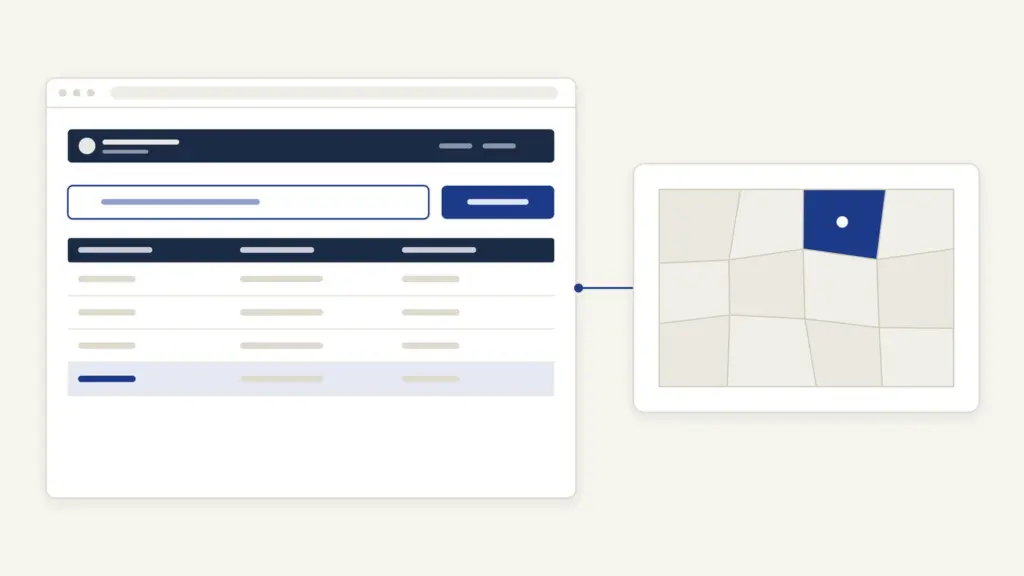
Meebhoomi is the land records portal of the Revenue Department, Government of Andhra Pradesh, at meebhoomi.ap.gov.in. It’s run from the office of the Chief Commissioner of Land Administration (CCLA) and hosted by the National Informatics Centre. Most people open it for one of three jobs: to see the adangal or the ROR-1B of a survey number, to download the land map or the electronic pattadar passbook, or to check whether their Aadhaar is seeded to their land account. Viewing is free; the current version asks you to log in with your mobile number and an OTP first.
Two things confuse most first-time users. The first is that the record you see on Meebhoomi is an information copy, not a signed copy, so a bank or a court may still ask for one issued by a revenue official. The second is that Meebhoomi doesn’t decide your mutation. Applications to change the record go through the village or ward secretariat, and Meebhoomi only shows the result and the status. Hold on to those two points and the rest of the portal is simple.
Meebhoomi at a glance
Meebhoomi is a viewing and download window into Andhra Pradesh’s computerized land records, with links to the secretariat services that change them.
| Fact | Detail |
|---|---|
| Owner | Revenue Department, Government of Andhra Pradesh, through the office of the CCLA, Mangalagiri |
| Built and hosted by | National Informatics Centre (NIC) |
| Address | meebhoomi.ap.gov.in |
| Login | Citizen Login with mobile number, OTP and captcha; an Aadhaar login option also appears |
| Main records | Adangal, ROR-1B, LP maps and FMB, pattadar details, e-passbook, Aadhaar link status |
| Linked services | Mutation for Transactions, Mutation for Correction, Aadhar seeding, Land Conversion, Auto Mutation (through the secretariats) |
| Fee to view | Free; secretariat services carry a listed user charge |
| Governing law | Andhra Pradesh Rights in Land and Pattadar Passbooks Act, 1971 and Rules, 1989 |
| Complaints | Tahsildar or secretariat; anti-corruption toll-free number 14400 shown on the portal |
Which land records Meebhoomi shows
Meebhoomi shows the village revenue accounts that prove who holds a piece of land and how it’s used. The terms are Andhra Pradesh’s own, so it helps to fix them once.
- Adangal, also called pahani: the village register entry for a survey number. It records the extent, the pattadar and the cultivation details of that number.
- ROR-1B: the Record of Rights in the 1-B format. It’s organized by khata number (the account of one holder) and lists every survey number and extent in that account.
- Pattadar: the person recorded as the holder of the land. The pattadar search finds the account from a name.
- LP number: the land parcel number given after the state’s resurvey. Where a village has been resurveyed, the portal accepts the LP number in place of the old survey number.
- FMB (field measurement book) and LP map: the sketch of a survey number or parcel with its boundaries.
- e-Passbook: the electronic version of the pattadar passbook, the holder’s own book of land entries.
The table maps each record to its use.
| Record | What it proves | Where on Meebhoomi |
|---|---|---|
| Adangal | Extent, pattadar and cultivation details for a survey or LP number | Adangal, searched by Survey No. or LP No. |
| ROR-1B | Who holds which land in one khata | ROR-1B, searched by Khata No. |
| Pattadar details | Which account a named holder has | Pattadar, searched by name |
| LP map or FMB | The shape and boundaries of the parcel | LP Maps / FMB |
| e-Passbook | The holder’s passbook entries in electronic form | E-Passbook, after OTP verification |
| Aadhaar link status | Whether the khata is seeded with Aadhaar | Aadhaar Linking Status |
The pattadar idea itself comes from the ryotwari settlement of the old Madras Presidency, where the state dealt directly with each cultivator; the history is in the note on the ryotwari system. The national program that pushed records like these online is explained in land records management in India.
How to log in to Meebhoomi
Meebhoomi now opens on a login panel, and every search sits behind it. The citizen route needs only a working mobile number.
- Open meebhoomi.ap.gov.in.
- Keep Citizen Login selected. Officials Login is for revenue staff.
- Enter your mobile number in the Mobile No. field and click Get OTP.
- Type the OTP and the captcha shown on screen.
- Click Verify OTP. The service menu opens.
The panel also carries an Aadhaar login option. If the OTP doesn’t arrive, wait for it before pressing Get OTP again, because repeated requests generally slow things down rather than speed them up.
How to view adangal and ROR-1B on Meebhoomi
The search pattern is the same for every record: pick the place, then give one number. Keep the survey number, LP number or khata number ready before you log in.
To see the adangal:
- After logging in, click Adangal.
- Select the District, then the Mandal, then the Village.
- Enter the Survey No. or LP No.
- Click Search and read the entry on screen.
To see the ROR-1B:
- Click ROR-1B.
- Select District, Mandal and Village.
- Enter the Khata No.
- Click Search.
If you don’t know the khata number, use the Pattadar option first: choose the village, select the pattadar name and search. The result gives you the khata, and from there the 1-B is one more search. Village names follow the revenue village, not the postal address, so check the mandal against the list of districts in Andhra Pradesh if the district boundaries confuse you.
LP maps, e-Passbook and Aadhaar seeding status
These three services answer the questions that come after the record: what does the land look like, can I carry my passbook digitally and is my Aadhaar linked.
- LP Maps / FMB: select District, Mandal and Village, enter the Survey No. or LP No. and search. You get the parcel sketch.
- E-Passbook: enter the Khata No. or LP No., complete the OTP verification and click Download.
- Aadhaar Linking Status: select the village and enter the Khata No. or Aadhaar number to see whether the account is seeded.
Aadhaar seeding matters for more than records. Farm schemes that pay into bank accounts match the beneficiary against land data, which is why a missing link shows up later as a stalled installment; the PM-KISAN status and eKYC guide shows how that check works on the central side. If the status shows the khata as unseeded, the Aadhar seeding service at your village or ward secretariat is the route to fix it.
Free view or signed copy: which one does a bank accept?
The Meebhoomi screen is free and good for checking. It’s an information view, and the portal doesn’t describe it as a certified copy. When a bank, court or registering officer asks for a land document, they’re usually asking for a copy issued under a revenue official’s authority, not a screenshot.
Two practical rules follow.
- For checking a seller’s title, confirming an entry after a sale or preparing papers, the free view is enough.
- For a loan file, a court filing or any office that insists on an attested document, ask for a signed copy of the adangal or 1-B at the village or ward secretariat or a MeeSeva center. The AP Seva portal guide shows how those secretariat services are applied for and tracked.
Banks lend against land only after checking holdings and existing charges, which is why the land record sits at the center of farm credit; the note on agricultural credit explains that link.
The law behind the record is the Andhra Pradesh Rights in Land and Pattadar Passbooks Act, 1971. Its section 4 requires anyone who acquires a right in land, by succession, partition, decree, sale or otherwise, to intimate the Mandal Revenue Officer in writing within ninety days. That intimation is what starts the change in the record.
How mutation works through the secretariats
Mutation means changing the record after a transfer, so the new holder’s name appears in the 1-B and the adangal. On Meebhoomi, the mutation tiles sit under the heading of revenue services available through the Grama and Ward Sachivalayams.
The services listed there:
- Mutation for Transactions: a change after a sale, gift, partition or similar transfer.
- Mutation for Correction: fixing a wrong entry, such as a name spelling or an extent.
- Auto Mutation: the record update that follows a registered transaction.
- Aadhar seeding: linking the khata to Aadhaar.
- Land Conversion For Non Agriculture Purpose: permission to use farm land for other purposes.
The CCLA’s website publishes a list of services and service charges. It shows Rs 500 for Mutations for Corrections and Rs 10,000 for land conversion from agriculture to non-agriculture. Treat the payment screen at the secretariat as the final word on the amount. Meebhoomi itself doesn’t publish a timeline for each mutation.
To track an application you’ve already made, log in and open Mutation / LP Records, enter the Application No. and search. Survey-related applications have their own Survey Records search by district and application number. The portal also carries a link to pay water tax under the AP Water Tax Act, 1988 and a link to the ORCMS cause list, which shows hearings in revenue courts.
Common Meebhoomi errors and their fixes
Most failed searches come down to a wrong location or a wrong number format. Here are the usual problems and the fix for each.
- OTP not received: check that the number is correct and that the phone has signal; wait before asking again. If it still fails, try the other login route shown on the panel.
- No record found: the village is probably wrong. Recheck the mandal, because some villages moved when districts were reorganized.
- Survey number not accepted: the village may be resurveyed. Search with the LP number instead, or enter the sub-division exactly as written in your old document.
- Name spelled differently: old entries often spell names differently from Aadhaar. Search by khata number rather than by name, and apply for Mutation for Correction if the record itself is wrong.
- Page times out: the portal is busy at peak hours. Try again later instead of refreshing the OTP repeatedly.
- Record differs from your passbook: the online record is the one the department works from. Take both to the secretariat and ask for a correction.
Where to complain about a Meebhoomi record
A wrong entry is fixed by the revenue office, not by the website. Start at the village or ward secretariat with your passbook, documents and the screen copy, and ask for a correction application. If it stalls, escalate to the Tahsildar of your mandal, who decides corrections and mutations.
For a problem the mandal can’t solve, the office of the CCLA in Mangalagiri is the state-level authority; its published office number is 0863-2387351. If anyone asks for a bribe to change or speed up an entry, Meebhoomi itself asks you to call the toll-free number 14400. For records you need from the office, an application under the RTI Act is a lawful route to a copy.
The state is also piloting a separate Meebhoomi Blockchain portal, with its own citizen and department logins, to keep a tamper-evident trail of land records. The country-wide plan to connect such records is covered in the land stack portal and revenue glossary note.
Frequently Asked Questions
What is Meebhoomi used for?
Meebhoomi is Andhra Pradesh’s land records portal, used to view the adangal and ROR-1B of a survey number, see LP maps, download the e-passbook and check Aadhaar seeding. It’s run by the Revenue Department through the office of the CCLA. Viewing records is free after a mobile OTP login.
How do I check adangal on Meebhoomi?
Log in with your mobile number and OTP, click Adangal, then select the district, mandal and village. Enter the survey number or LP number and click Search. The entry shows the extent, the pattadar and the cultivation details for that number.
What is the difference between adangal and 1-B?
The adangal is organized by survey number and records the land’s extent, holder and cultivation. The ROR-1B is organized by khata number and lists all the land held in one account. You search adangal with a survey or LP number and 1-B with a khata number.
Is the Meebhoomi printout valid for a bank loan?
The Meebhoomi screen is an information view, not a signed copy. For a loan file or a court case, ask for a signed copy of the adangal or 1-B at the village or ward secretariat or a MeeSeva center. Use the free view to check entries before you apply.
What is an LP number on Meebhoomi?
An LP number is the land parcel number assigned after Andhra Pradesh’s resurvey of a village. In resurveyed villages the portal accepts the LP number in place of the old survey number. If a survey number search fails, try the LP number.
How do I download the e-passbook from Meebhoomi?
Log in, open E-Passbook, enter your khata number or LP number and complete the OTP verification. Then click Download to save the electronic passbook. The OTP goes to the mobile number linked to the account.
Can I apply for mutation on Meebhoomi?
Mutation applications go through the village or ward secretariat, under services such as Mutation for Transactions and Mutation for Correction. Meebhoomi links these services and lets you track an application with its number under Mutation / LP Records. The final decision rests with the Tahsildar.
Who do I contact if my Meebhoomi record is wrong?
Start at your village or ward secretariat and apply for a correction, then escalate to the Tahsildar of your mandal. The office of the CCLA in Mangalagiri is the state-level authority. Bribe demands can be reported on the toll-free number 14400 shown on the portal.
Tell Google you want more of this.
Add Anantam IAS as a preferred sourceOne tap, and this site shows up more often in your own Top Stories, AI Overviews and AI Mode. Remove it any time.






