The UP ration card list — officially the NFSA eligibility list — is published online by the Uttar Pradesh Food and Civil Supplies Department at fcs.up.gov.in. Anyone can check whether their family’s name appears on it by drilling down from district to block (or town) to their fair price shop, no login required. If your name is on the list, your household is entitled to subsidised — currently free — foodgrains every month from the fair price shop named against your card.
What the list actually is
Under the National Food Security Act (NFSA), each state maintains a live list of eligible households, sorted by the fair price shop (FPS) that serves them. In UP the list covers two card types:
- Antyodaya (AAY) cards — the poorest households, entitled to 35 kg of foodgrain per card per month.
- Eligible household / Priority (PHH) cards — entitled to 5 kg per family member per month.
The online list is the authoritative record: if a shop owner claims your name “is not in the system”, the fcs.up.gov.in entry settles it either way.
How to check your name: district → block → shop
- Open fcs.up.gov.in and find the NFSA eligibility list (राशन कार्ड की पात्रता सूची) link under the important links section.
- A table of all 75 districts loads. Click your district.
- Choose Town (नगरीय क्षेत्र) or Rural/Block (ग्रामीण क्षेत्र), then click your town or block name.
- Rural users then pick their Gram Panchayat; urban users pick their ward.
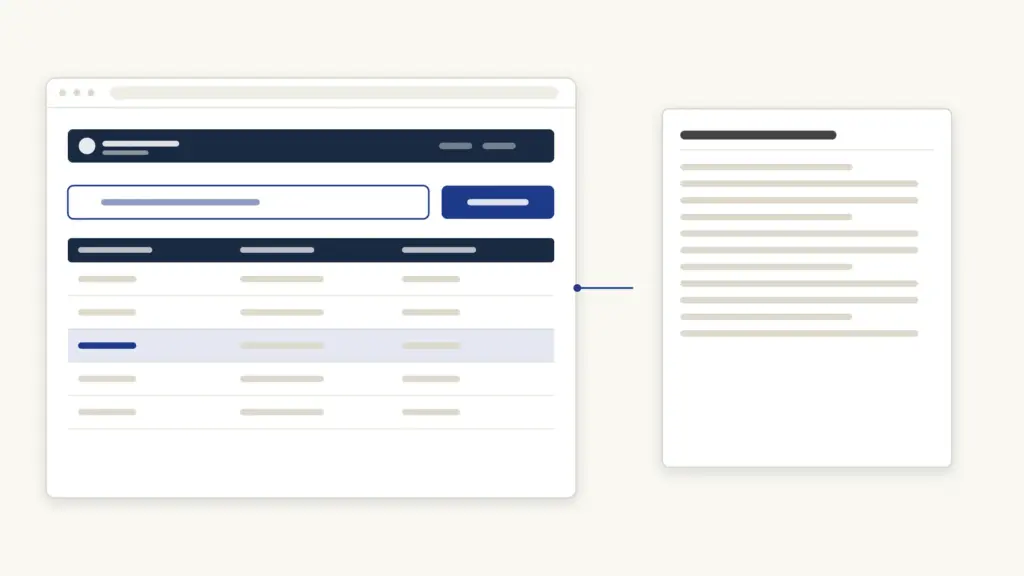
- Click the name of your fair price shopkeeper (दुकानदार). The counts of Antyodaya and eligible-household cards appear as clickable numbers.
- The full cardholder list for that shop opens: cardholder’s name, card number, father’s/husband’s name, and family unit count. Find your entry — the list is ordered by card number, so use your browser’s find function (Ctrl+F) for the name in Hindi.
- Click the card number to open the card’s detail page, which shows every family member recorded on it.
There is also a direct search by ration card number on the portal if you already have the 12-digit number, which skips the drill-down entirely. The same NFSA data is mirrored nationally on nfsa.gov.in under “Ration Card Details on State Portals”, and in the Mera Ration mobile app — useful if the state site is slow.
Who is eligible for a card in UP
Eligibility is exclusion-based: households are included unless they hit exclusion criteria such as income-tax payers, four-wheeler owners, large landholdings, or government employment (criteria differ slightly for urban and rural areas). Antyodaya status targets the poorest — those without stable income, headed by widows, disabled persons, or the elderly with no support. Category certificates are not required for the card itself, though documents like a caste certificate or income certificate are often collected in the same e-district ecosystem for other schemes.
Since the merger of the free-grain scheme (PMGKAY) with NFSA distribution, both card types receive their full grain entitlement free of cost, and the central government has extended free distribution up to 31 December 2028, per PIB’s announcement.
What each card gets: entitlements
| Card type | Monthly entitlement | Cost |
|---|---|---|
| Antyodaya (AAY) | 35 kg foodgrain per card (wheat + rice mix as per district allocation) | Free (under PMGKAY, extended to Dec 2028) |
| Eligible household (PHH) | 5 kg foodgrain per member (wheat + rice mix) | Free (under PMGKAY, extended to Dec 2028) |
The exact wheat:rice split varies by district and month; the shop’s stock position and your card’s transaction history are visible on the portal’s supply pages. Distribution is biometric — a family member’s Aadhaar-authenticated thumbprint at the shop’s ePoS machine draws the ration, and under One Nation One Ration Card you can draw it from any FPS in India, not just your home shop.
Name not in the list? Here’s what to do
- New application: apply for a ration card online through the state’s e-district system or at a CSC/Jan Seva Kendra with Aadhaar of all members, a passport photo, bank passbook, and address proof; the application routes to the district supply office for verification. Urban applicants can also submit at the tehsil/DSO counter.
- Name deleted from an existing card: deletions happen during verification drives (duplicate Aadhaar, migration, death records). Ask the supply inspector for the deletion reason, then file a correction with supporting documents at the tehsil or through the e-district portal.
- Adding a family member: newborns and brides are added via the modification service with birth certificate or marriage proof plus Aadhaar.
- Grievances: the department runs a toll-free helpline 1800-1800-150 (and the national NFSA line 1967), listed on fcs.up.gov.in; complaints about shops denying listed entitlements can also be filed online on the portal’s complaint (शिकायत) section.
Verification of a fresh application typically takes a few weeks; once approved, your name appears in the same online list, and the card itself is downloadable — UP ration cards are also pushed to DigiLocker, which is the easiest way to carry a valid copy. For the wider set of UP welfare schemes that key off the ration card — housing, pension, Ujjwala — see our Sarkari Yojana list.
Reading the supply pages: beyond the name check
The fcs.up.gov.in portal shows more than the list. From the homepage you can also check:
- Shop-wise allocation: how much stock your FPS received this month.
- Distribution status: whether your card has drawn the current month’s ration, with date and quantity — useful to detect proxy withdrawals against your card.
- FPS mapping: which shop your card is attached to, and the process to migrate to a nearer shop.
If a transaction appears against your card that your family did not make, take a screenshot and file it with the helpline or the district supply office — the ePoS trail makes such complaints concrete and actionable.
Frequently Asked Questions
How do I check my name in the UP ration card list?
Open fcs.up.gov.in, click the NFSA eligibility list link, then select your district, block or town, gram panchayat or ward, and fair price shop. The full cardholder list for that shop opens; find your name or search the page. No login or OTP is needed.
Can I check the UP ration card list by card number?
Yes. The portal has a ration-card-number search that opens your card’s detail page directly, showing all family members, the card type, and the attached fair price shop. The Mera Ration app offers the same lookup.
How much ration do UP cardholders get per month?
Antyodaya cards get 35 kg of foodgrain per card; eligible household (PHH) cards get 5 kg per family member. Both are currently free of cost, with free distribution extended until 31 December 2028.
My name was removed from the ration card list. Why?
Common reasons are verification drives flagging duplicate Aadhaar, long non-drawal, migration, or exclusion criteria (such as becoming an income-tax payer). Ask the area supply inspector for the recorded reason, then apply for restoration with documents through the tehsil or e-district portal.
Can I take my UP ration from a shop in another city?
Yes. Under One Nation One Ration Card, any family member can draw the entitlement at any fair price shop in India using Aadhaar biometric authentication, whether within UP or in another state.
How do I add a new family member to the ration card?
File a modification request through the e-district portal or a Jan Seva Kendra with the member’s Aadhaar plus a birth certificate (for children) or marriage proof (for a spouse). The unit count — and the 5 kg entitlement — updates once verified.
Is there a fee to check the list or download the card?
No. Checking the NFSA list on fcs.up.gov.in is free and open to everyone, and the digital ration card via DigiLocker costs nothing. Kendra operators may charge a small service fee only for filing applications on your behalf.
Tell Google you want more of this.
Add Anantam IAS as a preferred sourceOne tap, and this site shows up more often in your own Top Stories, AI Overviews and AI Mode. Remove it any time.