
Banglarbhumi is West Bengal’s official land records portal, run by the Land and Land Reforms and Refugee Relief and Rehabilitation Department at banglarbhumi.gov.in. People open Banglarbhumi for four jobs: to see the khatian (record of rights) of a holding or the details of a plot, to convert an old RS plot number into the current LR number, to apply for mutation after buying or inheriting land and to pay khajna (land revenue) online. Almost every service, including the free property search, now sits behind a citizen login, so the first step is a one-time sign-up.
Two confusions waste most people’s time. The first is the plot number itself. Many deeds still carry the old RS dag number, but the computerized records run on LR numbers, and an application filed on an RS number isn’t valid. The second is what the screen proves. The property search is a near-exact copy of the central database and is meant for checking, while a digitally signed ROR copy is the record you hand to someone else. This guide settles both, then walks through each task in the order the portal shows it.
Banglarbhumi at a Glance
Banglarbhumi is the citizen face of West Bengal’s computerized land records. Its menus and help files are in English and Bengali, and the essentials below come from the live portal and the department’s own user guides.
| Fact | Detail |
|---|---|
| Owner | Land and Land Reforms and Refugee Relief and Rehabilitation Department (L&LR and RR&R), Government of West Bengal |
| Address | banglarbhumi.gov.in |
| Login | Citizen sign-up; the registered mobile number becomes the username |
| Free search | Know Your Property (khatian or plot details) and RS-LR Information, both after login |
| Paid services | Signed ROR copy, plot information copy, plot map, mouza map, mutation (non-agricultural land), conversion |
| Payment | GRIPS, the state’s online receipt portal, by net banking, debit card or counter payment |
| Free applications | Warish (inheritance) mutation; mutation of agricultural land |
| Contact on the portal | Director of Land Records and Survey, Kolkata-700027; 033-2479-5726; [email protected] |
| Records held | About 42,159 mouzas and 4.30 crore khatians, as the department states |
West Bengal’s online journey started earlier than most states. The department dates the launch of the website to May 2012 and the web-based e-Bhuchitra system, which links the land records to property registration, to December 2014. The national side of this story, the Digital India Land Records Modernisation Programme, is covered in the note on land records management in India.
Khatian, Dag, RS and LR: The Words on the Screen
Banglarbhumi uses West Bengal’s own revenue vocabulary. Six terms carry most of the meaning.
- Khatian: the record of rights (ROR) for one holding, listing the raiyat (recorded holder), each plot, the share and the land classification.
- Dag or plot: a single parcel, identified by its dag number. The portal uses dag and plot for the same thing.
- Mouza: the revenue village. You pick district, block and mouza before every search.
- RS (Sabek): the older plot and khatian numbers from the earlier revisional survey. The portal calls this layer sabek, meaning old.
- LR (Hal): the current numbers from the later settlement under the West Bengal Land Reforms Act, 1955. The portal calls this layer hal, meaning current, and every online application runs on it.
- Khajna: the annual land revenue payable on the holding.
The department’s own history explains why two numbering systems exist. It records that the state’s cadastral maps were revised from 1954 to 1962 under the West Bengal Estates Acquisition Act, 1953, and again from 1972 under the Land Reforms Act. One RS dag can therefore map to more than one LR dag, or several RS dags can sit inside one LR dag. The longer arc of these laws, from zamindari to vesting and ceilings, sits in the notes on the Permanent Settlement of 1793 and land reforms in India.
The table below maps each record to what it proves and where it sits on the portal.
| Record | What it proves | Where on Banglarbhumi |
|---|---|---|
| Khatian (ROR) view | Who holds which plots, with share and classification | Know Your Property |
| Plot details | Every raiyat on one dag, with individual share | Know Your Property, search by plot |
| RS-LR conversion | The LR dag that replaced an RS dag, or the reverse | Citizen Services, RS-LR Information |
| Signed ROR copy | Digitally signed record of rights | Service Delivery, ROR Request |
| Plot information copy | Digitally signed details of one plot | Service Delivery, Plot Info. Request |
| Plot map | Digitally signed map of one plot | Service Delivery, Plot Map Request |
| Mouza map | Printed village map sheet | Service Delivery, Mouza Map Request, collected at the DL&LRO office |
| Mutation status | Stage of a mutation case and hearing date | Online Service Status, Mutation Status |
How to Sign Up and Log In on Banglarbhumi
Registration is a public form that asks for your details, an email ID and a mobile number. The department’s plot-map guide notes that your mobile number becomes your username, so use a number you’ll keep.
- Open banglarbhumi.gov.in and click “SIGN UP” at the top right.
- Fill in the registration form with your name, email ID and mobile number, and set a password.
- To log in later, click “SIGN IN”, choose the “Citizens” option rather than “Departmental Users”, and enter username, password and captcha.
- Enter the OTP sent to your mobile when the login screen asks for it.
- After login, the “Citizen Services” menu opens the full list of applications and searches.
The login window warns that you must change your password every 30 days for security, so an old password that suddenly fails usually needs a reset through “FORGET PASSWORD”, not a new account.
How to Check Your Khatian or Plot (Know Your Property)
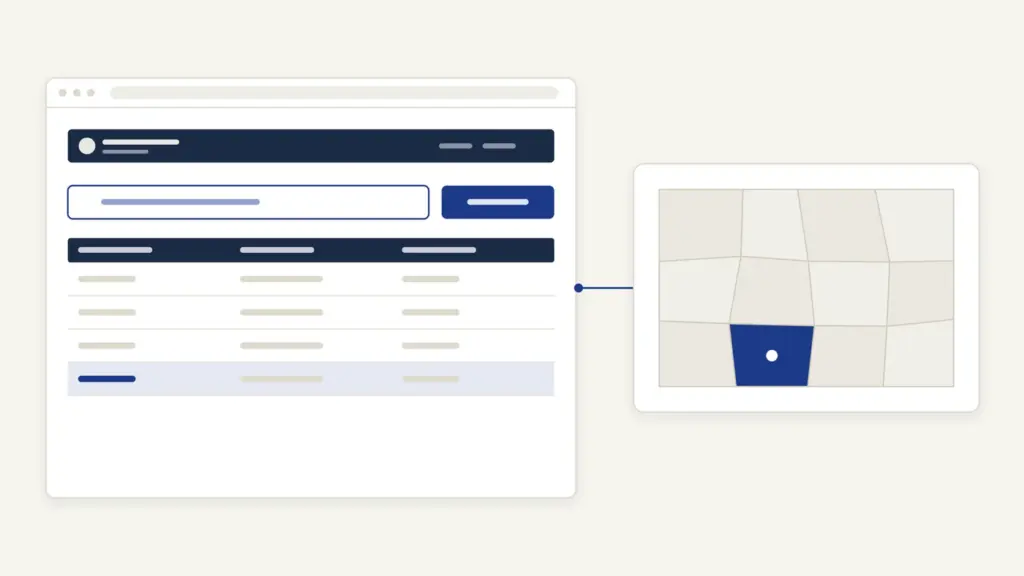
Know Your Property is the free search most people need. The department describes it as live data from the central server.
- Log in as a citizen and click “Know Your Property”.
- Select district, block and mouza from the drop-down lists.
- Choose the khatian type. For an ordinary raiyati holding, the SOP says to select “Normal Khatian”.
- Choose whether to search by khatian number or by plot number, and type the number.
- Enter the captcha and click “View”.
A khatian search shows the holder’s name, father’s name and address, the total holding in acres, and each plot with its share, share area and classification. A plot search shows every raiyat recorded on that dag with their khatian and share.
The number boxes trip up many first-time users. If your khatian or plot number has a slash, such as 495/1, the help page says to type 495 in the box before the slash and 1 in the box after it. A number without a slash goes entirely in the first box. Two other signals are worth knowing:
- District, block and mouza names in green carry live central data; blue means legacy data; black means no data is available.
- “CC” against a plot marks a court case on that plot of the khatian.
How to Convert an RS Plot Number to LR
The RS-LR Information service answers the most common Bengal land question: what is the LR dag for the RS dag in my old deed? It’s free after login.
- Open “Citizen Services” and choose “RS-LR Information”.
- Select district, block and mouza.
- Pick the direction: sabek dag to hal dag for RS to LR, or hal dag to sabek dag for LR to RS.
- Type the dag number, enter the captcha and click “View”.
Do this before any mutation, khajna or certified-copy request, because all of them expect the LR number.
How to Apply for Mutation on Banglarbhumi
Mutation changes the name in the government record after a sale, gift, partition or inheritance. The first thing to check is whether you need to apply at all. The department’s mutation FAQ advises against applying immediately after registration: where land is bought from the recorded owner with the formalities of rule 21 of the West Bengal Land Reforms Rules, 1965, the name is supposed to be mutated automatically through the link between registration offices and the land records. Search Know Your Property or “Mutation Plot Khatian Status” first.
If no case exists, apply as follows.
- Go to “Citizen Services”, then “Online Application”, then “Mutation Application”.
- Select district, block and mouza of the land.
- Choose the applicant type: Self or Power of Attorney Holder.
- Choose the mode of transfer, succession or sale, and give the deed’s district, registry office, deed number and date.
- Under the transferor’s particulars, enter the LR plot number, the transferor’s LR khatian number, the share area, the land classification and the purpose of mutation, then click “Add”.
- Under “List of Enclosures”, upload the deed. Each item takes one PDF of up to 2 MB, so scan multiple pages into one file.
- Enter the captcha and submit. Note the application number and the fee shown.
- Download the application and the declaration form.
- Pay through “Fees Payment” (the GRIPS steps are below), then confirm the payment through “GRN Search” to register the case.
Check the downloaded form before you pay. The SOP warns that a case number won’t be generated if the application shows “restricted”; that needs the Block office. The case number reaches you by SMS on the mobile number you gave, which is why the department asks for the applicant’s own number. Hearings happen at the Block Land and Land Reforms Office (BL&LRO).
Documents for mutation
The department’s FAQ lists these:
- a copy of the registered deed of sale, gift, exchange, hebanama or other transfer document;
- the legal heir certificate and proof of death, where the mutation is by inheritance;
- a rent (khajna) receipt, except for agricultural land;
- the declaration in the prescribed format.
A tribal buyer selects the tenant type “Tribal” and uploads a caste certificate. The FAQ says this applies to a tribal buyer, or to a buyer who has the Revenue Officer’s permission under Section 14C of the Land Reforms Act.
Warish Mutation and Conversion
Warish mutation records the legal heirs after a holder’s death, and it’s free. Apply through “Online Application” and “Warish Application”. Enter the deceased person’s khatian number and date of death, upload the death certificate and legal heir certificate, add each successor with name, guardian, address, caste, gender, religion and mobile number, and verify each mobile by OTP. Submit, download the application and take it with your documents to the BL&LRO for enquiry and hearing.
Conversion changes the recorded classification of land, for example from agricultural to another use. The help page says it follows the same steps as mutation: “Conversion Application” under Online Application, the plot details from the ROR, the classification and purpose you’re applying for, uploads, then payment. Land inside the East Kolkata Wetlands needs separate sanction under Section 9 of the East Kolkata Wetlands (Conservation and Management) Act, 2006, as the home page notice states.
How to Pay Khajna (Land Revenue) Online
Khajna is paid through an application, not a single click, because the portal first works out what you owe.
- Open “Online Application” and choose “Land Revenue(Khajna) Application”.
- Select district, block and mouza, choose “Self” and fill in your details.
- Pick the khatian and each LR dag, and state its current use: Krishi (agricultural), Okrishi (non-agricultural and unused), Bastu (homestead) or commercial. A plot used two ways can be split by area.
- Add any land not yet mutated in your name under unrecorded property, and give family land details where asked.
- If you paid khajna offline in an earlier year, enter the Bengali year, receipt number and date, and upload the old receipt.
- Submit; the amount due appears on screen and in the downloadable application.
- Pay through “Fees Payment” and GRIPS, then fetch the receipt through “GRN Search”.
The home page notice says the mandatory email OTP for khajna has been removed and that a Bangla Sahayata Kendra can pay on your behalf. Cash payment is still possible at the BL&LRO or the Revenue Inspector’s office with the downloaded application.
Certified Copies: ROR, Plot Information and Maps
Banglarbhumi delivers three records as digitally signed PDFs: the ROR, the plot information and the plot map. The steps are the same for all three.
- Open “Citizen Services”, then “Service Delivery”, and pick “ROR Request”, “Plot Info. Request” or “Plot Map Request”.
- Select district, block and mouza, enter the khatian number (for ROR) or plot number (for plot information or map), your name and address, and the captcha.
- Click “Calculate Fee”, note the application number and choose a payment method.
- Tick “Verified and Checked”, choose the bank, note the GRN (the GRIPS receipt number) and pay.
- Go to “GRN Search”, choose the request type, enter GRN, application number and captcha, and submit.
- Once the BL&LRO has signed the copy, a download button appears. Allow pop-ups in your browser.
If the signature isn’t done yet, the screen says “Sign Copy not yet Generated, Search Again Later”, and an SMS tells you when it’s ready. The mouza map works differently: you apply through “Mouza Map Request” with map type and sheet number, pay online, and collect the printed sheet at the DL&LRO (district) office with the paid challan. The department’s map page gives the print rate for RS and LR map sheets at these offices as Rs 150 per sheet.
Free Screen Copy or Signed Copy
The Know Your Property screen carries a clear disclaimer: its content is a near-exact replication of the central land record database, and any factual error should be taken to the BL&LRO for authentication. So the free view is a check, not a document to submit.
The signed copy stands on firmer ground. The department records that the computerized ROR got legal sanctity in 2000, after an amendment to the Land Reforms Act, and the online ROR, plot information and plot map copies carry the BL&LRO’s digital signature. For a bank, court or registrar, the safe course is the digitally signed copy or a certified copy from the BL&LRO, and the receiving office can tell you which it accepts.
How to Track an Application on Banglarbhumi
Every service has a status screen under “Citizen Services” and “Online Service Status”.
- “Mutation Status” searches five ways: case number, location, deed number, seller name and buyer name.
- “Mutation Plot Khatian Status” shows whether a case already exists against a plot.
- “Conversion Status” and “Warish Status” take the application or case number.
- “Payment Status of Land Revenue (Khajna)” confirms a khajna payment.
- “Application/Receipt Reprint” re-downloads an application, payment receipt or warish form.
Without logging in, the top bar’s “Query Search” checks a query by its number and year. The portal doesn’t publish a fixed time limit for mutation or certified copies on these service pages, so track the case rather than counting days.
Common Banglarbhumi Errors and Their Fixes
Most failed searches and rejected applications come from a handful of input mistakes.
- “No Record Found”: the help page says the record is either not available or the entry is invalid. Recheck the mouza, the slash format and whether you typed an RS number in an LR field.
- Mouza shown in black: no data is available online for that mouza; ask the BL&LRO.
- Mutation filed on an RS dag: invalid by the department’s FAQ. Convert through RS-LR Information and refile on the LR number.
- Paid but no receipt: use “GRN Search” with the GRN and application number. The khajna SOP says to wait 72 hours on a failed or pending payment before paying again.
- Upload rejected: each enclosure takes one PDF up to 2 MB; merge pages into a single scan.
- Download does nothing: the signed PDF opens in a new tab, so allow pop-ups.
- Wrong name or share in the record: the portal can’t edit it. Take documents to the BL&LRO.
The portal also offers “Mobile Number update Against Khatian”, which the chatbot recommends so that SMS alerts on your land reach you.
Where to Complain About a Banglarbhumi Record
Start at the office that holds your record, then escalate.
- BL&LRO (Block Land and Land Reforms Office): corrections, fake-deed complaints, fee waivers and hearings. The FAQ says a mutation made on a fake deed is taken to the BL&LRO for verification and relief.
- Appeal: against a mutation order, obtain the certified copy of the order from the BL&LRO and appeal before the ADM and DL&LRO, the appellate authority under Section 54 of the Land Reforms Act. The portal also lists an “Appeal Application” service.
- Public Grievance: the portal’s “Grievance Application” and “Grievance Status/Description” screens take complaints online.
- Directorate: the Director of Land Records and Survey, 35 Survey Building, Gopal Nagar Road, Kolkata-700027, phone 033-2479-5726, email [email protected], as listed on the portal.
Other states run the same kind of system under different names, from Bihar Bhumi to Jharbhoomi next door, and the state-by-state list sits in the guide to land records portals. The next national layer, a common land stack and unique parcel numbers, is tracked in the update on DILRMP 3.0 guidelines. For the official portal itself, go to Banglarbhumi.
Frequently Asked Questions
What is Banglarbhumi used for?
Banglarbhumi is West Bengal’s land records portal, run by the Land and Land Reforms and Refugee Relief and Rehabilitation Department. Citizens use it to view khatian and plot details, convert RS plot numbers to LR, apply for mutation and conversion, pay khajna and download digitally signed ROR, plot information and plot map copies.
Do I need a login to check land records on Banglarbhumi?
Yes. The department’s Know Your Property guide asks you to sign in as a citizen before searching, and most services follow the same rule. Registration is free, and the mobile number you register becomes your username.
How do I find the LR plot number from an RS plot number?
Log in, open Citizen Services and choose RS-LR Information. Select district, block and mouza, pick sabek dag to hal dag, enter the RS number and captcha, and click View. Use the LR number for all applications, because the department treats applications on RS numbers as invalid.
Should I apply for mutation right after registering a sale deed?
Not straight away. The department’s FAQ says land bought from the recorded owner under rule 21 of the West Bengal Land Reforms Rules, 1965 is supposed to be mutated automatically. Check Know Your Property or Mutation Plot Khatian Status first, and apply only if no case has been created.
What is the fee for mutation on Banglarbhumi?
The portal calculates the fee from the purpose of mutation and the recorded classification of the land, and shows it after you submit. Mutation of agricultural land is exempt, and warish mutation has no fee. The portal’s Online Fees Calculator gives the figure for other cases.
Is a Banglarbhumi printout valid for a bank loan?
The free Know Your Property screen is a near-exact copy of the database meant for checking, and the portal says errors must be authenticated at the BL&LRO. For a bank or court, get the digitally signed ROR or plot information copy through Service Delivery, or a certified copy from the BL&LRO.
My khajna payment failed but money was deducted. What should I do?
Use GRN Search with your GRN and application number to see whether GRIPS recorded the payment. The department’s khajna guide says to wait 72 hours on a failed or pending payment before paying again. If it still doesn’t show, contact the BL&LRO with the bank record.
Is there an official Banglarbhumi app?
The portal’s own pages don’t link to a mobile app, and several apps on phone stores are made by private developers. The safer route is to open banglarbhumi.gov.in in a phone browser and use the same citizen login.
Tell Google you want more of this.
Add Anantam IAS as a preferred sourceOne tap, and this site shows up more often in your own Top Stories, AI Overviews and AI Mode. Remove it any time.