

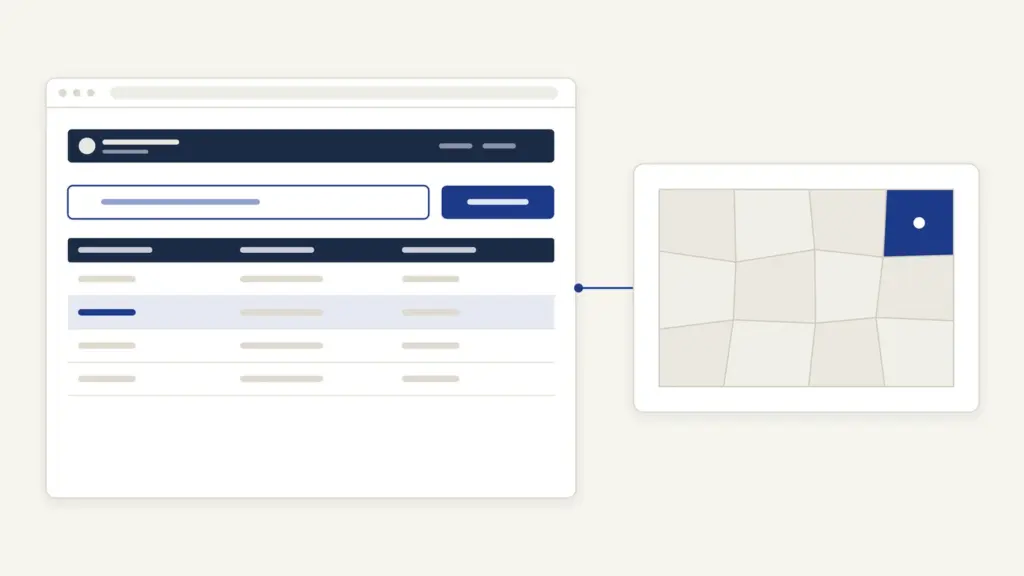
Jharbhoomi is the Jharkhand government’s online land records portal, run by the Department of Revenue, Registration and Land Reforms and built by the National Informatics Centre. It lives at jharbhoomi.jharkhand.gov.in and covers all 24 districts. Most people open it for three jobs: to see the khatiyan or khata of a plot, to read the Register II entry that shows who currently holds it, and to apply for mutation (dakhil-kharij) after buying or inheriting land. The free search needs no login, and once you know the circle, mauza and khata number it takes a couple of minutes.
The confusion that costs people money is the gap between what the screen shows and what it proves. The portal’s own terms say its data is for general information only, so a printout is a check, not a certified record. The other trap is treating the khatiyan and Register II as the same document. The khatiyan is the survey record; Register II is the running ledger that changes with every mutation and every lagan payment. Keep those two apart and the rest of Jharbhoomi makes sense.
What Jharbhoomi Shows at a Glance
Jharbhoomi is a read-mostly portal with one transactional door, the online application for mutation and related services. The essentials sit in the table below, each taken from the live portal.
| Fact | Detail |
|---|---|
| Owner | Department of Revenue, Registration and Land Reforms, Government of Jharkhand |
| Built and hosted by | National Informatics Centre (NIC), Jharkhand |
| Address | jharbhoomi.jharkhand.gov.in (older references use jharbhoomi.nic.in) |
| Free services | Khata (khatiyan) view, Register II view, khesra-wise details, Bhu-Naksha map link, land bank |
| Login services | Online mutation, DCLR appeal, land demarcation, court order upload |
| Lagan payment | Separate portal, jharbhulagan.jharkhand.gov.in |
| Coverage | 24 districts, searched by district, circle (anchal), halka and mauza |
| Contact on the portal | 0651-2446066, dolrjh[at]gmail[dot]com |
| Legal status of screen data | For general information only, as the portal’s terms state |
Jharbhoomi grew out of the National Land Records Modernization Programme, which the portal’s About page dates to August 2008. That programme is now the Digital India Land Records Modernisation Programme, and the bigger picture of why every state is digitizing these registers sits in the note on land records management in India.
Khatiyan, Register II and the Other Records
Each record on Jharbhoomi answers a different question, and the portal names them in Hindi. Learning six terms first saves a lot of wrong searches.
- Khatiyan (खतियान): the record of rights prepared during a survey settlement. It lists the raiyat (the recorded tenant-holder), the plots in each khata and the nature of the land. Many old khatiyans were written in Kaithi script, which is why the portal links a Kaithi textbook on its home page.
- Khata (खाता): a holding, identified by a khata number. One khata can hold several plots.
- Khesra (खेसरा) or plot number: the number of a single plot. The portal uses khesra, plot and प्लाट नंबर for the same thing.
- Register II (रजिस्टर-II or पंजी-II): the current holding ledger kept at the circle. A mutation changes this register, and lagan dues are calculated from it.
- Mauza (मौजा) and halka (हल्का): the revenue village and the cluster of villages under one revenue employee. You pick both before any search.
- Kism zameen (किस्म ज़मीन): the land type. The drop-down includes रैयती (privately held raiyati land), गैरमजरूवा खास and गैरमजरूवा आम (government land, the second set apart for common use) and वन भूमि (forest land).
The mapping below shows which record proves what and where it sits on the portal.
| Record | What it tells you | Where on Jharbhoomi |
|---|---|---|
| Khata view | Holder names, plots and area in a khata | अपना खाता देखें |
| Register II | Current holder, volume and page, lagan basis | रजिस्टर-II देखें |
| Khata and Register II together | Both records in one search | खाता एवं रजिस्टर-II देखें |
| Khesra-wise Register II | History of one plot across Register II | पंजी -II – खेसरा वार विवरण |
| Full khesra details | Everything recorded against a plot | खेसरा का सम्पूर्ण विवरण देखें |
| Map (bhu-naksha) | Plot shape and neighbors | भू-नक्शा, which opens jharbhunaksha.jharkhand.gov.in |
| Lagan dues and receipts | What is owed and what was paid | jharbhulagan.jharkhand.gov.in |
A buyer needs both the khatiyan and the current Register II. The khatiyan shows what the survey recorded; Register II shows whether the seller is the person on the ledger today.
How to See Your Khata on Jharbhoomi
The khata search is free and starts from a clickable map of Jharkhand. Labels below are exactly as the portal shows them.
- Open Jharbhoomi and click अपना खाता देखें in the side menu.
- Click your district on the state map, then click your circle (anchal) on the district map.
- On the search form, check that जिला and अंचल are filled. Under मौजा का नाम चुने, click the first Hindi letter of your village to filter the list, or click समस्त गाँव देखें to see every village.
- Pick the halka, the land type (किस्म जमीन) and the mauza. The portal’s own note says all three are needed before a khata search.
- Choose one search option: मौजा के समस्त खातों को नामानुसार देखें (all khatas by name), मौजा के समस्त खातों को खेसरा संख्या के अनुसार देखें (all khatas by plot number), खाता संख्या से देखें (by khata number) or खाताधारी के नाम से देखें (by holder’s name).
- Type the सुरक्षा कोड (captcha) and click खाता खोजें.
The holder-name search accepts only letters and spaces, and names in old records are often spelt differently from Aadhaar. If a name search fails, search by khata number or list every khata of the mauza and scan it.
How to Check Register II and Plot History
Register II has its own search under रजिस्टर-II देखें, reached the same way through the district and circle maps. The form asks for the halka and mauza and then offers five ways in: भाग बर्तमान with पृष्ट संख्या बर्तमान (current volume and page), रैयत नाम से खोजे (raiyat name), प्लाट नंबर से खोजे (plot number), खाता नंबर से खोजे (khata number) or समस्त पंजी-२ को नाम के अनुसार देखें (the whole register by name). Enter the captcha and click Search; the Print पंजी-II button prints the entry for your file.
For the story of a single plot, the पंजी -II – खेसरा वार विवरण page takes the district, circle, halka, mauza, khata number and khesra number and returns the Register II entries for that plot. This is the quickest check that a promised mutation has reached the ledger.
The volume and page search is the most exact. If you hold an old lagan receipt, the volume and page number on it point straight to the right Register II entry, which avoids the spelling problem altogether.
How to Apply for Online Mutation
Mutation (dakhil-kharij, also called namantaran) is the step that writes a new holder into Register II after a sale, gift, inheritance, partition or will. On Jharbhoomi it runs through ऑनलाइन आवेदन, and the department’s own online mutation manual describes these steps.
- Click ऑनलाइन आवेदन. If you have no account, click Registration first and create one.
- Log in with your Email ID, password and security code, then enter the OTP sent to your registered mobile and click Verify OTP.
- Select the District, Circle and Session, then click Apply New Mutation. A saved application opens through View Draft/Applied Application.
- For a sale, enter the deed details: district, SRO (sub-registry office), deed number, deed date and deed value. Click Validate. The portal matches these against the registration database before it lets you continue.
- Fill the form and click Save as Draft & Next. The Buyers tab checks the buyer’s name and guardian’s name against the deed, then the Sellers tab checks the seller’s details.
- In the Plot Details tab, enter the Khata Number, Plot Number and area in decimal. These must match the deed.
- In the Upload Document tab, upload the documents, enter the captcha and click Final Save.
- Note the registration number shown in the green strip. You need it for every status check.
Gift, Succession, Partition and Will applications follow the older form without the deed-matching step. The portal also refuses a second application for a mutation that has already been filed, so check View Draft/Applied Application before starting again.
The deed-matching rule is the reason most rejections now happen at the screen, not months later. A mismatch in the buyer’s guardian name or the area in decimal stops the form, which is irritating but far better than a rejection order after a field enquiry.
Documents and Fees for Jharbhoomi Services
Viewing a khata, Register II or the map costs nothing and needs no documents. For online mutation, the manual lists what the form checks, so keep these ready:
- the registered deed, with district, SRO, deed number, deed date and deed value
- buyer and seller names with their guardians’ names, spelt as in the deed
- khata number, plot number and area in decimal
- scanned supporting documents for the upload step
- an email ID and a mobile number that can receive the OTP
Jharbhoomi does not publish a mutation fee or a service time limit on its public pages. The portal links an SOP titled Right to Service guarantee from its menu, but the days allowed for your application should come from your circle office or the acknowledgement you receive. Lagan, the annual land rent, is paid separately on the lagan portal, where the amount due is shown before payment.
How to Pay Lagan Online
Land rent in Jharkhand is paid on jharbhulagan.jharkhand.gov.in, which Jharbhoomi links as Online Lagan. Its home screen has five options: रजिस्टर-IIदेखें, बकाया देंखे (see dues), पिछली भुगतान देखें (past payments), ऑनलाइन भुगतान करें (pay online) and भुगतान की स्थिति देखें (payment status).
- Click ऑनलाइन भुगतान करें.
- Select the district, circle (अचंल नाम), halka and mauza.
- Find your Register II entry by volume and page, raiyat name, plot number or khata number. Enter the captcha and click खोजे.
- Check the dues shown against the entry and pay online.
- Download the lagan receipt.
The portal carries a plain warning worth repeating. If money is debited but no receipt appears, do not pay again. Open भुगतान की स्थिति देखें, enter the Transaction ID and press Verify first.
A current lagan receipt matters beyond the rent itself. It shows the land is on the ledger in your name, and lenders checking a holding for agricultural credit often ask for it alongside the Register II entry.
Jharbhoomi Naksha: Seeing the Plot Map
The map sits on a separate portal, Bhu-Naksha Jharkhand, opened from the भू-नक्शा link. Choose the District, Circle, Halka and Mauza from the left panel, then type the plot number in the Plot No. box at the top. The plot is highlighted on the village map, and Plot Info shows its details.
Bhu-Naksha shows the cadastral (survey) map, the shape and neighbors of the plot. It isn’t a measurement on the ground. If the boundary on the ground is disputed, the remedy is a land demarcation (जमीन मापी) application, which Jharbhoomi takes online under the same login as mutation.
Free Screen Copy or Certified Copy
The Jharbhoomi screen is for checking, not for proving. The portal’s terms of use say the data is for general information only and that any discrepancy should be reported to the department. A printout helps you verify a seller’s claim or spot an error, but a bank, court or registry will normally want a copy certified by the office that keeps the record.
For a certified copy of a khatiyan or Register II, apply to your circle office (anchal karyalay). Jharbhoomi does not publish a fee or time limit for certified copies, so ask the circle office for the charge and a receipt. Registration history is a separate trail: the portal’s Useful Links point to the national NGDRS portal for current deeds and an older state registration site for earlier transactions.
For land in Jharkhand, one more check belongs in any purchase. Transfers of tribal land are restricted under the Chotanagpur Tenancy Act, 1908 and the Santhal Parganas Tenancy laws, so a clean Register II entry is not the only question. The current-affairs note on tribal land disputes under the CNT and SPT Acts explains what those laws prohibit.
Common Jharbhoomi Errors and Their Fixes
Most failures come from the selection chain, not the server. These are the usual ones:
- Wrong circle. An old document may name the circle differently from the portal, or the village may sit in a neighboring circle. Check the circle on the district map, or ask the halka karmchari.
- Village not in the list. The mauza filter works by first Hindi letter, and spellings differ. Click समस्त गाँव देखें and scan the full list.
- Name search finds nothing. Old records use old spellings, sometimes from Kaithi. Search by khata number, plot number or Register II volume and page instead.
- Plot or khata number with a slash. The portal’s home notice says mutation and demarcation forms now accept khata and khesra numbers with a single slash, such as a split plot. Enter it exactly as the record shows.
- Mutation form stops at validation. The deed details or names don’t match the registration data. Copy each field from the deed itself, including the guardian’s name.
- Page times out or captcha fails. The captcha expires. Reload, re-select and enter a fresh one.
- Lagan paid but no receipt. Verify the Transaction ID on the payment status page before paying again.
Where to Complain About a Jharbhoomi Record
An error in a land record is fixed at the office that keeps it, which is the circle office. Take the khata, plot and Register II details and a printout of the wrong entry.
- Wrong entry or pending mutation: the Circle Officer of your anchal.
- Appeal against a mutation order: the Deputy Collector Land Reforms (DCLR). Jharbhoomi’s login page includes a DCLR appeal manual, so the appeal can be filed online.
- Revenue court case: track it on the Revenue Court Management System at erevenuecourt.jharkhand.gov.in.
- Portal problems: the Complain Monitoring System linked on the home page, or the department at 0651-2446066 and dolrjh[at]gmail[dot]com.
Jharbhoomi works much like UP Bhulekh in Uttar Pradesh: free viewing, a separate certified route and a mutation trail. Farmers who need their land seeded for PM-KISAN will find the Register II entry is the record that has to be right first. Get the circle, mauza and khata number from an old lagan receipt before you start, and the portal does the rest.
Frequently Asked Questions
What is Jharbhoomi used for?
Jharbhoomi is the Jharkhand government’s land records portal. It lets anyone view a khata, the Register II ledger and plot-wise details free of charge, and it takes online applications for mutation, DCLR appeal and land demarcation. Lagan is paid on a linked portal.
Is jharbhoomi.nic.in the same as jharbhoomi.jharkhand.gov.in?
Yes, jharbhoomi.nic.in is the older address that still appears in older guides and on the portal’s own About page. The portal now runs at jharbhoomi.jharkhand.gov.in, and that is the address to bookmark.
What is the difference between khatiyan and Register II?
The khatiyan is the record of rights prepared during the survey settlement. Register II is the current holding ledger kept at the circle office, updated after every mutation and used for lagan. A buyer should check both.
How do I check Jharbhoomi Register 2 online?
Open ‘रजिस्टर-II देखें’, click your district and circle, choose the halka and mauza, and search by volume and page, raiyat name, plot number or khata number. Enter the captcha and click Search.
Is a Jharbhoomi printout valid for a bank loan or court?
No, not as a certified record. The portal states that its data is for general information only. For a bank, court or registry, get a certified copy from your circle office.
How do I pay lagan on Jharbhoomi?
Lagan is paid on jharbhulagan.jharkhand.gov.in. Choose ‘ऑनलाइन भुगतान करें’, select district, circle, halka and mauza, find your Register II entry, check the dues and pay. If money is debited without a receipt, verify the Transaction ID before paying again.
How can I see the Jharbhoomi naksha of my plot?
Click ‘भू-नक्शा’ on Jharbhoomi, which opens Bhu-Naksha Jharkhand. Select district, circle, halka and mauza, then type the plot number in the ‘Plot No.’ box to highlight the plot on the village map.
Why is my online mutation application rejected at the start?
The new mutation form checks the deed against registration data, including buyer and seller names, guardian names, khata number, plot number and area in decimal. Any mismatch stops the form. Copy each detail exactly from the registered deed.
Tell Google you want more of this.
Add Anantam IAS as a preferred sourceOne tap, and this site shows up more often in your own Top Stories, AI Overviews and AI Mode. Remove it any time.






