

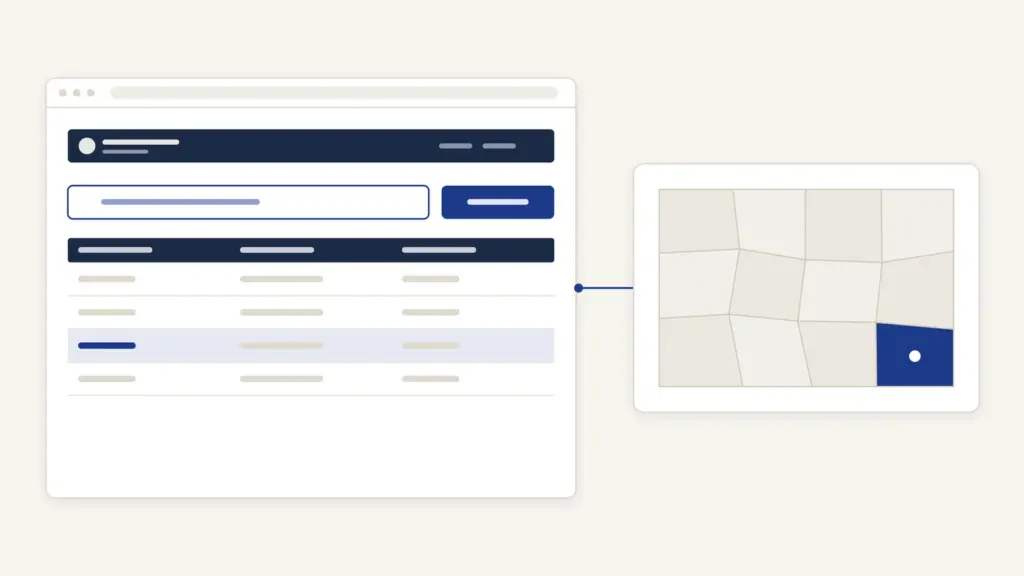
Bhulekh Odisha is the Odisha government’s free land-records portal, run by the Revenue and Disaster Management Department and built by NIC Bhubaneswar, at bhulekh.ori.nic.in. People open it for three things: to read the khatiyan (record of rights) of a holding, to check the details of a single plot, and to jump to the village map. The department’s own manual says the data is updated every day, and no login is needed to search.
The part that confuses people is the difference between what Bhulekh shows and what an office will accept. The screen copy is an Odia-language RoR with an empty box marked “BLANK SPACE FOR STAMPING”, and nothing in that box makes it certified. A certified copy comes from the Tahasildar, through a CSC or an online application, within a notified time limit. Keep that one line clear and the rest of the portal is simple.
What Bhulekh Odisha Shows at a Glance
Bhulekh is a viewing window into Odisha’s computerised record of rights. You pick a district, tahasil and village, then search by khatiyan number, plot number or tenant name. The figures below come from the portal and the department’s own orders.
| Fact | Detail |
|---|---|
| Run by | Revenue and Disaster Management Department, Government of Odisha (built by NIC Bhubaneswar) |
| Address | bhulekh.ori.nic.in |
| Coverage shown on the portal | 30 districts, 317 tahasils, 2,721 RI circles, 51,821 villages |
| Records shown on the portal | 20,497,416 khatiyans, 60,259,701 plots, 47,758,918 tenant entries |
| Search options | Khatiyan, Plot or Tenant, after District, Tahasil and Village |
| Viewing fee | Free, no login |
| Certified RoR copy | Rs 50 per khata (2017 resolution), plus Rs 20 CSC charge if you apply at a centre; 3 days under the ORTPS Act |
| Help desk | Director, Land Records and Survey, Cuttack: 0671-2509582, 10 AM to 5.30 PM on working days |
The Words on an Odisha RoR, Translated
The record you open on Bhulekh is the khatiyan, Odisha’s record of rights (RoR) for one holding. It is printed as “Schedule I Form No.39-A” and runs in two parts: the front page carries the tenant, the rent and the cess, and the back page carries every plot in the holding. The portal’s FAQ describes the split in exactly those terms.
These are the words you’ll meet, in the order they appear:
- Mouza: the revenue village. Bhulekh’s village list is in Odia even when you browse in English.
- Khatiyan number: the number of the holding. Some villages carry sub-numbers such as 112/1 and 112/2, and each is a separate khatiyan.
- Prajara nama (tenant’s name): the recorded holder, with father’s or husband’s name, caste and residence.
- Swatwa: the nature of the right. Many entries read “sthitiban”, the settled or occupancy status of the raiyat.
- Deya (dues): water rate, khajana (land rent), cess and other cess, with a total. This is the amount e-Pauti collects.
- Plot number and chaka name: the plot and the named block of fields it lies in.
- Kisam: the class of land as recorded in the settlement, for example “Sarad Ek” or “Biali Dofasal”. Kisam matters because conversion of land use is a separate legal process.
- Chouhaddi: the boundaries, written as the neighbour to the north and south.
- Rakaba: the area, shown in acres and decimals and in hectares.
- Final publication date and rent assessment date: when the settlement record was finally published and the rent fixed.
That last pair surprises people. A khatiyan can show a final publication date from the 1970s and still be current, because later mutations correct the entry without a fresh settlement. The dates tell you which settlement the record descends from, not how old the information is.
| Record | What it proves | Where on the portal |
|---|---|---|
| Khatiyan front page | Who holds the land, the nature of the right, rent and cess due | View RoR after choosing the khatiyan |
| Khatiyan back page | Each plot, its kisam, boundaries and area | Same RoR, lower half |
| Plot unique ID | A single plot’s identity across records | “View Plot Details by Unique Plot Id” |
| Village map (bhu-naksha) | The plot’s shape and position | “Map View”, which opens BhuNaksha Odisha |
| Rent receipt (pauti) | That land revenue has been paid | “Payment of Land Revenue” (e-Pauti) |
| Certified RoR | A copy the Tahasildar attests | Tahasil office, CSC or e-District, not the free view |
The national push behind portals like this one, from computerised RoRs to cadastral maps, is covered in land records management in India.
How to Check Your RoR on Bhulekh Odisha
The search takes about a minute once you know the village. The steps below follow the department’s user manual and the live screen.
- Open Bhulekh Odisha and stay on the home page. If you want Odia labels, click “ଓଡିଆ” at the top right.
- Under “Select Location for RoR”, choose the District, then the Tahasil, then the Village. The RI Circle fills in on its own.
- “Khatiyan” is selected by default. Switch to “Plot” if you know the plot number, or “Tenant” if you only know the holder’s name.
- Pick the number or name from the drop-down that appears (“Select Khatiyan” for a khatiyan search).
- Click “View RoR”. If the portal shows a browser warning, choose “Proceed any way”.
- Read the front page for the holder and dues, and scroll for the plot table.
- Use the three buttons at the bottom: “Khatiyan Page” to go back, “Print” to print, and “Pay Land Revenue” to go to e-Pauti.
The tenant search is the fallback most people need. Names are written in Odia, so try the first few letters of the surname rather than the full spelling you’d use in English.
How to Find Plot Details and the Village Map
Plot details sit on the back page of the khatiyan, so the RoR search above already gives you kisam, boundaries and area for every plot in the holding. For a single plot, the portal also offers a plot-level ID.
- Click “View Plot Details by Unique Plot Id” on the home page.
- If you don’t know the ID, use “Know Your Plot Unique Id”: choose District, Tahasil and Village, then the Khatiyan and the Plot. The page returns “Your Unique Plot Id is”.
- Enter that ID under “Search Your Plot by Plot Unique Id” the next time you need the plot.
For the map, click “Map View” on Bhulekh. It opens BhuNaksha Odisha, where you select the district and proceed to the village sheet. BhuNaksha carries its own disclaimer: the maps are for viewing only and are not meant for any legal purpose. If you need a map you can rely on, the department sells cadastral map sheets at Rs 300 per sheet through its online services.
Free View vs Certified Copy: Which One Counts
The free RoR is for checking. The certified copy is for proving. The portal print has no seal or signature, so when an office asks for a certified RoR, it means the copy the Tahasildar attests, not a printout with an empty stamping box.
The department treats the certified RoR as a notified public service. Under the Odisha Right to Public Services Act, 2012, the General Administration Department’s notification of 3 June 2020 lists “Issue of certified copy of RoR” with a time limit of 3 days. The Tahasildar or Additional Tahasildar is the designated officer, the Sub-Collector hears appeals and the Collector hears revisions.
You can apply in two ways:
- At a Common Service Centre. District administrations direct applicants to fill the e-District application form, attach the listed documents and submit it at the nearest CSC.
- At the Tahasil office. The computerised certified copy is issued by the Tahasildar against a user fee.
On fees, the department’s resolution of 18 August 2017 set the user fee for a computerised certified RoR at Rs 50 per khata or holding, and Rs 80 for an RoR as corrected by a mutation order. A 2019 Electronics and IT notification adds a CSC service charge of Rs 20 for this service. Fees are revised from time to time, so check the counter before you pay.
Mutation and Land Revenue Payment Online
Mutation is the update that moves land into a buyer’s or heir’s name in the RoR. In Odisha you apply online through the department’s services portal, not through Bhulekh itself, and the Tahasildar institutes the case.
- Open Odisha Revenue Services and click “Land Record Services”, then the portal link, then “Apply for Mutation”.
- Fill in your name, father’s or husband’s name, address, a valid PIN and a working mobile number.
- Add the land: Tahasil, Village, Khata No., Plot No. and area. Submit and note the application number.
- Upload the registered sale deed or other deed.
- Pay through the Treasury portal by net banking or card. If money leaves your account but no receipt appears, check the payment status with your transaction ID instead of paying again.
- Track the case on the DWIST portal at dwistodisha.nic.in once the Tahasildar has instituted it.
The published mutation fee is Rs 10 application fee, Rs 80 user fee, Rs 20 demarcation fee per plot and Rs 40 for speed post of the corrected RoR. On the time limit, official sources disagree. The 2020 ORTPS notification gives 90 days for an uncontested mutation, while the department’s online services page lists 7 days for the same service. Treat 90 days as the notified outer limit and the shorter figure as the department’s service target.
Land revenue (khajana) is paid on e-Pauti at odishalandrevenue.nic.in, which Bhulekh links as “Payment of Land Revenue”. Keep your khatiyan details ready, note the transaction number and the treasury challan reference before you pay, and use “Know Payment Status & Download Receipt” if the receipt doesn’t download. The department lists e-Pauti as a no-fee service. Farmers often need both the RoR and a paid-up receipt for schemes; seeding land records is the step that holds up payments in the PM-KISAN status check, and crop insurance asks for the same land details in the PM Fasal Bima Yojana application.
Common Errors and Their Fixes
Most failed searches on Bhulekh come from four causes, and each has a quick fix.
- “You have been timed out” page. Bhulekh ends the session if you use the browser’s Back, Forward or Refresh button, click an option twice, or stay idle. Start again from the home page and move forward only with the portal’s own buttons.
- Village not in the list. The list is in Odia and follows the revenue village (mouza), which may differ from the postal name. Check the tahasil first; urban areas appear as numbered units within the town.
- Name not found in tenant search. Old records spell names the way the settlement clerk wrote them. Search by khatiyan or plot number from a sale deed or rent receipt instead.
- Odia text shows as boxes. The portal offers an Odia font download at the foot of the page; install it and reload.
If a record itself is wrong (a wrong name, area or kisam), Bhulekh can’t fix it. Correction runs through a case before the Tahasildar, and the record changes only after an order.
Where to Complain or Get Help
The portal names two contacts, in this order. First, the concerned Tahasildar, whose office holds the record; the portal points to DWIST for case status. Second, the Director, Land Records and Survey, Board of Revenue, Cuttack, at [email protected] or 0671-2509582, between 10 AM and 5.30 PM on working days.
If a certified copy or an uncontested mutation crosses its ORTPS time limit, the appeal lies with the Sub-Collector, and revision with the Collector, as the 2020 notification sets out. Revenue court cases themselves run on RCCMS, which Bhulekh links from its home page.
What Bhulekh Odisha Can’t Do
Bhulekh tells you what the record says today. It can’t tell you whether a sale deed has been signed but not yet mutated, and it can’t settle a dispute between co-sharers. It also doesn’t issue a certified copy, a legal map or a land-use conversion.
Read it the way a careful buyer reads it: confirm the holder, the share, the kisam and the area, then ask for the certified RoR and the latest rent receipt before money changes hands. The long history of who was recorded as holding Indian land, and why, is in land reforms in India, and the way banks use these records for farm loans is in agricultural credit. The same view-versus-certified split runs through UP Bhulekh, so the habit transfers across states.
Frequently Asked Questions
What is Bhulekh Odisha?
Bhulekh Odisha is the land-records portal of Odisha’s Revenue and Disaster Management Department at bhulekh.ori.nic.in. It shows the khatiyan (record of rights), plot details and tenant details for every village. Viewing is free and needs no login.
How do I check my land record on Bhulekh Odisha?
Choose the district, tahasil and village under ‘Select Location for RoR’. Then search by khatiyan, plot or tenant name, pick the entry and click ‘View RoR’. The front page shows the holder and dues, and the back page lists the plots.
Is the RoR downloaded from Bhulekh valid for a bank or court?
Treat it as information only. The portal print has no seal or signature and carries an empty box marked for stamping. For any formal use, ask for the certified copy issued by the Tahasildar through a Common Service Centre or the Tahasil office.
How much does a certified RoR copy cost in Odisha?
The Revenue Department’s resolution of 18 August 2017 fixed the user fee at Rs 50 per khata or holding. A Common Service Centre adds a service charge of Rs 20 under the 2019 notification. Check the counter for any later revision.
How long does a certified RoR take?
The Odisha Right to Public Services Act notification of 3 June 2020 gives 3 days for issuing a certified copy of the RoR. The Tahasildar is the designated officer. If the deadline passes, you can appeal to the Sub-Collector.
How do I see the village map on Bhulekh Odisha?
Click ‘Map View’ on the Bhulekh home page. It opens BhuNaksha Odisha, where you choose the district and village to see the plot sheet. BhuNaksha states that its maps are for viewing only and not for legal use.
How do I apply for mutation in Odisha?
Apply on the Odisha Revenue Services portal under ‘Land Record Services’ and ‘Apply for Mutation’. Upload the registered deed, pay the fee through the treasury and note your application number. The case status appears on DWIST once the Tahasildar institutes it.
Can I pay land revenue online in Odisha?
Yes. Use e-Pauti, which Bhulekh links as ‘Payment of Land Revenue’. Keep your khatiyan details ready, pay through the treasury and download the receipt with your transaction ID.
Tell Google you want more of this.
Add Anantam IAS as a preferred sourceOne tap, and this site shows up more often in your own Top Stories, AI Overviews and AI Mode. Remove it any time.






