
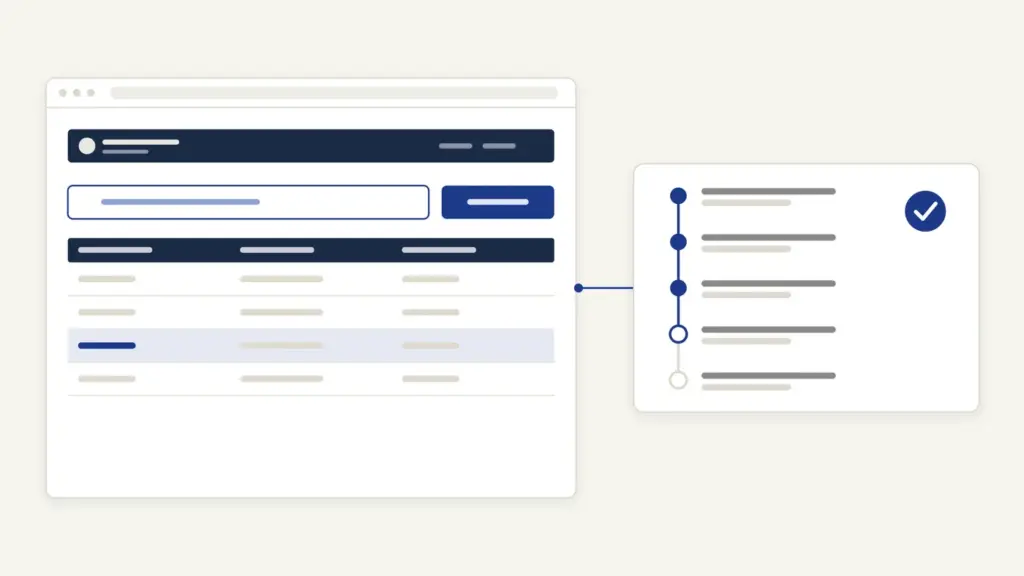
CM Helpline MP is Madhya Pradesh’s statewide complaint line: dial 181 from any phone network in the state, or file online at cmhelpline.mp.gov.in. The cm helpline mp system is run by the State Lok Seva Agency under the Lok Seva Prabandhan Vibhag (Public Service Management Department), and it started on 31 July 2014. People use it for three things: to lodge a complaint against a state department, to ask about a government scheme, and to get income, local resident and land-record documents over the phone.
Most callers assume 181 is a suggestion box that forwards the call and forgets it. It isn’t. Every complaint lands in the account of a named officer, carries a time limit, and climbs to a more senior officer each time a deadline is missed, up to four levels. It also isn’t closed just because an officer says so. The helpline calls you back, and your answer decides whether the complaint closes.
CM Helpline MP at a Glance
Here are the basics, taken from the portal and the department’s own circular.
| Fact | Detail |
|---|---|
| Run by | State Lok Seva Agency, Lok Seva Prabandhan Vibhag, Government of Madhya Pradesh |
| Started | 31 July 2014 |
| Phone | 181 inside Madhya Pradesh; +91-755-2555582 from outside the state |
| Hours | 24×7, per the portal’s FAQ |
| Online | cmhelpline.mp.gov.in, plus citizen apps for Android and iOS |
| +91 7552555582 (send “Hi”) | |
| [email protected] | |
| Fee | No fee to file a complaint; CM Jan Seva copies cost Rs 10 a page where certified |
| Volume | 4.06 crore+ complaints registered, 4.01 crore+ disposed (home page, updated 29 October 2026) |
What the 181 Line Handles, and What It Doesn’t
The helpline takes any complaint about a facility the state government provides, along with demands and suggestions. Its About page lists the kinds of calls it receives:
- information on state schemes;
- complaints, and demands or suggestions;
- complaints of corruption;
- the status of a complaint already filed;
- applications for the income certificate, local resident certificate and copies of land records;
- women’s helpline and child helpline calls, and the Divyangjan (disability) helpline.
Some matters are excluded outright. The online complaint page lists three things it will not treat as a public grievance:
- matters under the Right to Information Act;
- cases pending before a court;
- a demand for financial help or a government job.
Central government departments aren’t covered either. For a post office, railway or bank complaint, the home page sends you to the Centre’s CPGRAMS portal at pgportal.gov.in, and insurance complaints to the IRDAI’s Bima Bharosa system. Since 6 November 2020, complaints that reach CPGRAMS about Madhya Pradesh are fed into the CM Helpline portal and routed to the district or department concerned. Our note on the grievance redressal mechanism explains how CPGRAMS and state helplines fit together.
How to File a Complaint on CM Helpline MP
You have four routes: the phone, the website, the WhatsApp chatbot and the citizen app. All of them feed one system.
By Phone on 181
The call goes through an IVR to a call-centre executive, who first records your details, then your complaint. The 2014 circular says the complaint is entered against the department and office concerned in real time, and the officer gets an SMS and a call. Note your complaint number before you hang up; you’ll need it to track the case. The 2014 circular also says the call is completely free.
Online on cmhelpline.mp.gov.in
The online form is open to anyone with a mobile number.
- Open cmhelpline.mp.gov.in and click “शिकायत / मांग सुझाव दर्ज करें” (register a complaint, demand or suggestion).
- Read the disclaimer, “ऑनलाइन आवेदको के लिए अस्वीकरण”, which lists the excluded matters, and tick the box agreeing that your grievance isn’t one of them.
- Choose Complaint or Demands and suggestions.
- Enter your mobile number and click Send OTP, then type the OTP and click Verify OTP.
- Fill in the complaint details on the next screen and submit. Keep the complaint number you’re given.
The same page offers “कृपया मुझे कॉल करें” (please call me) if you’d rather explain the problem to an operator.
On WhatsApp
Send “Hi” to +91 7552555582, then reply with the number shown against the option you want. The chatbot menu covers a new complaint, the women’s helpline, scheme information and general FAQs. You can also tell the helpline on WhatsApp if a resolution satisfied you or not.
How a Complaint Climbs From L1 to L4
This is the part that makes the system work. The Lok Seva Prabandhan Vibhag’s circular No. 710/PSM/2014/61 of 30 July 2014 identified four levels of officers for every department.
| Level | Officer for a general complaint | Officer for a corruption complaint |
|---|---|---|
| L1 | Block-level officer of the department in the district | Head of the district office |
| L2 | Head of the department’s district office | District Collector |
| L3 | Department’s division-level officer | Divisional Commissioner |
| L4 | Head of the department (HOD) | Head of the department |
The L1 officer has the first duty to act and upload a status report. If L1 doesn’t act within the time limit, responsibility passes automatically to L2, and so on to L3 and L4. The circular is explicit that an officer who misses the deadline doesn’t escape the delay by updating later. A complaint of corruption against a district-level officer or anyone senior skips this ladder and goes straight to the state government.
Time Limits at Each Level
The 2014 circular set 7 working days at each level. The portal now publishes a separate limit for every complaint type, so check yours on the “शिकायतों के प्रारूप एवं निर्धारित समय सीमा” page: choose the department and sub-department and click Search. A few examples from that page:
| Complaint type | L1 | L2 | L3 | L4 |
|---|---|---|---|---|
| Revenue: mutation (namantaran) or partition case | 30 days | 7 | 15 | 7 |
| Energy: no power or low voltage | 10 days | 7 | 15 | 7 |
| Energy: unauthorised connection or power theft | 5 days | 5 | 15 | 5 |
| School education: scholarship for classes 1 to 12 not received | 15 days | 7 | 15 | 7 |
So a mutation complaint can take about two months if it climbs all four levels, while a power-theft complaint runs on a much shorter clock. If your problem is a stuck mutation, our MP Bhulekh guide explains the land records involved.
How to Check CM Helpline MP Complaint Status
Status needs only your complaint number and the phone you registered with.
- On the home page, click “शिकायत की स्थिति” (complaint status).
- Enter the “शिकायत क्रमांक” (complaint number) and click Search status.
- Type the password sent to your registered mobile by SMS, then click “ठीक है” (OK). Use “पुन: भेजें” to resend it.
You can also get the status by calling 181 or through the WhatsApp chatbot.
Feedback and Closure: Why Your Answer Counts
A complaint isn’t closed when the officer marks it resolved. Under the 2014 circular, once the department uploads its resolution, the helpline calls the complainant to ask whether the problem has been solved. If you’re satisfied, the complaint is closed. If you’re not, it stays open and moves to a senior officer.
Two rules follow from that. First, answer the feedback call honestly; a polite “yes” ends the case. Second, if the department and you disagree about closing it, the circular makes the L3 officer’s decision final, and that officer must record the reasons.
CM Jan Seva: Certificates and Land Records by Phone
Since 26 December 2020, the helpline also delivers a handful of services under the Lok Seva Guarantee law through a call to 181. The portal lists these fees:
| Service through 181 | Fee |
|---|---|
| Local resident certificate | Free |
| Income certificate | Free |
| Certified copy of current khasra, B-1 khatauni or naksha (map) | Rs 10 a page |
| Uncertified (specimen) copy of khasra, B-1 or naksha | Free, sent as an SMS link |
| Bhu-adhikar pustika (land rights book) | Rs 10 a page |
The income and local resident certificates come on WhatsApp in a day, using the details on your Aadhaar. One condition applies: your own Samagra member ID must be e-KYC linked to Aadhaar. If it isn’t, fix that first through the Samagra portal. For certificates that need documents, such as caste, apply on the Lok Seva portal instead, covered in our eDistrict MP guide.
Common Problems and Their Fixes
Most complaints that stall do so for one of these reasons:
- Status page won’t open your complaint. The SMS password goes to the number used when filing. Use “पुन: भेजें” or check through WhatsApp from that number.
- Complaint marked out of scope. It concerns a court case, an RTI request, a job or cash help, or a central department. Take it to the right forum, such as CPGRAMS.
- Officer closed it, problem still there. Say so on the feedback call; the complaint then can’t be closed and goes up a level.
- Wrong department. The circular lets the officer record that the complaint belongs elsewhere so it can be transferred, so give the village, ward and office name when you file.
- Certificate by phone refused. Your Samagra ID isn’t e-KYC linked to Aadhaar.
Where Else to Go and How CM Helpline MP Fits In
If the helpline route fails on a time-bound service, the stronger remedy is the appeal under the MP Lok Sewaon ke Pradan ki Guarantee Adhiniyam, 2010, which can fine the officer. For information about how your complaint was handled, the portal names the Director (CM Helpline) as the Public Information Officer and the Executive Director of the State Lok Seva Agency as the first appellate officer under RTI.
The helpline turned the citizen charter idea into something with a clock and a callback, and it makes a practical case study for anyone reading about good governance. Bihar has since gone further with a statute for grievances, covered in our note on the Bihar Right to Public Grievances Act. Madhya Pradesh’s model rests on government orders and the four-level ladder rather than a separate grievance law.
Frequently Asked Questions
What is the CM Helpline MP number?
The number is 181 from any phone network inside Madhya Pradesh. From outside the state, the portal lists +91-755-2555582, and the WhatsApp number is +91 7552555582.
Is CM Helpline 181 free and open all day?
Yes. Calls to 181 are free, and the portal’s FAQ says you can call 24×7, every day.
How can I check my MP CM Helpline complaint status?
Click ‘शिकायत की स्थिति’ on cmhelpline.mp.gov.in, enter your complaint number and the password sent by SMS to your registered mobile. You can also ask on 181 or through the WhatsApp chatbot.
What are L1, L2, L3 and L4 in CM Helpline?
They are the four officer levels a complaint passes through: the block-level officer, the district office head, the division-level officer and the head of the department. If one level misses its time limit, the complaint moves up automatically.
How many days does CM Helpline take to resolve a complaint?
It depends on the complaint type. The portal publishes level-wise limits, for example 30 days at L1 for a mutation case and 10 days for a power-supply complaint, followed by 7, 15 and 7 days at the next levels.
Can CM Helpline close my complaint without my consent?
Not as designed. The helpline calls you after the officer uploads a resolution, and the complaint closes only if you say you’re satisfied. In a dispute over closure, the level-three officer decides and must record reasons.
Which complaints does CM Helpline MP not accept?
It doesn’t treat RTI matters, cases pending in court or demands for cash help or a job as public grievances. Complaints about central government offices belong on CPGRAMS.
Can I get an income certificate through CM Helpline 181?
Yes, under CM Jan Seva the income and local resident certificates are free through 181 and arrive on WhatsApp in a day. Your Samagra member ID must be e-KYC linked to Aadhaar.
Tell Google you want more of this.
Add Anantam IAS as a preferred sourceOne tap, and this site shows up more often in your own Top Stories, AI Overviews and AI Mode. Remove it any time.