

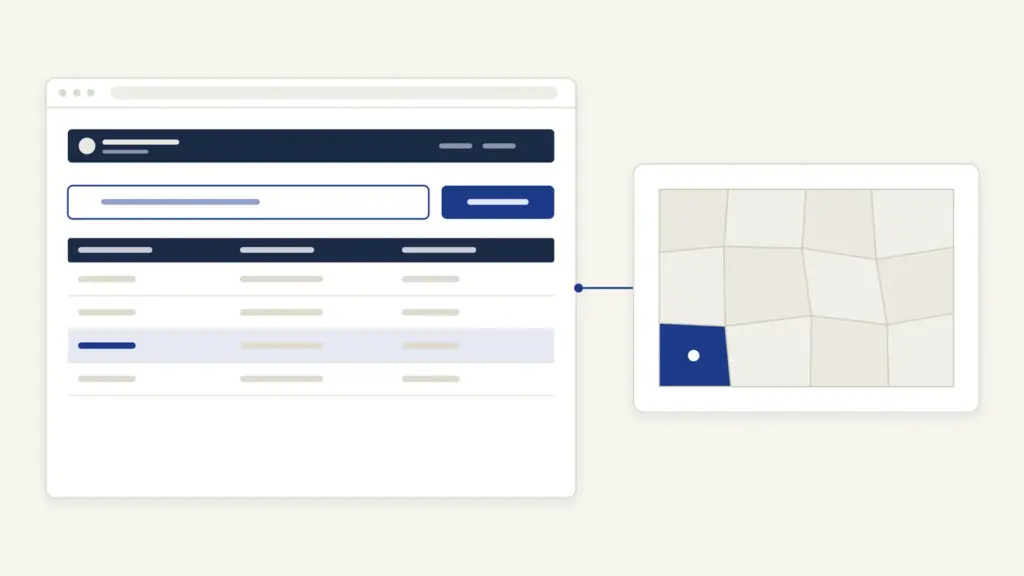
MP Bhulekh is the Madhya Pradesh government’s online land-record portal, now running as WebGIS 2.0 at webgis2.mpbhulekh.gov.in under the Commissioner, Land Resources Management. Most people open it for three jobs: to see the khasra of a plot, to download a digitally signed copy of that khasra or khatauni for a bank or office and to pay land revenue or follow a mutation. Searching a record is free and needs no login.
The common mix-up is between what you see on screen and what an office will accept. The search result is an information copy. A copy that carries the department’s digital signature comes only after you sign in, add the record to an application and pay the fee the portal calculates. The second confusion is the address itself: older links to mpbhulekh.gov.in still float around, but the portal now names WebGIS 2.0 as the authorized one. This guide follows the WebGIS 2.0 screens as they stand in October 2026.
MP Bhulekh at a Glance
MP Bhulekh is a single window for the state’s computerized land records, maps and a set of revenue services. The table below gives the basics before the steps.
| Fact | Detail |
|---|---|
| Portal | WebGIS 2.0, webgis2.mpbhulekh.gov.in |
| Run by | Commissioner, Land Resources Management (आयुक्त भू-संसाधन प्रबंधन), Madhya Pradesh |
| Main records | Khasra, khatauni, village map (naksha), bhu-adhikar pustika, encumbrance certificate |
| Search keys | Plot ID, ULPIN, landowner Samagra number, or district, tehsil and village with name, survey number or plot number |
| Viewing | Free, no login |
| Digitally signed copy | Citizen sign-in, online application and fee shown at the payment step |
| Other services | Land revenue payment, diversion (पुनर्निर्धारण), bank mortgage entries, civil court cases, revenue court orders |
| Helpdesk | 18002030311 (toll free), 09:45 AM to 06:15 PM |
What MP Bhulekh Records Mean
MP Bhulekh keeps records by agricultural year, and the portal’s own note says the details come in the khasra format, searchable by survey number, plot number or landowner. A few terms decide whether you read the result correctly:
- Khasra: the plot-level register. It carries the survey number, area, the recorded landholder and the land’s use and crop entries.
- Khatauni: the holding-wise statement that groups every plot held by the same landholder in a village. In Madhya Pradesh this statement is commonly called the B-1.
- Survey or block number: the number of a parcel in the village map. A later split of a parcel shows up as a sub-number.
- ULPIN: the Unique Land Parcel Identification Number. The portal defines it as a 14-character alphanumeric ID for each parcel, built from the parcel’s longitude and latitude.
- Samagra number: the Madhya Pradesh resident ID, which the portal accepts as a landowner search key. The Samagra portal guide explains how to find yours.
- Bhu-adhikar pustika: the landholder’s rights book, available as a certified copy.
- Diversion (व्यपवर्तन): a change of land use from agriculture to another purpose. WebGIS 2.0 lists it as पुनर्निर्धारण (व्यपवर्तन), meaning reassessment of revenue on diverted land.
The table below maps each record to what it is used for and where it sits on the portal.
| Record | What it shows | Where on WebGIS 2.0 |
|---|---|---|
| Khasra | One plot: area, holder, use | भू-अभिलेख tile, free search |
| Khatauni (B-1) | All plots of one holder in a village | Certified copy, Land Records Copy |
| Naksha | Parcel boundaries on the village map | भू-भाग नक्शा; ग्राम नक्शा क्रय to buy a village map |
| Encumbrance certificate | Charges noted against the land | Certified copy, Land Records Copy |
| Scanned old records | Record-room documents | अभिलेखागार दस्तावेज़ (स्कैन) |
| Revenue court order | Orders passed in RCMS | RCMS आर्डर |
| Mortgage entry | Bank charge on the land | भूमि बंधक |
These records are part of the national program to digitize land registers, which the note on land records management in India covers in detail.
How to Check Khasra on MP Bhulekh
The free khasra search sits behind the first tile on the home page, भू-अभिलेख. It takes a minute if you know either the parcel’s ID or its location.
- Open https://webgis2.mpbhulekh.gov.in/ and close the security notice with OK.
- Click the भू-अभिलेख tile. A box asks whether you want to search land records for khasra. Click हाँ under that question.
- The भूखंड विवरण खोजें (search parcel details) form opens. If you have a भूखंड ID, ULPIN or भूमिस्वामी समग्र संख्या, type it in its field.
- Otherwise choose जिला (district), then तहसील, then ग्राम | LGD कोड (village).
- Pick one way to find the parcel: भूमिस्वामी नाम (landowner name), सर्वेक्षण / ब्लॉक संख्या (survey or block number) or प्लॉट संख्या (plot number), and select the entry from the list.
- Enter the कैप्चा and click विवरण देखें (view details).
Use क्लियर करें to reset the form if you picked the wrong village. The portal warns that pressing Back, Forward or Refresh ends the session, so move between screens with the portal’s own buttons. If you’re unsure which district a village now belongs to, the list of districts in Madhya Pradesh helps before you start, because several districts were carved out recently and old village names may sit under a new district.
How to Get a Digitally Signed Copy
The digitally signed copy is the version meant for use outside your own desk. On the home page, the second question under भू-अभिलेख asks whether you want a digitally signed khasra copy of the current and previous year, and clicking हाँ takes you to the citizen sign-in page.
- Sign in as नागरिक उपयोगकर्ता (citizen user) with your mobile number or email, password and captcha. First-time users choose पंजीकरण (registration).
- From the dashboard menu, open the certified copy section and choose Land Records Copy. This covers khasra, khatauni, map, khatawar khasra, bhu-adhikar pustika and the encumbrance certificate.
- Click New Application, select the district, tehsil and village, and pick the landowner or survey number. Click View Details.
- Select the survey number, then the record type and year, and click Add to list. Repeat for each extra record you need.
- Click Calculate fee, confirm and note the application number the portal generates.
- Click Proceed, choose pay under the action column, check the fee shown and click Make Payment.
- Print the receipt. When the copy is ready, open the action menu against the application number and choose Download copy.
The same certified copy menu has separate options for scanned record-room copies (MRR copy), revenue court orders (RCMS copy) and copies of survey numbers that are no longer active. Banks and lawyers often ask for the last one when a parcel has been split or merged.
A digital signature on these copies has legal backing: Section 5 of the Information Technology Act, 2000 recognizes electronic signatures in the same way as handwritten ones. Whether a particular bank, court or sub-registrar wants a fresh copy of a certain date is that office’s call, so ask before you pay.
Fees and Timelines
Searching and viewing records on MP Bhulekh is free. For a certified copy the portal works out the fee on the Calculate fee step and shows it before payment, and the official user manual describes that step without printing a rate. Treat any fixed figure quoted elsewhere as unverified until you see it on your own payment screen.
The diversion section has its own पुनर्निर्धारण (व्यपवर्तन) शुल्क कैलकुलेटर on the home page, which estimates the charge on land being diverted to non-farm use. The portal does not publish a time limit for issuing certified copies on its public pages.
How to Pay Land Revenue Online
The portal collects both farm land revenue (कृषि भूमि राजस्व भुगतान) and revenue on diverted land (व्यपवर्तित भूमि राजस्व भुगतान). The official manual says the demand is generated each year at the start of the financial year and the money goes straight into the state treasury.
- Sign in as a citizen user and complete the OTP step.
- Open Land Revenue Payment in the left menu and choose Online Payment. Read the steps in the pop-up and click OK.
- Click New Application, select district, tehsil, village and survey or block number, and click View Details.
- In the landowner details, click Add to List and select the title number you are paying for. The total shows at the bottom.
- Click Proceed, note the application number, pay through the gateway and print the receipt.
The receipt is worth keeping with your land papers. Lenders look at the land record before a farm loan, and the note on agricultural credit explains why land sits at the center of that decision.
Mutation: RCMS and Cyber Tehsil
Mutation (नामांतरण) is the change of the recorded holder after a sale, gift, inheritance or court decree. In Madhya Pradesh it is a revenue court case, and the application goes through the Revenue Case Management System at rcms.mp.gov.in rather than through the khasra search. The RCMS manual says a citizen can apply personally, through an MP Online kiosk or at a Lok Sewa Kendra.
RCMS offers these mutation types:
- inheritance (फौती) in favor of all heirs, with some heirs giving up their share, or by will;
- registered sale deed, gift deed or exchange deed;
- civil court decree;
- a minor holder turning major;
- entering or releasing a mortgage (बंधक).
For inheritance, the online form asks for the deceased holder’s share, every legal heir’s details (a guardian’s name if an heir is under 18), the khasra, an uploaded family tree (वारसान शजरा) and a date to appear before the court with documents. You then print, sign, scan and upload the application. An unfinished form can be resumed from अपूर्ण आवेदन पूर्ण करें with the application number and mobile number.
Sales follow a quicker lane. A PIB release of 27 February 2024 described the state’s Cyber Tehsil as a paperless, faceless system for mutation of the sale or purchase of a complete khasra, working in all 55 districts and sending the certified order by email or WhatsApp. A part-khasra sale or a disputed case still goes before the tehsildar.
How to Track Status and Changes
Tracking depends on what you applied for:
- Certified copy: sign in and open the application list. The action menu against your application number shows the download once the copy is ready.
- Mutation: use आवेदन की वर्तमान स्थिति (current status of application) on rcms.mp.gov.in.
- Recent changes on a parcel: the ट्रांज़ैक्शन विवरण (transaction details) tile on the home page shows transactions recorded against land.
- Court cases on land: व्यवहार न्यायालय प्रकरण lists civil court cases, and RCMS आर्डर gives revenue court orders.
A buyer should check all four before paying an advance. A mutation that hasn’t reached the khasra, or a pending case, matters more than whatever the seller’s printout says.
Common Errors and Fixes
Most failed searches come from a handful of mistakes:
- Wrong district or tehsil. Villages moved when new districts and tehsils were formed. Search the village by its LGD code, which the village list shows next to the name.
- Name not found. Old entries may spell a name differently or record it with the father’s name first. Search by survey number instead of name.
- Survey number format. Split parcels carry sub-numbers. Pick the number from the drop-down list rather than typing it.
- Session expired. Back, Forward or Refresh ends the session. Start again from the home page and use the portal’s buttons.
- Copy pending. If the signed copy isn’t ready, check the application list rather than paying again.
- Wrong entry in the record. The portal can’t edit a record for you. Correction is a revenue case, filed through RCMS.
Helpline and Grievance
The portal header lists the helpdesk number 18002030311, toll free, from 09:45 AM to 06:15 PM. For a written complaint, use the शिकायत (grievance) menu on the home page. The official manual says an unregistered user picks the unregistered option, enters a name and mobile number or email, verifies an OTP, then chooses the service type, issue type and issue description. If the suggested solution doesn’t help, you add the district, tehsil, village and khasra, describe the problem, upload documents and submit. The acknowledgement can be printed, and the Track grievance option shows progress.
A wrong entry that needs an order goes to the tehsildar through RCMS. The portal’s helpdesk can fix a payment or download problem; it cannot change who owns the land.
Where MP Bhulekh Fits
MP Bhulekh is one state’s piece of a national push. Land records now feed farm schemes such as PM-KISAN, and the Centre’s newer land-stack guidelines, covered in the DILRMP land stack update, build on parcel IDs like the ULPIN that WebGIS 2.0 already uses. Uttar Pradesh runs a parallel system, and the UP Bhulekh khatauni guide shows how differently the two states name the same records.
The practical judgment is simple. Use the free search for your own checks, pay for the digitally signed copy only when an office asks for it and treat RCMS as the place where ownership actually changes. Keep those three roles apart and MP Bhulekh stops being confusing.
Frequently Asked Questions
What is MP Bhulekh?
MP Bhulekh is the Madhya Pradesh government’s land-record portal, now running as WebGIS 2.0 at webgis2.mpbhulekh.gov.in. It is run under the Commissioner, Land Resources Management. Citizens use it to search khasra, get digitally signed copies, view maps and pay land revenue.
Is the khasra search on MP Bhulekh free?
Yes. Searching a khasra by plot ID, ULPIN, Samagra number, landowner name or survey number needs no login and no payment. Only the digitally signed certified copy is a paid service.
How do I get a digitally signed khasra or khatauni in MP?
Sign in as a citizen user on WebGIS 2.0, open the certified copy section and choose Land Records Copy. Add the survey number, record type and year, calculate the fee, pay online and download the copy from the action menu once it is ready.
What is the fee for a certified copy on MP Bhulekh?
The portal calculates the fee for each application at the Calculate fee step and shows it before you pay. The official user manual does not print a fixed rate, so the payment screen is the only reliable figure.
What is ULPIN on MP Bhulekh?
ULPIN is the Unique Land Parcel Identification Number. The portal describes it as a 14-character alphanumeric ID for each land parcel, based on the parcel’s longitude and latitude. You can search a khasra directly with it.
How do I apply for mutation in Madhya Pradesh?
Mutation is filed on the RCMS portal, rcms.mp.gov.in, by yourself, through an MP Online kiosk or at a Lok Sewa Kendra. Choose the type, such as inheritance or registered sale deed, fill the form and upload the documents. An undisputed sale of a complete khasra is handled by Cyber Tehsil.
What is the MP Bhulekh helpline number?
The portal header lists 18002030311 as a toll-free helpdesk, open from 09:45 AM to 06:15 PM. Complaints can also be lodged from the grievance menu on the home page with OTP verification.
Can MP Bhulekh correct a wrong name in my land record?
No. The portal shows records but does not edit them on a citizen’s request. A wrong entry is corrected through a revenue case filed on RCMS, which ends in an order by the competent revenue officer.
Tell Google you want more of this.
Add Anantam IAS as a preferred sourceOne tap, and this site shows up more often in your own Top Stories, AI Overviews and AI Mode. Remove it any time.






