

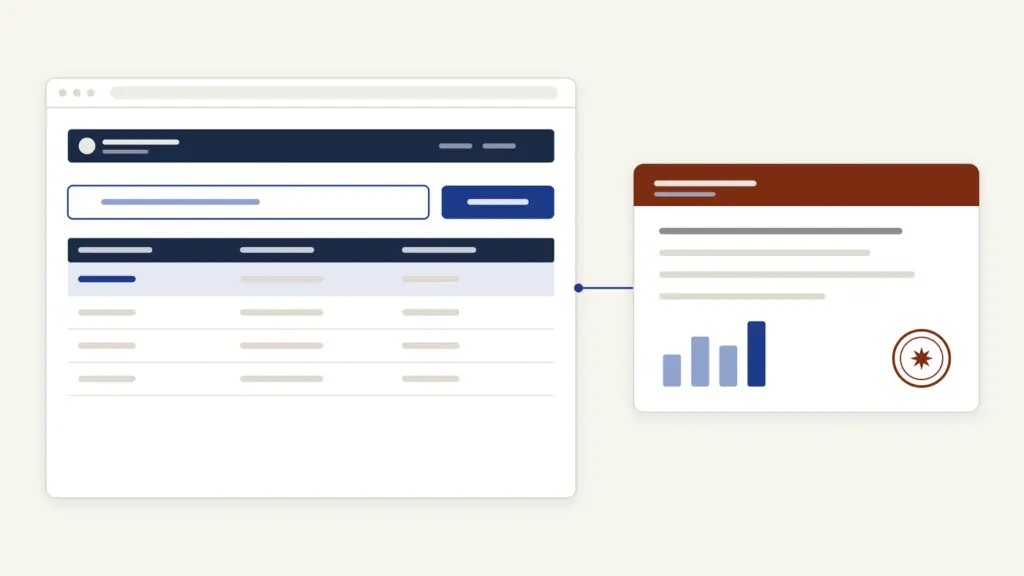
eDistrict MP is Madhya Pradesh’s online counter for certificates and time-bound public services, and today it runs as the MP Lok Seva Guarantee Portal at mpedistrict.gov.in. Most people open the edistrict mp portal to apply for an income, caste or local resident (domicile) certificate, to check an application’s status, or to verify a digitally signed certificate. The portal is developed by NIC’s Madhya Pradesh unit with the State Lok Seva Agency (राज्य लोक सेवा अभिकरण).
Two things confuse searchers. First, the address: many people type edistrict.mp.gov.in, but the working portal is mpedistrict.gov.in. Second, the channels: MP Online kiosks, CSC centres and Lok Seva Kendras all feed the same portal, so a CSC operator and the Lok Seva Kendra are filing into one system, under one law. That law, the MP Lok Sewaon ke Pradan ki Guarantee Adhiniyam, 2010, is what turns each certificate into a deadline you can enforce.
eDistrict MP at a Glance
The portal sits under the Lok Seva Prabandhan Vibhag (Public Service Management Department), and the State Lok Seva Agency runs it day to day. Here are the basics from the portal itself.
| Fact | Detail |
|---|---|
| Portal | mpedistrict.gov.in, titled मध्यप्रदेश लोक सेवा गारंटी पोर्टल |
| Run by | State Lok Seva Agency, with NIC Madhya Pradesh |
| Law | MP Lok Sewaon ke Pradan ki Guarantee Adhiniyam, 2010 (Act No. 24 of 2010) |
| Ways to apply | Lok Seva Kendra, MP Online kiosk, CSC kiosk, citizen login, mobile app |
| Fee for income certificate | Rs 20 plus legal fee at a kiosk or kendra; free when you apply online yourself |
| Time limits | Income 3 working days; local resident 7; SC, ST and OBC caste 30 |
| Volume | 12.51 crore+ applications registered, 12.45 crore+ disposed, per the home page |
| Contact | [email protected] (State Lok Seva Agency); CM Helpline 181 listed on the portal |
What the Portal Covers and Who Uses It
The home page groups services by category and by department, from certificates and land-record copies to pensions, electricity connections and licences. The General Administration Department’s certificates are the ones students and job applicants need most.
| Service on the portal | Notified time limit | Main documents |
|---|---|---|
| 6.2 आय प्रमाण पत्र (income certificate) | 3 working days | Self-declaration stating your income |
| 6.1 स्थानीय निवासी प्रमाण-पत्र (local resident certificate) | 7 working days | Self-declaration |
| 6.3-A अनुसूचित जाति, अनुसूचित जनजाति प्रमाण पत्र (SC/ST caste certificate) | 30 working days | Caste proof, residence proof as of 1950, educational certificates, declaration |
| 6.3-B अन्य पिछड़े वर्ग जाति प्रमाण पत्र (OBC caste certificate) | 30 working days | Caste proof, residence proof as of 1984, income proof, land details, declaration |
| EWS income and asset certificate | See the service page | Listed on the service page |
For caste, the accepted caste proof is either a property record of a family member (grandparent, parent, uncle or brother) that mentions the caste, or a caste certificate issued to a family member on the father’s side by the SDO (Revenue) after 1996. Two related services save effort: a digitally signed copy of a caste certificate that was issued by hand earlier (service 6.5), and a caste certificate for someone whose father, brother or sister already holds one (service 6.6).
If you need the national background, our guides to the caste certificate, the income certificate, the domicile certificate and the EWS certificate explain what each one proves. The difference between a state and a central OBC certificate is covered in our note on the OBC non-creamy layer.
Samadhan Ek Din: Same-Day Certificates
Samadhan Ek Din (solution in one day) is the portal’s fast lane. The income and local resident certificate pages both say the service is given within one working day at a Lok Seva Kendra under this arrangement. The same list covers copies of khasra, B-1 khatauni and the current map, which ties in with the records explained in our MP Bhulekh guide.
How to Register and Log In on eDistrict MP
You can apply without an account at a kiosk, but registering lets you apply and track from home.
- Open mpedistrict.gov.in and click “नागरिक पंजीयन” (citizen registration) at the top, or “नए नागरिक पंजीयन करें” on the login page.
- Fill your details, including gender and Aadhaar number. The form offers “आधार से रजिस्ट्रेशन” if you want to register through Aadhaar.
- Verify your mobile number and email with the OTPs sent to them.
- Upload a profile picture if you like; it’s optional and must be under 50 KB.
- Log in through “लॉग इन” with your email, mobile number or user ID, password and the captcha.
The same login box serves citizens, Lok Seva Kendra operators and officers, so don’t be thrown by the title “सिटीजन/ लोक सेवा केंद्र/ अधिकारी लॉगिन”.
How to Apply for a Certificate on eDistrict MP
The flow follows the portal’s online-services manual: choose the service, apply, log in, pay if a fee applies, and save the acknowledgement.
- On the home page, open the service under “स्वयं ऑनलाइन आवेदन करें” (apply online yourself), or use “ऑनलाइन सेवा हेतु आवेदन करें” to browse all services.
- Read the service page: it lists the required documents, the time limit and the fee for each channel. Download the declaration format from the “(डाउनलोड प्रपत्र)” link.
- Click Apply and log in.
- Fill the form and upload the documents.
- Pay the fee where one applies, then open the acknowledgement.
- Note the registration number on the acknowledgement. You’ll need it for status checks and appeals.
If the payment goes through but the registration doesn’t complete, the portal’s FAQ says you can log in again and finish it; you won’t have to pay twice.
Applying at MP Online, CSC or a Lok Seva Kendra
The kiosk route is the same portal with an operator at the keyboard. The FAQ lists four channels besides your own login: the Lok Seva Kendra, an MP Online kiosk, a CSC kiosk and the mobile app. The home page’s “नजदीकी सेवा प्रदाय केंद्र” link finds the nearest centre. Not every service is open on every channel; the OBC caste certificate page, for example, lists only the Lok Seva Kendra and online application.
Fees and Time Limits
The fee depends on who files the form. For the income certificate, the service page shows Rs 20 plus the legal fee at a Lok Seva Kendra, MP Online or CSC, with a note that the kiosk fee is “as per tender”, and free when you apply online yourself. The caste and local resident pages follow the same pattern for the channels they offer. Check the service page before you pay, since it’s the official figure for that service.
Time limits are counted in working days and differ by certificate: 3 for income, 7 for local resident and 30 for SC, ST or OBC caste certificates. The clock is the legal one. Under the Act, the designated officer must either deliver the service or reject it with written reasons inside that period.
A 2020 amendment ordinance added a sharper rule. For services the state notifies for it, if the designated officer doesn’t decide in time, the portal itself generates a deemed approval (मान्य अनुमोदन), which has the same legal standing as an approval by the officer.
How to Check eDistrict MP Application Status
- On the home page, click “आवेदन की स्थिति जानें”.
- Choose “पंजीकरण क्र.” (registration number) or “मोबाइल नं.” (mobile number).
- Enter it with the captcha and click “खोजें”.
The FAQ says the registration number looks like RS/XXX/XXXX/XX/2018. The result shows the registration date, your name and address, the target date and the current status. Under “Show File/ Movement” you can see your form, the acknowledgement, the digitally signed documents and the final order. Pension applications and revenue cases have their own status links on the home page.
How to Verify a Digitally Signed Certificate
Certificates from the portal are digitally signed, and anyone can check one. On the status page, choose “डिजीटल हस्ताक्षरित सर्टिफ़िकेट जाँचे”, enter the details asked for and compare the result with the paper copy. The home page links the same check directly.
A related service fixes a common mismatch. The home page lists a service for linking the date of birth, Aadhaar and Samagra ID to a caste certificate, which matters because scholarship and admission systems pull your record through the Samagra portal.
Common Errors and Their Fixes
Most edistrict mp problems repeat, and each has a fix:
- Site doesn’t open. You’ve typed edistrict.mp.gov.in. Use mpedistrict.gov.in.
- Caste application stuck for lack of proof. The portal needs a family record that names the caste, or a family member’s certificate from the SDO (Revenue) after 1996. Gather that before you apply.
- Old handwritten caste certificate rejected online. Apply for the digitally signed copy under service 6.5 instead of a fresh certificate.
- Paid but no registration number. Log in again and complete the application; the FAQ says no second payment is needed.
- Profile photo refused. It must be an image under 50 KB.
- Mobile number or email wrong on the application. The status page has a link to change them.
Where to Complain and How to Appeal
The appeal is your strongest tool, and the portal states the deadlines plainly. Under section 6 of the Act, a first appeal goes to the first appeal officer within 30 days of the rejection or of the time limit running out, and a second appeal within 60 days of the first appeal decision. The “पदाभिहित/अपीलीय अधिकारी” page lists the designated and appellate officers for each service.
The Act gives the second appellate authority real powers. For a delay without sufficient reason, it can fine the designated officer Rs 250 a day, up to Rs 5,000; for a failure to deliver, a lump sum of Rs 500 to Rs 5,000. It can order part of the penalty paid to you as compensation.
For general complaints, the portal has a “सुझाव , प्रतिक्रिया और शिकायत” page and lists the CM Helpline, 181. The State Lok Seva Agency’s email is [email protected].
eDistrict MP Today
The portal’s footer shows how far it has grown: over 12.5 crore applications registered and more than 12.4 crore disposed. It now carries WhatsApp and Telegram chat links, a daily dashboard and Samadhan Ek Din rosters by district. The 2020 deemed-approval rule changed the portal’s role from tracker to enforcer, since the system can now approve a notified service on its own when an officer misses the deadline.
Madhya Pradesh’s law is part of the wider right-to-service movement that grew out of citizen charters, which listed standards but gave citizens no remedy. It’s a standard case study in good governance, and Bihar runs the same model through its own portal, covered in our RTPS Bihar guide.
Frequently Asked Questions
What is the official website of eDistrict MP?
The working portal is mpedistrict.gov.in, titled the Madhya Pradesh Lok Seva Guarantee Portal. Searches often show edistrict.mp.gov.in, but that address does not open the portal.
How do I apply for an income certificate in MP online?
Register on mpedistrict.gov.in, open the income certificate service, download and fill the self-declaration, upload it and submit. Applying online yourself is free, and the notified time limit is 3 working days.
What is the fee at MP Online or a CSC centre?
The income certificate page lists Rs 20 plus the legal fee at a Lok Seva Kendra, MP Online kiosk or CSC centre. Applying through your own citizen login is free.
How many days does a caste certificate take in Madhya Pradesh?
The portal lists 30 working days for SC, ST and OBC caste certificates. The income certificate takes 3 working days and the local resident certificate 7.
How can I check my eDistrict MP application status?
Click ‘आवेदन की स्थिति जानें’ on the home page and search by registration number or mobile number with the captcha. The result shows the target date and current status.
What is Samadhan Ek Din?
Samadhan Ek Din is the same-day arrangement under which the income and local resident certificates are issued in one working day at a Lok Seva Kendra. It also covers copies of land records such as khasra and B-1.
How do I appeal a delayed certificate in MP?
File a first appeal within 30 days of the rejection or the end of the time limit, and a second appeal within 60 days of the first appeal decision. The second appellate authority can fine the officer Rs 250 a day, up to Rs 5,000.
What is deemed approval under the MP Lok Seva Guarantee law?
A 2020 amendment ordinance lets the portal generate an approval automatically when the designated officer misses the time limit on a notified service. That deemed approval has the same legal standing as one given by the officer.
Tell Google you want more of this.
Add Anantam IAS as a preferred sourceOne tap, and this site shows up more often in your own Top Stories, AI Overviews and AI Mode. Remove it any time.






