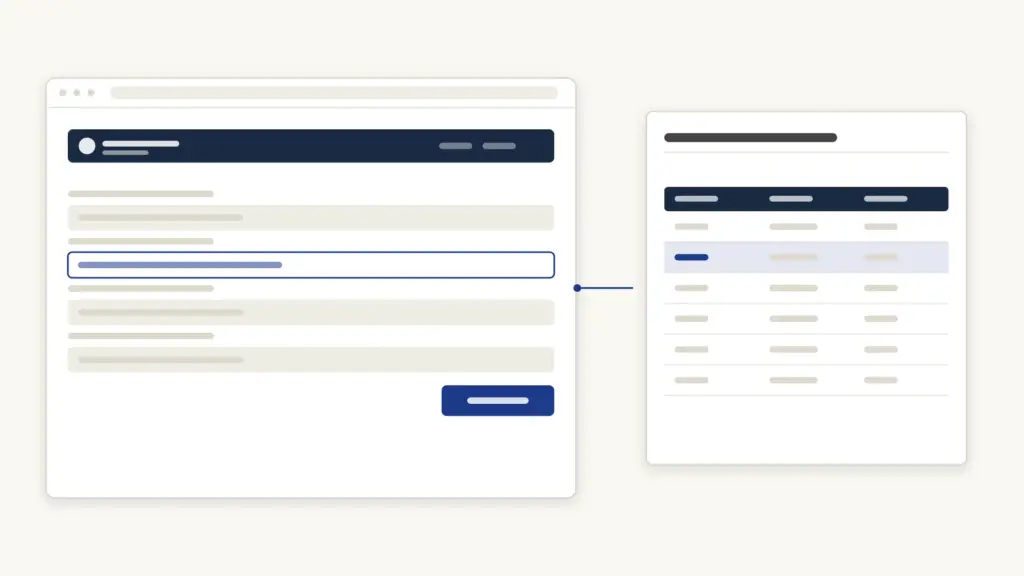
The RCH portal is the Government of India’s online system for tracking Reproductive and Child Health services — every registered pregnant woman and newborn gets a unique RCH ID against which check-ups, delivery and immunisations are recorded. The portal currently opens at rch.mohfw.gov.in under the Ministry of Health and Family Welfare; older links to rch.nhm.gov.in may not load, so use the mohfw address (verified July 2026). Health workers (ANMs and facility staff) log in for data entry, while pregnant women and parents can use the self-registration option to get themselves or their child into the system.
What the RCH Portal Is
RCH stands for Reproductive and Child Health, a programme running nationally since 15 October 1997. The portal is its tracking backbone: a name-based register of every eligible couple, pregnant woman and child, maintained under the National Health Mission (NHM).
Here is the idea in plain terms. When a woman’s pregnancy is registered at an anganwadi, sub-centre or hospital, her details go into the RCH portal and she gets a 12-digit RCH ID. Every antenatal check-up (ANC), her delivery outcome, postnatal care (PNC), and later her child’s immunisation doses are recorded against that ID. Because the record is online, it follows her — if she moves from her village to her parents’ home for delivery, the health staff there can pull up her history instead of starting blind.
The data also drives entitlements: cash benefits under maternity schemes such as the PM Matru Vandana Yojana and Janani Suraksha Yojana are processed against registered beneficiaries, and due-list SMS reminders for check-ups and vaccinations go to registered mobile numbers.
Who Uses the Portal
| User | Access | Purpose |
|---|---|---|
| ANM / health worker | Data entry login (username + password) | Register beneficiaries, update ANC/PNC, delivery and immunisation records |
| Facility / district / state officials | Role-based logins | Monitoring, due lists, work plans, reports |
| Pregnant women / parents | Self-registration (no account) | Register a pregnancy or child; the record is then verified by local health staff |
| ASHA workers | Through ANM / mobile tools | Field follow-up of due beneficiaries |
Ordinary citizens do not get a login with a dashboard. Self-registration is a one-time form; the ongoing record is maintained by the health system. ANMs increasingly use the ANMOL tablet application, which writes into the same RCH database.
Self-Registration for Pregnant Women
If your pregnancy has not yet been registered by local health staff, you can start the process yourself:
- Open rch.mohfw.gov.in and find the Self Registration option on the homepage.
- Choose Register Pregnant Women → New Registration.
- Enter your mobile number and verify it with the OTP you receive.
- Fill the form: name, husband’s name, age, address (state/district/block/village), LMP date (first day of the last menstrual period), and bank/Aadhaar details where asked.
- Enter the captcha and save. Note the acknowledgement/registration number shown.
Your entry then flows to the ANM of your area, who verifies it during the next contact and completes the full record — after which your 12-digit RCH ID is active for check-ups and scheme benefits. Registering in the first trimester matters: early ANC registration is itself a tracked indicator and a condition for some benefits.
Self-Registration for a Child
The same Self Registration section has a Register Child → New Registration option:
- Verify your mobile with OTP.
- Enter the child’s details — name, date of birth, place of birth, mother’s name (and mother’s RCH ID if she was registered), and address.
- Save and keep the acknowledgement number.
Children registered here are picked up in immunisation due lists, so the anganwadi/ANM knows which doses (BCG, pentavalent, measles-rubella and the rest) are due when.
Data Entry Login for Health Workers
Health staff use the login issued through their district/state RCH or NHM setup — there is no public signup:
- On the portal homepage, open the Data Entry login.
- Enter your username, password and captcha; the login is mapped to your facility/sub-centre and its service area.
- From the dashboard, choose the module — eligible couple registration, pregnant woman registration, child registration, ANC/PNC service updates, delivery outcome, or immunisation entry.
- Use Add New Entry for fresh registrations and search-and-update for follow-up services.
- Generate due lists and work plans for field visits.
Each beneficiary is linked to the health provider (ANM/MPW/link worker) of that service area, which is how due-list responsibility is assigned. Forgotten passwords are reset by the district data manager or the state RCH cell — not by a public reset link.
Finding an RCH ID (Beneficiary Search)
If you have lost the RCH ID slip:
- Ask your ANM or ASHA worker — they can search the portal by name, mobile number or village and read the ID off your record. This is the reliable route.
- The ID also appears on your Mother and Child Protection (MCP) card if it was issued after registration.
- Some state health portals expose a beneficiary search; availability varies by state, and the national portal keeps personal records behind health-worker logins for privacy.
Quote the RCH ID at every check-up, at delivery, and when applying for maternity benefits — it links the paperwork to your record. Keep a photo of the MCP card in your phone or DigiLocker so the number is never lost.
Key Facts and Timelines
| Item | Detail |
|---|---|
| Current portal address | rch.mohfw.gov.in (older rch.nhm.gov.in links may not open) |
| Run by | Ministry of Health and Family Welfare, under the National Health Mission |
| RCH ID | 12-digit unique ID per beneficiary (mother and child get separate IDs) |
| Cost | Free — registration, tracking and all services carry no fee |
| Ideal pregnancy registration | Within the first trimester (early ANC registration) |
| Self-registration verification | Confirmed by the area ANM at the next contact |
| Who can log in | Health workers and officials only; citizens use one-time self-registration |
For the cash entitlements that ride on RCH registration — PMMVY instalments, JSY assistance and state maternity benefits — see our sarkari yojana list alongside the scheme-specific guides.
Frequently Asked Questions
What is the RCH portal’s official website?
The portal opens at rch.mohfw.gov.in, run by the Ministry of Health and Family Welfare under the National Health Mission. Older bookmarks pointing to rch.nhm.gov.in may fail — use the mohfw.gov.in address.
What is an RCH ID number?
A unique 12-digit ID assigned to each registered beneficiary — eligible couples, pregnant women and children. All antenatal check-ups, delivery details and immunisations are recorded against it, and maternity-benefit paperwork uses it to identify you.
Can a pregnant woman register herself on the RCH portal?
Yes. The homepage’s Self Registration section lets a pregnant woman (or a parent, for a child) register with mobile-OTP verification and basic details. The area ANM then verifies the entry and completes the record.
Is there a login for ordinary citizens on the RCH portal?
No. Only health workers and officials have logins. Citizens interact through one-time self-registration and through their ANM/ASHA, who maintain the record on their behalf.
How do I find my RCH ID if I lost it?
Check your Mother and Child Protection (MCP) card, or ask your ANM/ASHA worker to search your record by name and mobile number. There is no public search of personal records on the national portal.
Why is RCH registration important for scheme benefits?
Maternity benefit schemes such as PM Matru Vandana Yojana and Janani Suraksha Yojana process payments against registered, verified beneficiaries. Without an RCH record, claims stall; with one, instalments tied to early registration, check-ups and institutional delivery can be verified directly.
What is ANMOL?
ANMOL (ANM Online) is the tablet application ANMs use in the field to enter and update the same RCH data — beneficiary registration, ANC/PNC services and immunisation — syncing with the portal, so records stay current without paper registers.
Tell Google you want more of this.
Add Anantam IAS as a preferred sourceOne tap, and this site shows up more often in your own Top Stories, AI Overviews and AI Mode. Remove it any time.