

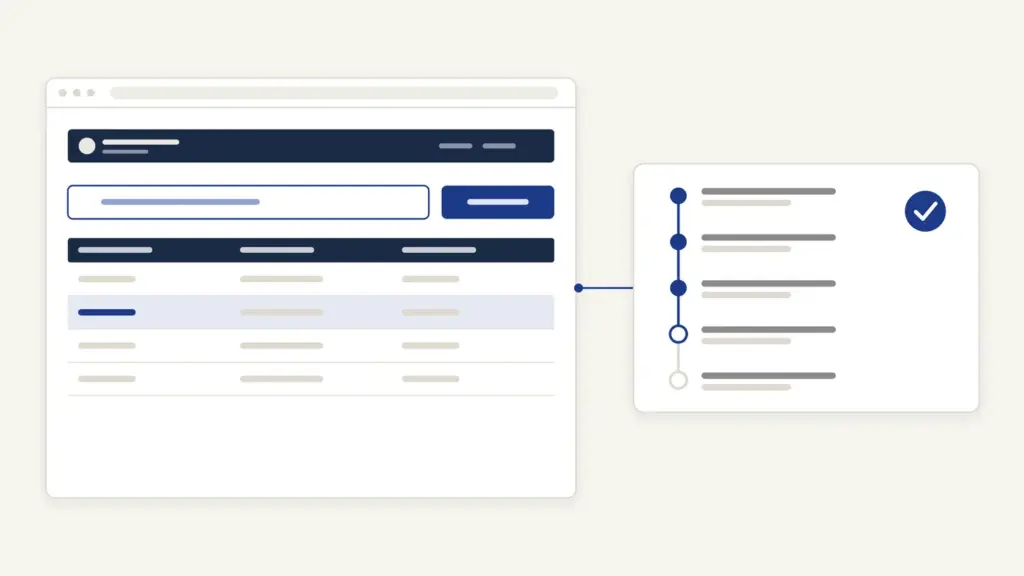
Seva Sindhu is the Government of Karnataka’s common portal for citizen services, at sevasindhu.karnataka.gov.in. It’s run by the state’s Directorate of Electronic Delivery of Citizen Services (EDCS) and was launched in March 2018 with 35 services from six departments. People use Seva Sindhu to apply for caste, income and residence certificates, to apply for a student bus pass and to track an application they’ve already made, either online or at a Grama One or Karnataka One center.
The confusion most people carry is about where an application lives. Seva Sindhu is the front door, but the decision belongs to the department behind it, so a caste certificate is still verified and signed by the Tahsildar’s office. The time limit you can hold that office to comes from a separate law, the Karnataka Sakala Services Act, 2011. Knowing both halves tells you whom to chase and when you can appeal.
Seva Sindhu at a glance
Seva Sindhu is a single window for many departments, built on the National Informatics Centre’s ServicePlus platform.
| Fact | Detail |
|---|---|
| Owner | Department of e-Governance, Government of Karnataka; run by the Directorate of EDCS |
| Built on | NIC’s ServicePlus platform, under the e-District Mission Mode Project |
| Address | sevasindhu.karnataka.gov.in; citizen login now at sevaone.karnataka.gov.in |
| Launched | March 2018, with 35 services from 6 departments |
| Main services | Revenue certificates, student bus pass, ration card, welfare and guarantee scheme applications |
| Fees | Set per service; for example Rs 35 for a caste or income certificate |
| Time limit law | Karnataka Sakala Services Act, 2011, amended in 2014 |
| Helpdesk | 080-24410574 (working days, 10 AM to 6 PM); [email protected] |
| Guarantee schemes call center | 1902 |
What Seva Sindhu does and who it’s for
Seva Sindhu serves anyone in Karnataka who needs a document or benefit from a state department and would rather not stand in a queue. Its own FAQ lists the broad groups:
- certificates such as income, domicile, caste, birth and death;
- licenses and ration cards;
- social welfare pensions;
- complaints and RTI applications;
- links to land records, registration and driving licenses;
- tax and utility payments.
Two things about the portal have changed recently:
- The name on the header: the site now carries the label Namma Seve (Seva One), and the Citizens Login link points to sevaone.karnataka.gov.in. The Seva Sindhu address still works and links to the same services.
- The delivery channels: the portal is linked to Grama One, Karnataka One and Bangalore One centers, and to Janasevaka, which delivers services at the doorstep.
The portal also hosts the application counters for the state’s guarantee schemes, including Gruha Lakshmi, Gruha Jyothi and Yuva Nidhi. For questions on those schemes, the home page gives the call center number 1902.
How to register and log in on Seva Sindhu
New users register through DigiLocker, so keep your Aadhaar-linked mobile handy. The home page sets out the steps.
- Click New users register here. The DigiLocker page opens.
- Enter your Aadhaar number and click Next. An OTP goes to the mobile linked to Aadhaar.
- Enter the OTP, click Continue, then click Allow to return to Seva Sindhu.
- Enter an email ID (optional), your mobile number, a password and the captcha, and click Submit.
- Enter the OTP sent to your mobile and click Validate. A success message appears.
After that, log in with your mobile number or email and password. Because registration runs through DigiLocker, certificates issued to you can also be kept there; the DigiLocker guide explains how documents in it are treated.
Seva Sindhu services, fees and time limits
Each service on Seva Sindhu carries its own service charge and delivery time. The table below lists common Revenue Department certificates with the figures the portal publishes, plus the student bus pass.
| Service | Key documents | Service charge | Delivery time |
|---|---|---|---|
| Caste certificate | Address and ID proof, EPIC, ration card, old caste certificate, school certificate, relatives’ certificates or family tree if nothing else | Rs 35 | 21 days |
| Income certificate | Address and ID proof, EPIC, ration card, salary certificate or self-declaration, bank statement for a year (urban) | Rs 35 | 21 days |
| Residence certificate | Address and ID proof, EPIC, ration card, passport or rental agreement (urban) | Rs 40 | 14 days |
| Domicile certificate | Address and ID proof, EPIC, ration card, income certificate, passport or rental agreement (urban) | Rs 30 | 7 days |
| Non-creamy layer certificate | Address and ID proof, EPIC, ration card | Rs 25 | 21 days |
| Student bus pass (KSRTC) | Declaration form signed by the headmaster or principal, fee receipt for the current year, residence proof | Rs 35 | 15 days |
The amount on the payment screen is the one that counts if it differs. Behind each certificate is a chain of checks. For a caste certificate, the portal lists the steps: the application goes to the revenue inspector, the village accountant verifies and reports, the revenue inspector reports, the shirastedar or deputy tahsildar puts it up and the Tahsildar approves. The general rules for each certificate are explained in the guides to the caste certificate, the income certificate and the domicile certificate.
How to apply for a service step by step
Most services follow the same path once you’re logged in.
- Log in and search for the service by name, or browse by department or category.
- Open the service and read the eligibility and documents list.
- Fill the form. Check names against your Aadhaar and school records before you submit.
- Upload the supporting documents in the format the form asks for.
- Pay the service charge online.
- Submit and note the application reference number on the acknowledgement.
If you prefer, walk into a Grama One, Karnataka One or Bangalore One center with the same documents. The operator files the same application under a service-center login and gives you the same kind of reference number.
Applying for a student bus pass
Student bus passes for KSRTC, KKRTC and NWKRTC each have their own link on the home page. The service details for the KSRTC school pass give the procedure.
- Log in and open the student bus pass service for your corporation.
- Download the Declaration Form.
- Fill it and get it signed and sealed by your school or college principal or headmaster.
- Fill the online application and select the office you’re applying to.
- Upload the declaration, the current year’s fee receipt and residence proof in JPEG or PDF.
- Submit.
A separate link handles refunds of student bus pass fees for KSRTC, NWKRTC, KKRTC and BMTC.
How to check Seva Sindhu application status
The Track your application status page splits the check three ways, and choosing the right one saves time.
- Revenue Department: for caste, income, residence and other revenue certificates.
- Other Departments: for everything else filed on the portal.
- Students Bus Pass: for bus pass applications.
Enter the application reference number from your acknowledgement. The status shows the department, the submission date and where the file stands. You’ll also get SMS updates on the mobile you registered with. Keep the acknowledgement until the certificate is in your hands.
Common Seva Sindhu errors and their fixes
Most problems come from registration or document uploads. Here are the usual ones.
- Registration OTP not received: the DigiLocker step sends the OTP to the mobile linked with Aadhaar. If that number has changed, update it first; the Aadhaar update guide covers that.
- “Invalid transaction for e-sign process”: the home page links a procedure to fix this in the Firefox browser. Follow it, or switch browsers.
- Upload rejected: check the file type and size the form asks for. The bus pass form takes JPEG and PDF.
- Name mismatch: the department compares your name across documents. Apply with the spelling in your Aadhaar and school records.
- Status not found: you may be checking the wrong category. A caste certificate is under Revenue Department, not Other Departments.
- Certificate delayed past the time limit: that’s a Sakala matter. See the appeal steps below.
Where to complain and how to appeal under Sakala
Seva Sindhu tells you the delivery time, and the Karnataka Sakala Services Act, 2011, amended in 2014, makes that time enforceable. The Sakala site lists 114 departments and 1,446 notified services, and says Sakala applications are to be filed on Seva Sindhu or the department’s own portal.
If your service is late or rejected, the Sakala FAQ sets out the route:
- First appeal: to the competent officer, within 30 days of the decision you’re unhappy with, or within the specified time after a delay.
- Second appeal: to the appellate authority, within 30 days of the competent officer’s order.
- Compensatory cost: Rs 20 for each day of delay, up to Rs 500 per application, payable by the designated officer who failed to deliver.
Appeals can be filed online on the Sakala website, and its call center is 080-4455 4455. For a general grievance against a department, the home page links iPGRS, the state’s public grievance system; for portal problems, write to [email protected] or call 080-24410574.
Service guarantee laws like Sakala exist because citizen charters on their own had no penalty attached; the note on citizen charters explains that gap, and the grievance redressal mechanism note covers the national system. Other states have been moving the same way, as the Delhi right to services bill shows. If what you need is information rather than a service, the portal’s RTI Online link and the RTI Act are the route.
Frequently Asked Questions
What is Seva Sindhu?
Seva Sindhu is the Government of Karnataka’s common online portal for citizen services, run by the Directorate of Electronic Delivery of Citizen Services. It’s built on NIC’s ServicePlus platform and was launched in March 2018. You can apply for certificates, bus passes and scheme benefits and track them in one place.
How do I register on Seva Sindhu?
Click New users register here, which opens DigiLocker. Enter your Aadhaar number and the OTP, click Allow, then set your mobile number, password and optional email. Validate the mobile OTP and you can log in with your mobile or email.
How do I check my Seva Sindhu application status?
Open Track your application status and pick the right category: Revenue Department, Other Departments or Students Bus Pass. Enter the application reference number from your acknowledgement. You’ll also get SMS updates on your registered mobile.
How much does a caste certificate cost on Seva Sindhu?
The portal lists a service charge of Rs 35 and a delivery time of 21 days for a caste certificate. An income certificate also carries Rs 35 and 21 days. The payment screen shows the final amount before you pay.
How do I apply for a student bus pass on Seva Sindhu?
Open the student bus pass link for KSRTC, KKRTC or NWKRTC, download the declaration form and get it signed by your principal. Fill the online form, upload the declaration, fee receipt and residence proof and submit. The KSRTC school pass lists a Rs 35 service charge and 15 days for delivery.
What can I do if my certificate is delayed?
Under the Karnataka Sakala Services Act, you can appeal to the competent officer within 30 days and then to the appellate authority within another 30 days. You can also claim compensatory cost of Rs 20 a day, up to Rs 500. Appeals can be filed on the Sakala website.
Is Seva Sindhu the same as Seva One?
The Seva Sindhu site now carries the Namma Seve (Seva One) label, and its citizen login points to sevaone.karnataka.gov.in. The services and the Seva Sindhu address continue to work. Use either entry point to reach the same applications.
What is the Seva Sindhu helpline number?
The Seva Sindhu helpdesk number is 080-24410574, on working days from 10 AM to 6 PM, and the email is [email protected]. For guarantee schemes such as Gruha Lakshmi, the call center is 1902. Sakala’s call center is 080-4455 4455.
Tell Google you want more of this.
Add Anantam IAS as a preferred sourceOne tap, and this site shows up more often in your own Top Stories, AI Overviews and AI Mode. Remove it any time.






