

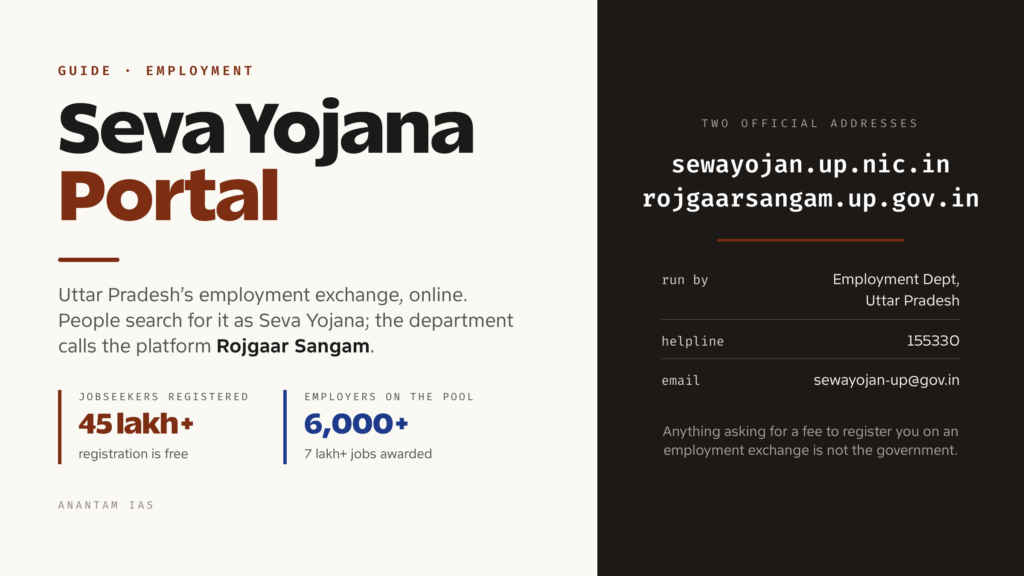
Uttar Pradesh’s old employment exchange used to mean a queue, a registration card and a wait. That system is now online, and the account you open on it is the single record the state’s Employment Department uses to match you with vacancies, invite you to job fairs, and check whether you qualify for the unemployment allowance. People search for it as the “seva yojana portal”; the department calls the platform Rojgaar Sangam.
The name confusion is the first thing to clear up, because it sends people to the wrong page. Sewayojan (सेवायोजन) simply means employment facilitation, and it is the department’s name. Rojgaar Sangam is the branding on the portal itself. This guide covers what the portal is, who each login belongs to, how to register and sign in, what you can do once you’re inside, and how to get past the errors that stop most first-time users.
What the Seva Yojana Portal Is and Who Should Use It
The portal is run by the Employment Department of Uttar Pradesh — सेवायोजन विभाग — through its Directorate of Training and Employment, headquartered at Rojgaar Bhawan in Lucknow. It is the state’s official employment exchange in digital form: jobseekers register once, employers post vacancies, and the department runs job fairs and placement drives against that shared pool.
Two official addresses are in live use, and both belong to the department:
- sewayojan.up.nic.in — the long-running registration and job-matching system. This is where jobseeker and employer accounts are created and where most people mean when they say “seva yojana portal”.
- rojgaarsangam.up.gov.in — the department’s broader integrated Rojgaar Sangam platform, which wraps private-sector jobs, campus placement, apprenticeships, overseas jobs, a dedicated women’s job section, career counselling, learning courses and events around the same employment mission.
Both display the same departmental helpline, 155330, and the same official email, [email protected], which is a useful sanity check when you are unsure whether a site is genuine. The scale is real: the Rojgaar Sangam platform reports over 45 lakh jobseeker registrations, more than 6,000 registered employers, and over seven lakh jobs awarded through it.
Who should hold an account:
- Jobseekers — any resident of Uttar Pradesh looking for government, private, outsourced or contractual work, from Class 10 pass to postgraduate. Registration is free.
- Employers — private companies, contractors and outsourcing agencies wanting to post vacancies or take part in a Rojgar Mela.
- Institutions, instructors and government departments — training institutes, campus-placement cells and departments that publish vacancies or run counselling and events.
- District and regional employment officers — the departmental users who verify employers and manage fairs.
There is one important warning to carry into this. A steady stream of private websites advertise “Rojgar Sangam Bhatta” registration with a promised monthly amount, and several of them collect personal details on forms that have nothing to do with the state government. The Employment Department’s own domains are the ones listed above. Anything asking for a fee to register on an employment exchange is not the government.
How to Log In, Step by Step
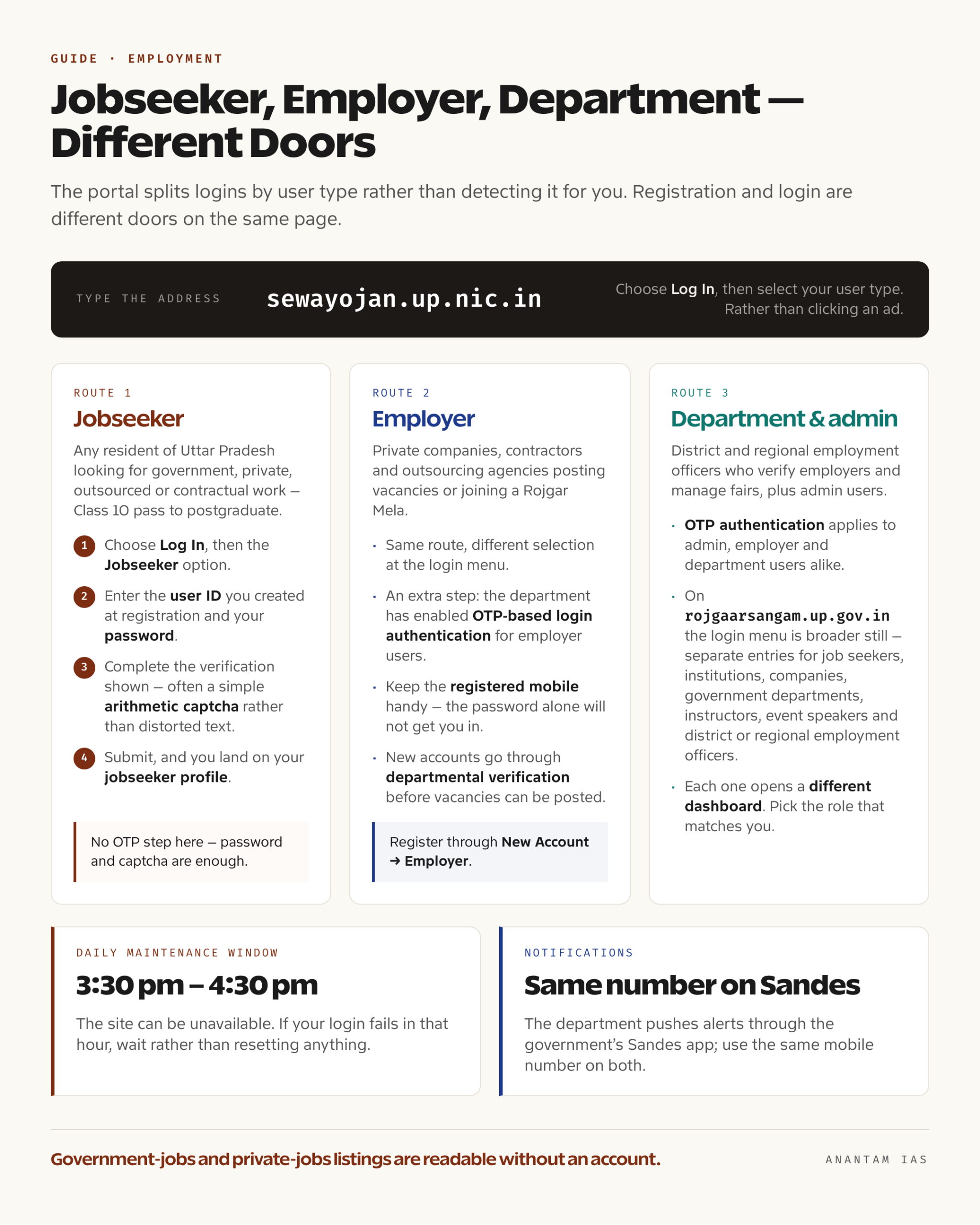
Registration and login are different doors on the same page, and the portal splits logins by user type rather than detecting it for you.
Jobseeker login:
- Open the official Sewayojan login in a browser. Type the address rather than clicking an ad.
- On the home page, choose Log In, then select the Jobseeker option.
- Enter the user ID you created at registration and your password.
- Complete the verification step shown on screen — the portal uses a simple arithmetic captcha in places rather than a distorted-text image.
- Submit, and you land on your jobseeker profile.
Employer, department and admin logins follow the same route but a different selection, and they carry an extra step: the department has enabled OTP-based login authentication for admin, employer and department users. If you fall in one of those groups, keep the registered mobile handy — the password alone will not get you in.
Two operational details worth knowing before you blame the portal:
- The site publishes a daily maintenance window from 3:30 pm to 4:30 pm, during which it can be unavailable. If your login fails in that hour, wait rather than resetting anything.
- The department pushes its notifications through the government’s Sandes messaging app, and asks you to use the same mobile number on both Sewayojan and Sandes so that alerts about vacancies and fairs actually reach you.
If you are using the wider rojgaarsangam.up.gov.in platform, the login menu there is broader — separate entries for job seekers, institutions, companies, government departments, instructors, event speakers and district or regional employment officers. Pick the one that matches your role; each opens a different dashboard.
Registering for the First Time
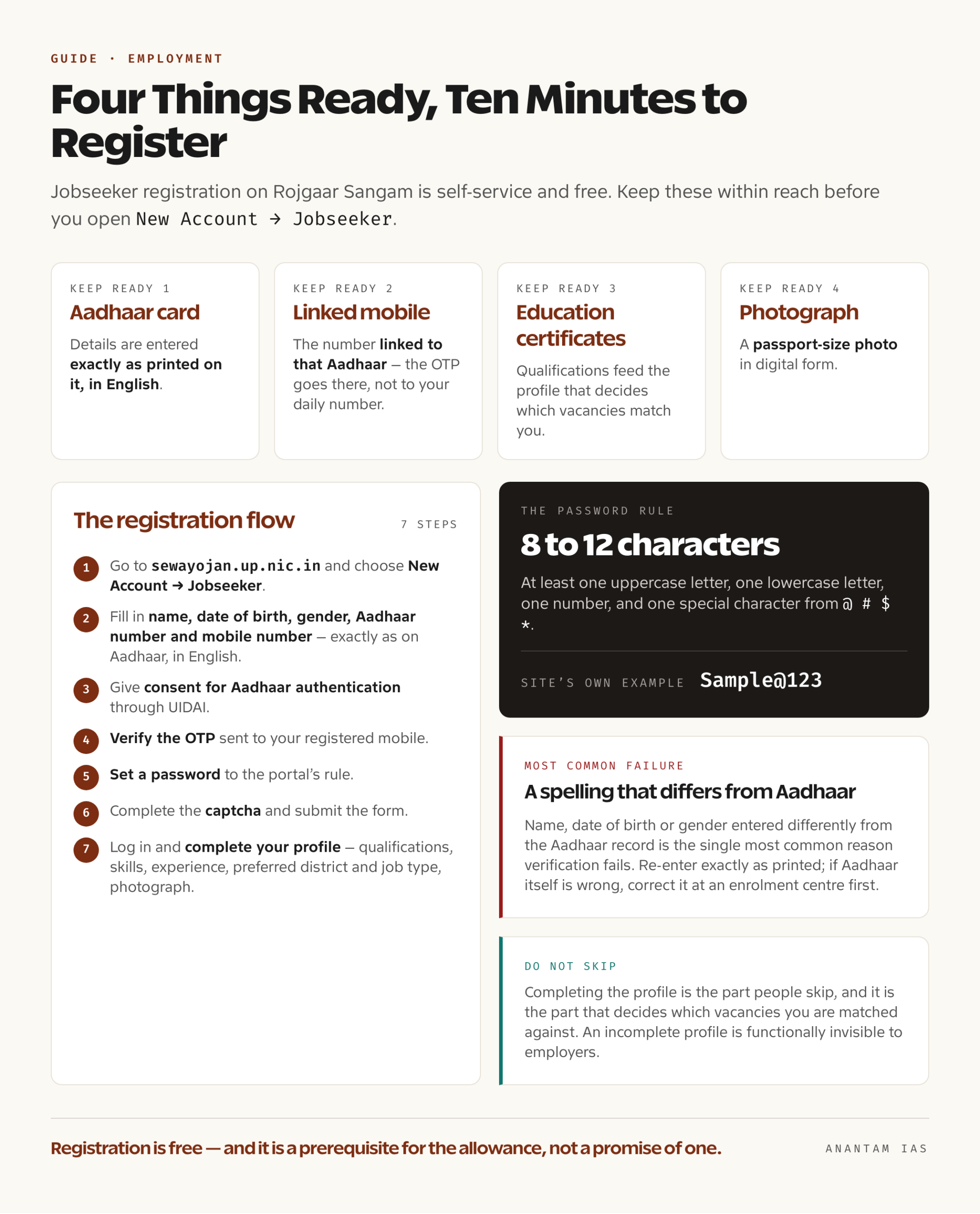
Jobseeker registration is self-service and free. Before you start, keep four things within reach: your Aadhaar card, the mobile number linked to that Aadhaar, your education certificates, and a passport-size photograph in digital form.
The flow works like this:
- Go to sewayojan.up.nic.in and choose New Account → Jobseeker.
- Fill in your name, date of birth, gender, Aadhaar number and mobile number. The portal is explicit on this point: enter the details exactly as they appear on your Aadhaar, in English. A spelling that differs from the Aadhaar record is the single most common reason verification fails.
- Give consent for Aadhaar authentication. The portal states that your Aadhaar number and demographic or OTP-based authentication will be used through UIDAI to confirm your identity.
- Verify the OTP sent to your registered mobile.
- Set a password that meets the portal’s rule: 8 to 12 characters, with at least one uppercase letter, one lowercase letter, one number, and one special character from
@ # $ *. The site’s own worked example is a password shaped likeSample@123. - Complete the captcha and submit the form.
- Log in and complete your profile — qualifications, skills, work experience, preferred district and job type, and your photograph. This is the part people skip, and it is the part that decides which vacancies you are matched against. An incomplete profile is functionally invisible to employers.
Employers register through the separate New Account → Employer route, after which the account goes through departmental verification before vacancies can be posted.
A word about the unemployment allowance, since it drives a lot of the traffic to this portal. Uttar Pradesh’s berojgari bhatta is administered by the Employment Department, and registering on the employment portal is the prerequisite for it — you cannot claim it without an active registration. As set out on the state’s Yuva Sathi portal, the scheme is aimed at applicants who are permanent residents of Uttar Pradesh, aged between 21 and 35, educated to at least Class 10, currently unemployed, and from a family with annual income up to ₹3 lakh, with monthly assistance in the ₹1,000 to ₹1,500 range until they find work. Because eligibility and amounts are revised by government order from time to time, confirm the current terms on the department’s own site before you act on any figure — including this one.
Key Services on the Dashboard
Once your profile is live, this is what the platform actually gives you.
| Service | What it does |
|---|---|
| Job search | Browse and filter vacancies by district, sector, qualification and job type |
| Government jobs | A consolidated listing of state government vacancies, open to view without logging in |
| Private and outsourced jobs | Private-sector, contractual and outsourcing vacancies posted by verified employers |
| Rojgar Mela | Job fairs held district-wise; registered jobseekers are invited and can appear for on-the-spot interviews |
| Campus placement | Placement drives run through registered institutions |
| Apprenticeship | Apprenticeship openings linked to training providers |
| Overseas jobs | Vacancies for work outside India, routed through the department |
| Women’s job section | A dedicated listing the platform brands as Pink Jobs |
| Career counselling | Guidance services and departmental counselling events |
| Learning courses | Skill and language training modules, including registration for language training |
| Events and forum | Departmental events, speaker sessions and a discussion forum |
| Profile and applications | Update your details, track applications, download your registration record |
The government-jobs and private-jobs listings are readable without an account. Applying, being matched, and being called to a Rojgar Mela all need one.
Common Login Problems and How to Fix Them
| Problem | Likely cause | Fix |
|---|---|---|
| Site will not open in the afternoon | The published daily maintenance window, 3:30 pm to 4:30 pm | Wait it out; nothing is wrong with your account |
| OTP does not arrive | Mobile not linked to Aadhaar, poor network, or DND blocking | Use the Aadhaar-linked number, wait the full retry interval, and try once more rather than repeatedly triggering new OTPs |
| Aadhaar verification fails | Name, date of birth or gender entered differently from the Aadhaar record | Re-enter exactly as printed on Aadhaar, in English; if Aadhaar itself is wrong, correct it at an enrolment centre first |
| Password rejected at registration | Not meeting the 8-12 character rule with upper, lower, number and one of @ # $ * | Build the password to the stated pattern |
| Forgot password or user ID | Standard recovery | Use the recovery link on the login page with your registered mobile number |
| Employer or department login fails despite correct password | OTP authentication is now mandatory for admin, employer and department users | Complete the OTP step on the registered mobile |
| Page loads blank or buttons do nothing | Outdated browser, blocked scripts, stale cache | Use a current Chrome, Edge or Firefox, allow scripts, clear the cache |
| Not getting vacancy alerts | Different mobile numbers on Sewayojan and Sandes | Register both with the same number, as the department advises |
When none of that helps, the official routes are the departmental helpline 155330 and the email [email protected], both published on the portal. The wider Rojgaar Sangam platform additionally lists rojgaarsangam.up.gov.in’s own contact address at Rojgaar Bhawan, Lucknow. For registration or verification disputes, the district employment officer for your district is the human being who can actually resolve it — the helpline will usually route you there anyway.
FAQ
Is the Seva Yojana portal the same as Rojgar Sangam? Yes. Sewayojan is the name of the Uttar Pradesh Employment Department; Rojgaar Sangam is the branding of its online employment platform. Registration and job matching run at sewayojan.up.nic.in, and the department’s broader integrated platform sits at rojgaarsangam.up.gov.in.
Does registration cost anything? No. Jobseeker registration on the portal is free, and so is employer registration. Any site charging a fee to register you on the state employment exchange is not the government.
Do I need an Aadhaar card to register? Yes. The jobseeker registration form asks for your Aadhaar number and your consent to Aadhaar-based authentication through UIDAI, and it asks you to enter your details exactly as they appear on Aadhaar, in English.
Will registering guarantee me a job or an unemployment allowance? No. Registration puts you in the pool that employers and Rojgar Melas draw from, and it is the prerequisite for applying under the state’s unemployment-allowance scheme. It is not itself a promise of either. Eligibility for the allowance is set separately by government order.
Can I use the portal for private-sector jobs, or only government ones? Both. The platform carries government vacancies, private-sector jobs, outsourced and contractual roles, apprenticeships, campus placement drives and overseas openings, and it runs district-level Rojgar Melas that mix them.
Why can’t I log in during the afternoon? The portal publishes a daily maintenance window from 3:30 pm to 4:30 pm when it can be unavailable. If your login fails only in that hour, the account is fine — try again afterwards.
Tell Google you want more of this.
Add Anantam IAS as a preferred sourceOne tap, and this site shows up more often in your own Top Stories, AI Overviews and AI Mode. Remove it any time.






