

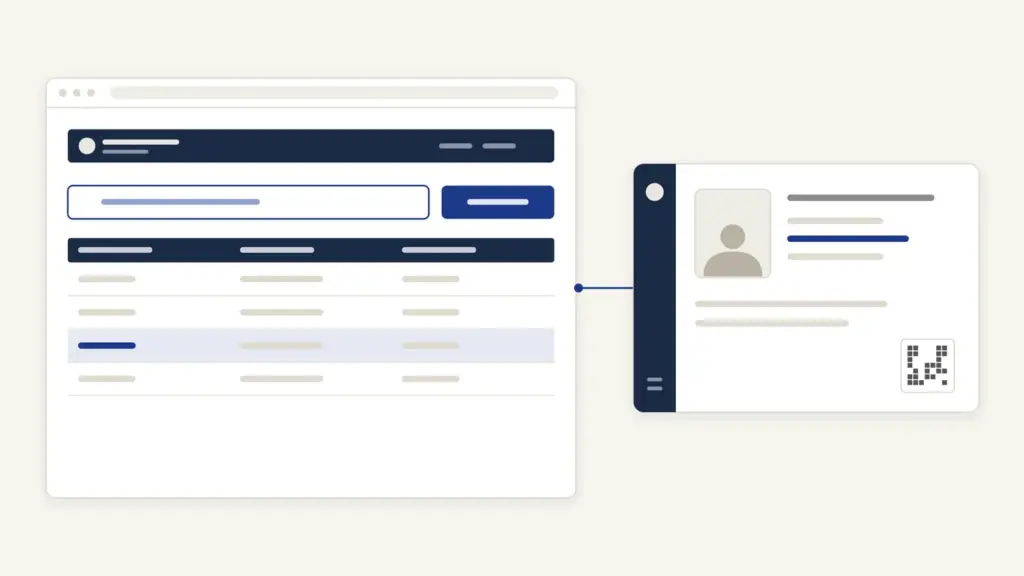
A UDID card is the single national disability ID for persons with disabilities in India. It replaces the old paper disability certificate that every state printed differently and that offices kept doubting. If you, or someone you care for, has a disability, this card is what schemes, scholarships, concessions and reservations now ask for.
The official portal is swavlambancard.gov.in, run by the Department of Empowerment of Persons with Disabilities under the Ministry of Social Justice and Empowerment. The application is online, but the decision isn’t: a notified medical authority has to assess you before any card is issued.
That assessment is where most of the waiting happens. This guide covers who qualifies, what to upload, how to apply and track, what the colour of your card means, and what to do if you’re rejected.
What the UDID Card Is
UDID stands for Unique Disability Identity. It’s two documents issued together through one online system: a disability certificate stating your disability and its percentage, and a card carrying a unique ID number.
The project began in June 2014, and the first UDID cards were issued in January 2017. By 15 July 2024, the department reported 1,09,55,968 cards generated. For scale, the 2011 Census counted 2.68 crore persons with disabilities, and it recorded only 7 categories of disability against today’s 21.
Three things make the UDID different from the old certificate:
- One national database. A card issued in Bihar is valid in Kerala, and duplicate records get weeded out.
- Online everything. Application, tracking, renewal and download all run through one portal.
- Colour-coded severity. The card’s band tells an official your disability percentage at a glance.
Who Can Apply: The 21 Specified Disabilities
Anyone with one of the 21 disabilities specified under the Rights of Persons with Disabilities Act, 2016 can apply. The Act raised the count from 7 under the old 1995 law to 21, and the Central Government can add more.
| No. | Disability | No. | Disability |
|---|---|---|---|
| 1 | Blindness | 12 | Chronic neurological conditions |
| 2 | Low vision | 13 | Specific learning disabilities |
| 3 | Leprosy cured persons | 14 | Multiple sclerosis |
| 4 | Hearing impairment (deaf and hard of hearing) | 15 | Speech and language disability |
| 5 | Locomotor disability | 16 | Thalassemia |
| 6 | Dwarfism | 17 | Hemophilia |
| 7 | Intellectual disability | 18 | Sickle cell disease |
| 8 | Mental illness | 19 | Multiple disabilities including deafblindness |
| 9 | Autism spectrum disorder | 20 | Acid attack victim |
| 10 | Cerebral palsy | 21 | Parkinson’s disease |
| 11 | Muscular dystrophy |
Three groups are often missed. The blood disorders thalassemia, hemophilia and sickle cell disease all qualify. Specific learning disabilities such as dyslexia qualify, and so do acid attack victims. The Supreme Court has since read that last category broadly, as this note on the expanded definition of acid attack victim explains.
A parent or legal guardian can apply for a minor. So can a registered organisation caring for the person. The same goes for anyone whose disability, such as an intellectual disability, makes applying themselves impossible.
For the rights the card unlocks, including 4% reservation in government vacancies for persons with benchmark disabilities, read this overview of the RPwD Act and UNCRPD.
What Your Card’s Colour Means
Your UDID card comes in one of three colours, set by the disability percentage the medical board records. This is fixed in the 2024 amendment to the RPwD Rules.
| Card band | Disability percentage | What it signals |
|---|---|---|
| White | Below 40% | Disability recognised, but below the benchmark |
| Yellow | 40% or above, below 80% | Benchmark disability |
| Blue | 80% or above | Severe disability |
The 40% line is the one that matters most. Benchmark disability means at least 40% of a specified disability, and most statutory benefits, including reservation, start there. A white card is a valid certificate, but it doesn’t open the benchmark-only benefits.
Documents Needed
The 2024 rules keep the list short. The first four are uploaded with Form IV on the portal; the last two help your case.
| Document | Rule or tip |
|---|---|
| Proof of identity | Aadhaar is the simplest |
| Recent photograph | Not older than six months, face only |
| Proof of residence | Not needed separately if your Aadhaar shows the same address |
| Aadhaar number or Aadhaar enrolment number | Mandatory under the 2024 rules |
| Old manual disability certificate (if any) | Upload a scan with its number, date and issuing authority |
| Medical records of the condition | Carry them to the assessment; the board relies on them |
Form IV accepts 20 kinds of address proof. They include a passport, ration card, voter ID and Jan Aadhaar, as well as electricity, water or gas bills no older than three months. If your Aadhaar address is out of date, fix that first. This guide to updating Aadhaar online walks through it.
How to Apply for a UDID Card
The application is online, and the medical assessment is in person. Plan for both.
- Open swavlambancard.gov.in and choose Apply For UDID. The portal first shows the six stages of the process; tick “I have read and understood the process” and click Submit to reach the form.
- Fill in Form IV: personal details, mobile number, Aadhaar, address, and your disability type from the list of 21.
- Choose the hospital for assessment. By default it’s the medical authority in your district of residence. If you’re being treated elsewhere, you can pick that treating hospital instead.
- Upload your photograph, identity proof and address proof, and scan any old certificate.
- Submit the application and download the acknowledgement. Note your enrolment number, which you’ll need for every later step.
- Wait for the hospital’s call and appear for the assessment by the specialist or medical board on the date given.
- Once the certificate is approved, download the e-disability certificate and e-UDID card from your dashboard. The printed card is sent by Speed Post.
The rules give the medical authority three months to issue the certificate and card once a disability is diagnosed. That clock is the one to hold them to.
Offline submission is also allowed. District welfare offices and hospital counters accept paper forms and digitise them later. That’s useful for families without internet access, and district registration camps work the same way.
How to Check Status and Download the Card
Status and downloads run from the same login. Keep your enrolment number and date of birth handy.
- On the portal, choose Track Your Application and search by UDID number, mobile number, enrolment number or Aadhaar number to see the current stage.
- To download, log in to the PwD dashboard with your enrolment number or UDID number and date of birth.
- Download the e-UDID card and disability certificate. Store a copy in DigiLocker so it’s always on your phone.
If the dashboard shows the application returned, the hospital has flagged a deficiency. Correct it and resubmit from the same login rather than applying again.
Renewal, eKYC and Updating Details
Not every certificate is permanent. If the medical board thinks your condition may change, the card carries a validity period, and you’ll need to renew it.
To renew:
- Log in to the PwD dashboard and select Renew Card, up to 9 months before the card expires.
- Choose the same hospital, or a different one if you’ve moved or changed treating hospitals. A new address needs fresh proof.
- Submit and download the acknowledgement.
Where there’s no chance of improvement, the board issues a permanent certificate, and no renewal is needed.
For eKYC, log in, open Update E-KYC, enter or confirm your Aadhaar and verify the 6-digit OTP sent to your Aadhaar-linked mobile. After that you can download the updated card.
Who can change what:
- Yourself, on the dashboard: mobile number and email ID.
- Through Aadhaar eKYC: address, father’s, mother’s or guardian’s name, gender and date of birth.
- Only through the hospital or certifying authority: your name and your existing Aadhaar number.
Timelines and Fees
Only the time limits below are fixed in the rules. The published rules and SOPs name no application fee, and printing and dispatch of cards are funded under a central scheme.
| Stage | Time limit in the rules |
|---|---|
| Certificate and card after disability is diagnosed | Within 3 months |
| Reasons for rejection sent to you (Form VIII) | Within 1 month under the rules; the portal now generates it on your dashboard as soon as the application is rejected |
| Appeal against rejection | Within 90 days of rejection |
| Renewal request | Up to 9 months before expiry |
| Application left undecided for reasons not the hospital’s fault | Made inactive after 2 years |
| Fresh application if an appeal sees no action | Allowed after 3 months |
Rejection, Appeals and Common Problems
An application can be rejected for three reasons only: the board finds no disability, you don’t appear for assessment, or the applicant has died. The no-show rule is stricter than people expect. The hospital must try at least five times over two months, by phone, SMS or email, before it can reject.
If you’re rejected after assessment, the reasons appear on your dashboard as Form VIII, with no separate letter. You can appeal within 90 days under Section 59(1) of the RPwD Act. If the appellate authority doesn’t act within three months of your appeal, you can reapply with the old enrolment number.
A no-show rejection works differently. You get an SMS or email instead of a Form VIII, the hospital’s attempts to reach you show on your PwD dashboard, and you can apply afresh straight away by quoting the old enrolment or application number.
Other common snags:
- Application stuck at the hospital. Your district’s medical authority may have a backlog. Ask the District Welfare Officer, or the state UDID coordinator, who handles grievances forwarded to the state.
- OTP not arriving during eKYC. The OTP goes to your Aadhaar-linked mobile, not the one on your UDID record. Update your Aadhaar mobile first.
- Wrong name on the card. You can’t fix this yourself. Only the hospital or certifying authority can change a name.
- Card not delivered. Download the e-UDID card from the dashboard. It works while the printed card is in transit.
Help and Grievances
The portal doesn’t carry a single helpline number on its front page, so the route runs through officials. In practice:
- Your District Welfare Officer helps with application counters and registration camps.
- The state UDID coordinator acts on grievances forwarded to the state and helps aggrieved applicants get the card.
- The appellate authority under Section 59 hears appeals against the medical board’s decision.
- The Department of Empowerment of Persons with Disabilities runs a public grievance channel on depwd.gov.in.
The portal can also locate your CMO office, medical authority and District Welfare Officer. It’s the fastest way to find the right person for your district.
What the UDID Portal Can’t Do
The portal tracks and issues. It doesn’t decide. Keep these limits in mind.
- No certificate without an assessment. The online form starts the process. A specialist or medical board has to examine you in person.
- No benefits automatically. The card proves eligibility. You still apply separately for each scheme, such as disability pensions under the NSAP or scholarships through the National Scholarship Portal.
- No self-correction of name or Aadhaar number. Those go through the hospital.
- No complete count of India’s disabled population. The Census hasn’t yet been run under the 21-category law, a gap disability groups keep raising, as this note on Census 2027 disability categories shows.
The honest verdict: the UDID system is a real improvement on scattered state certificates, and the three-month rule gives applicants something concrete to hold hospitals to. The weak link is still the assessment queue at the district hospital, which no portal can speed up on its own.
Final Remarks
If you’ve gone through this, you know the whole path: apply online, get assessed in person, then download the card. The percentage decides the colour, and the colour decides the benefits.
A few things save weeks. Fix your Aadhaar address and mobile before you apply, because both the address check and eKYC depend on them. Take every old medical record to the assessment, since the board can only go on what it sees. If your card has a validity period, set a reminder nine months before it expires. That’s when the renewal window opens.
For the policy context behind the card, read the note on why inclusion keeps getting deferred and the overview of welfare schemes for vulnerable sections.
That is all from my side. I hope it helps you.
Frequently Asked Questions
What is the official website for the UDID card?
The official portal is swavlambancard.gov.in, run by the Department of Empowerment of Persons with Disabilities. You apply, track, renew and download the card there.
How long does it take to get a UDID card?
Under the 2024 amendment to the RPwD Rules, the medical authority must issue the disability certificate and UDID card within three months once a disability is diagnosed. The in-person assessment at the hospital is usually the slowest step.
What do the white, yellow and blue UDID cards mean?
A white card means a disability below 40%. A yellow card means 40% or above but below 80%, which is benchmark disability. A blue card means 80% or above.
How do I download my UDID card?
Log in to the PwD dashboard on swavlambancard.gov.in with your enrolment number or UDID number and date of birth. Download the e-UDID card and disability certificate from there. The printed card is sent by Speed Post.
When should I renew my UDID card?
If your card has a validity period, you can request renewal from the PwD dashboard up to nine months before it expires. Permanent certificates, issued where no improvement is expected, do not need renewal.
What can I do if my UDID application is rejected?
The reasons appear on your dashboard in Form VIII. You can appeal within 90 days under Section 59(1) of the RPwD Act. If the appeal sees no action within three months, you can reapply using your old enrolment number.
Tell Google you want more of this.
Add Anantam IAS as a preferred sourceOne tap, and this site shows up more often in your own Top Stories, AI Overviews and AI Mode. Remove it any time.






