

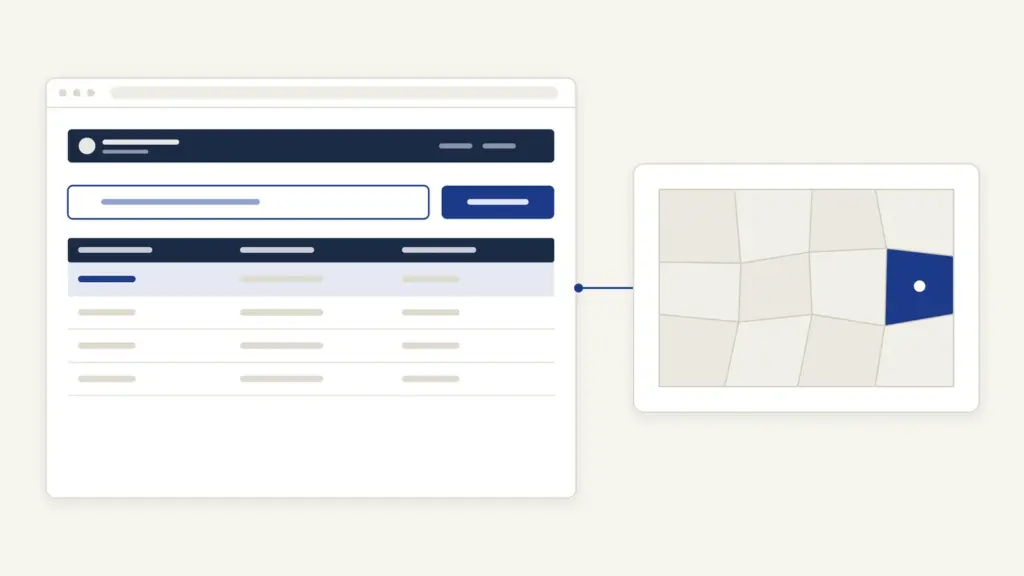
Bhoomi RTC is the online record of rights for farm land in Karnataka, shown on the Bhoomi land records portal at landrecords.karnataka.gov.in. The portal is run by the Bhoomi Monitoring Cell of the state Revenue Department. On it you can view the RTC (also called pahani) and the Mutation Register for any survey number free of charge, and buy a digitally signed copy of the RTC, the i-RTC, for Rs 10. Owners, buyers, banks and heirs all use the same record.
Most people mix up two copies. The RTC you view on the free page answers “what does the record say today”, while the digitally signed i-RTC is the copy you hand to someone else. The second confusion is the mutation register: the RTC tells you who holds the land, but only the MR tells you how they came to hold it. A buyer who reads both, and checks e-Chavadi for any transaction still pending, has done most of the homework a land purchase needs.
Bhoomi RTC at a glance
The Bhoomi portal is a set of linked services rather than one page. The RTC view, the i-RTC shop and e-Chavadi are the three you’ll use most.
| Fact | Detail |
|---|---|
| Owner | Bhoomi Monitoring Cell (BMC), Revenue Department, Government of Karnataka |
| Main address | landrecords.karnataka.gov.in |
| What RTC stands for | Record of Rights, Tenancy and Crops, Form 16 |
| Free services | View RTC and MR, mutation status, khata extract, e-Chavadi |
| Paid service | i-RTC, the digitally signed RTC, at Rs 10 per RTC |
| i-RTC login | eKYC and two-factor login (password plus OTP) mandatory from 23 June 2025 |
| Mutation notice | 7 days for registered deeds, 15 days for unregistered mutations such as inheritance |
| Helpdesk | [email protected]; 080-22113255, 8277864065, 8277864067, 8277864068 |
What the RTC, MR and other Bhoomi records mean
The RTC is the base record, and everything else on Bhoomi either explains it or changes it. Here are the terms you’ll meet on the screen.
- RTC (pahani): the Record of Rights, Tenancy and Crops in Form 16. It shows the holder, the extent of the survey number, any tenancy and the crops recorded.
- MR (Mutation Register): the entry that records each change in the RTC, such as a sale, partition or inheritance, with its order.
- Hobli: a group of villages within a taluk. You select it before the village.
- Survey number, surnoc and hissa: the survey number identifies the field; the surnoc is the letter part that sometimes goes with it; the hissa is the sub-number created when a field is divided. In the portal’s own example, survey 20 becomes 20/1, 20/2 and 20/3, and 1, 2 and 3 are the hissa numbers.
- Period: a new period starts every time a mutation changes the owner details. Choosing an older period shows the RTC as it stood then.
- Khata extract: the account of the holder, available as a separate service.
The table maps each record to its use.
| Record | What it proves | Where on Bhoomi |
|---|---|---|
| RTC (pahani) | Current holder, extent, tenancy and crops of a survey number | View RTC and MR |
| Mutation Register | How and when the holding changed | MR link on the view page |
| Mutation status | Whether an application to change the RTC is pending or done | Mutation Status |
| i-RTC | A digitally signed RTC for official use | i-RTC, Rs 10 per RTC |
| Survey sketch and Akarband | The field’s shape and area statement | Survey Document, Akarband, Survey Sketch links |
| Revenue court cases | Whether the land is under a dispute in a revenue court | RCCMS link |
How to view Bhoomi RTC online for free
The free view is the fastest way to read an RTC. The portal’s help page sets out the steps.
- Open landrecords.karnataka.gov.in and click View RTC and MR.
- If asked, register your name and e-mail ID once, then enter them with the captcha and click Submit.
- Select the District, then the Taluk, then the Hobli and the Village.
- Type the Survey Number, then select the Surnoc and the Hissa No.
- Select the Period (the current one, or an older one to see past holders) and the Year.
- Click Fetch Details, then View to see the whole RTC.
On the same page, the MR and Mutation Status links use the same location and survey details. The portal’s disclaimer says the record online is updated and that you don’t need to visit an office to see it. If the village list doesn’t match what you expect, check the taluk against the list of districts in Karnataka, since some taluks have moved districts over time.
How to get the digitally signed i-RTC
The i-RTC is the original RTC printed online with a digital signature. The Bhoomi page links it as the original digitally signed RTC and MR, and the i-RTC site calls it the original RTC available for print online.
- Open the i-RTC service from the Bhoomi home page or the link on the view page.
- Create an account. From 23 June 2025, eKYC is compulsory for every i-RTC user account.
- Log in with your password and the OTP sent to your registered mobile number.
- Select the land and pay Rs 10 per RTC.
- Download and print the signed RTC.
You can continue as a guest, but the site advises creating an account so you can track payments and reprint copies. If the payment went through but the RTC didn’t print, use the Get Your Missed i-RTC option and enter your order number; don’t pay a second time. Local entrepreneurs can open an i-Wallet account, loaded with up to Rs 10,000, to serve customers.
A digital signature makes the document verifiable. That’s the point of the i-RTC: a bank or office receiving it can check that it came from the department unchanged. Farm loans and crop insurance both start with this record, as the notes on agricultural credit and PM Fasal Bima Yojana show.
How mutation updates the RTC
Mutation is the process that changes any entry in the RTC other than crops. Karnataka’s e-Chavadi page divides it into two types.
- Registered mutations: changes based on a registered deed, such as a sale deed, partition deed or gift deed. These carry a 7-day notice period.
- Unregistered mutations: changes such as pouti khata, the transfer to heirs after a holder’s death. These carry a 15-day notice period.
During the notice period, Form 12 is published at the village chavadi (the village revenue office) and Form 21 is served on the interested persons, including the seller and the buyer. If no objection arrives within the notice period, the mutation is approved, the change goes into the RTC and the RTC and MR are digitally signed.
Track the progress in two places:
- Mutation Status on the view page, using the survey details.
- e-Chavadi at rdservices.karnataka.gov.in/echawadi, where you can search a village for pending, disposed and rejected cases, and register your mobile number to receive SMS alerts on transactions involving land you care about.
That SMS registration is worth doing if you own land you don’t visit often. It’s the earliest warning you’ll get that someone has started a transaction on it.
The Bhoomi portal doesn’t publish a single fee for mutation; the charges follow the registration or application route you use. For the history of how these village records were built and why states are digitizing them, see land records management in India.
Common Bhoomi RTC errors and their fixes
Most failed searches come from the location fields or the number format. Here are the usual problems.
- Survey number not found: check the hobli. Villages sit under hoblis, and the wrong hobli hides the village’s survey numbers.
- Hissa missing from the list: the field may not have been divided in the record, or the division is still pending as a mutation. Check Mutation Status.
- Old owner still showing: you may be looking at an older period. Select the current period.
- Name spelled differently from Aadhaar: old entries often differ. Search by survey number, not by name, and apply to the Tahsildar for correction if the record itself is wrong.
- i-RTC paid but not printed: use Get Your Missed i-RTC with the order number.
- i-RTC login fails: since June 2025 you need eKYC and an OTP on the registered mobile. Complete eKYC before trying again.
- Page times out: retry outside office hours.
Where to complain about an RTC entry
The website shows the record, but the revenue office changes it. A wrong entry is corrected through the Village Administrative Officer (VAO) and the Tahsildar of your taluk, and disputes over entries are heard as revenue court cases. The RCCMS link on the view page lets you see disputed survey numbers and orders.
For problems with the website itself, write to [email protected] or call the Bhoomi Monitoring Cell on 080-22113255 or the mobile numbers it lists. The cell sits in the SSLR Building, K.R. Circle, Bengaluru. For copies of office records, an application under the RTI Act is a lawful route.
Karnataka’s record is also being connected to wider farm databases. The farmer registry that relies on land records is explained in the note on AgriStack and tenant farmers, and how other states present the same idea can be compared with the UP Bhulekh khatauni guide.
Frequently Asked Questions
What is Bhoomi RTC?
Bhoomi RTC is Karnataka’s Record of Rights, Tenancy and Crops, also called pahani, shown online on the Bhoomi land records portal. It records the holder, extent, tenancy and crops of each survey number. The Bhoomi Monitoring Cell of the Revenue Department runs the portal.
How can I see my RTC online for free?
Open landrecords.karnataka.gov.in, click View RTC and MR, and select the district, taluk, hobli and village. Enter the survey number, surnoc and hissa, choose the period and year, then click Fetch Details and View. There’s no fee to view.
How much does the i-RTC cost?
The digitally signed i-RTC costs Rs 10 per RTC. You need an account with eKYC and an OTP login, which became mandatory from 23 June 2025. If the copy fails to print after payment, you can regenerate it with the order number.
What is the difference between RTC and MR?
The RTC shows who holds the land now, along with its extent, tenancy and crops. The Mutation Register shows each change to that record and the order behind it. Reading both tells a buyer whether the seller’s title came through a proper transfer.
What is hissa number in Bhoomi?
A hissa number is the sub-number of a survey number, created when a field is divided. The portal’s example is survey 20 becoming 20/1, 20/2 and 20/3. You select the hissa after entering the survey number.
How long does mutation take in Karnataka?
Before approval, a mutation based on a registered deed has a 7-day notice period and an unregistered one, such as inheritance, has a 15-day notice period. If nobody objects, the mutation is approved and the RTC is updated and signed. You can follow it on Mutation Status or e-Chavadi.
Can I get SMS alerts on transactions on my land?
Yes. On e-Chavadi you can register your mobile number as an interested person and receive SMS updates on transactions in progress. It’s a useful early warning for land you don’t visit often.
Who corrects a mistake in my RTC?
Corrections are made by the revenue office through the Village Administrative Officer and the Tahsildar, not by the website. Disputed entries are decided as revenue court cases, which you can follow on RCCMS. Website problems go to the Bhoomi Monitoring Cell helpdesk.
Tell Google you want more of this.
Add Anantam IAS as a preferred sourceOne tap, and this site shows up more often in your own Top Stories, AI Overviews and AI Mode. Remove it any time.






