

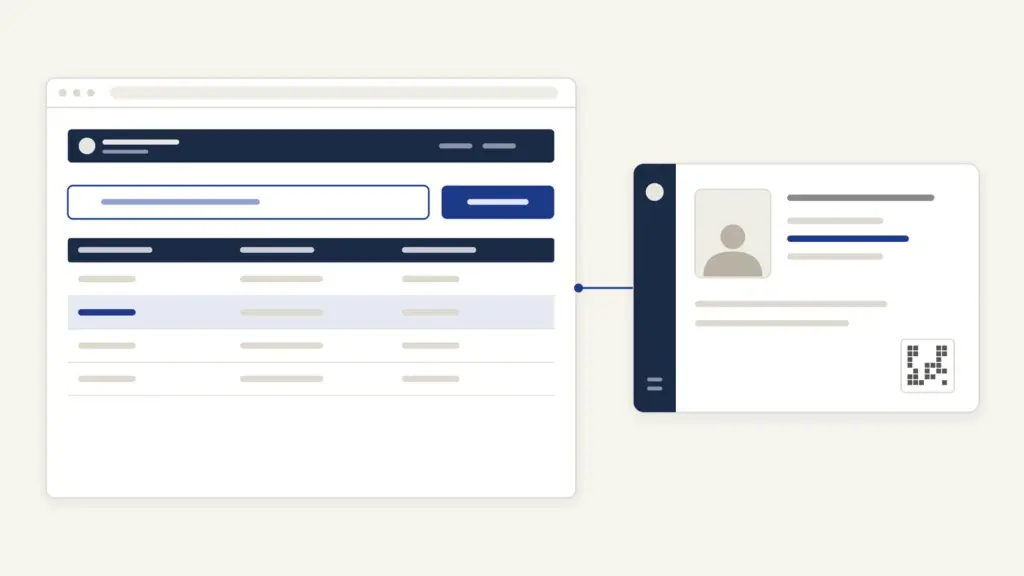
Parivahan Sewa is the national transport-services portal of the Ministry of Road Transport and Highways (MoRTH), built and run by NIC at parivahan.gov.in. It is the front door to two systems: Vahan, which handles vehicle registration and everything tied to the registration certificate (RC), and Sarathi, which handles learner’s and driving licences. People use it mostly to transfer or renew an RC, apply for or renew a licence, check a vehicle’s details and pay a traffic e-challan.
The confusion is in the names. Many people think Parivahan, Vahan and Sarathi are three different government sites, or that the state transport department runs a separate one. Parivahan Sewa is the umbrella, Vahan and Sarathi are the two engines under it, and every state, including Uttar Pradesh, runs its RTO work on these same systems after you pick the state.
Parivahan Sewa at a glance
MoRTH set up Vahan and Sarathi as standard national software so that an RC or licence issued in one state can be read and verified in every other. The portal’s About Us page puts the computerization effort at more than 1,300 RTOs.
| Fact | Detail |
|---|---|
| Owner | Ministry of Road Transport and Highways; built and hosted by NIC |
| Portal | parivahan.gov.in |
| Legal basis | Motor Vehicles Act 1988, Central Motor Vehicles Rules 1989 and state motor vehicle rules |
| Vehicle services | Vahan: registration, RC transfer, renewal, duplicate RC, hypothecation, NOC, fitness, tax, permits |
| Licence services | Sarathi: learner’s licence, driving licence, renewal, duplicate, addition of class |
| Other services | eChallan, PUCC, fancy number booking, national permit, Vahan Green Sewa, mParivahan app |
| Fees | Set by the CMVR fee table plus state taxes and charges; shown before payment |
| Helpdesk | +91-120-4925505; helpdesk-vahan[at]gov[dot]in for vehicle services |
Vahan vs Sarathi: which one do you need
The rule is simple: if the task is about the vehicle, it’s Vahan; if it’s about the person driving, it’s Sarathi. Both sit under Parivahan Sewa and both ask you to choose the state first, because each state customizes services and fees.
| Task | System | Where to start on Parivahan |
|---|---|---|
| New registration, RC transfer, renewal, duplicate RC | Vahan | Vehicle Related Services |
| Hypothecation endorsement or removal | Vahan | Vehicle Related Services |
| Fancy number, national permit | Vahan | Fancy Number Allocation, National Permit |
| Learner’s licence and online test | Sarathi | Driving License Related Services |
| Driving licence, renewal, duplicate | Sarathi | Driving License Related Services |
| Traffic fine | eChallan | eChallan System |
| Pollution certificate record | PUCC | PUCC |
This guide covers the vehicle side. The full learner’s and driving-licence process, with documents and fees, is in the driving licence apply online guide, so it isn’t repeated here.
Vehicle services on Vahan: what you can do online
Vahan’s citizen services cover most of what used to need an RTO visit. The registration services the portal lists include:
- Transfer Of Ownership when a vehicle is sold.
- Change Of Address in the RC.
- Duplicate RC when the original is lost or damaged.
- Renewal Of RC for a private vehicle whose registration period is ending.
- HP Endorsement and HP Termination, to add or remove a bank’s hire-purchase or hypothecation entry.
- No Objection Certificate for moving a vehicle to another state.
- Temporary Registration for a new vehicle before permanent registration.
The same Vehicle Related Services area links to fitness, permits, tax payment and vehicle scrapping, though which of these work online depends on your state.
How to apply for an RC service on Parivahan Sewa
The steps below follow the Vahan citizen-services page. Labels after the first screen vary by state and service, so the later steps are described in plain words.
- Open parivahan.gov.in, go to Vehicle Related Services and choose your state.
- On the Vahan page, under Choose option to avail Services, pick Vehicle Registration No. for an already registered vehicle, or Registering Authority to choose a state and RTO.
- Enter the registration number (or select state and RTO), tick the box accepting the Privacy Policy and Terms of Service, and click Proceed.
- Pick the service you need from the menu that appears, for example transfer of ownership or duplicate RC.
- Complete the verification the screen asks for; many services send an OTP to the mobile number recorded in Vahan.
- Fill the form, upload the documents the state asks for and pay the fee online.
- Book an RTO appointment if the service or state requires one, and save the application number and receipt.
For a brand-new vehicle the dealer often files the registration, and the Vahan page also has an Apply For New Registration link. If a payment fails, use Know Your Payment Transaction Status on the same page before paying again, and Verify Receipt to confirm a receipt is genuine.
Step 5 is where most people get stuck. The OTP goes to the mobile number recorded in Vahan, which for an older vehicle may be a number the owner no longer has. Parivahan now has an online mobile-number update for Vahan and for Sarathi, linked from the home page; do that first.
Documents usually needed for RC services
Requirements are set by the CMV Rules and by each state, and the form shows the exact list for your service. In general you’ll need:
- The existing RC (or its details, for a duplicate).
- Valid insurance and, commonly, a valid pollution under control certificate.
- Identity and address proof of the applicant, commonly Aadhaar.
- Service-specific papers: commonly the bank’s NOC for HP termination, a police report or affidavit for a lost RC and the buyer’s and seller’s details for transfer of ownership.
If your Aadhaar details are out of date, fix them before you start, since the identity proof and the RC must match; the Aadhaar update guide covers the steps.
Parivahan Sewa fees: the official RC charges
Fees come from the Central Motor Vehicles Rules table that the portal publishes under Fees and User Charges. State road tax, smart-card charges and service charges are added on top, so the amount on your payment screen is the one to trust.
| Service (from the portal’s fee table) | Motorcycle | Light motor vehicle (non-transport) |
|---|---|---|
| Issue or renewal of RC | Rs 300 | Rs 600 |
| Duplicate RC, transfer of ownership, change of residence | Half of the RC fee | Half of the RC fee |
| HP endorsement | Rs 500 | Rs 1,500 |
| Late RC renewal, per month or part | Rs 300 extra | Rs 500 extra |
| Renewal of RC, vehicle older than 20 years | Rs 2,000 | Rs 10,000 |
The table adds Rs 200 when the RC is issued as a smart card, and it states that all fees are exclusive of GST. The 20-year line is the one that surprises owners of old cars. Renewing a private car’s registration after 20 years costs Rs 10,000 in fee alone, against Rs 600 for an ordinary renewal.
The portal doesn’t publish a single processing time for RC services. States set their own timelines, and the application status on Vahan is the practical guide.
How to pay an e-challan on Parivahan
The eChallan system is MoRTH’s digital traffic-enforcement platform, linked from the Parivahan home page. To pay, open the Pay Challan option, enter the Challan Number, Vehicle Number or DL Number, and click Get Detail. Pending challans appear with amount and status, and you can pay online.
Uttar Pradesh is one of several states whose challans are now paid on the NextGen eChallan Portal, as the eChallan page notes; the others listed include Bihar, Maharashtra, Rajasthan, Gujarat, Tamil Nadu and West Bengal. Delhi Traffic Police challans and notices have their own check links on the same page.
The eChallan page warns about fake websites and apps that imitate the service. It also says the official service never asks for a password, OTP or payment details through calls, emails or message links. A challan “payment link” arriving on WhatsApp should be treated as a fraud attempt until you verify the challan on the official portal yourself.
mParivahan and DigiLocker: are digital documents valid
The mParivahan app (the portal now calls it the Nexgen mParivahan app) shows your RC and licence on the phone and gives access to Parivahan services. Sarathi’s own page says vehicle, licence and eChallan services are available only through parivahan.gov.in and this app.
In an advisory dated 8 August 2018, MoRTH asked states to accept a driving licence or RC presented in electronic form through mParivahan or DigiLocker as valid, treating it at par with the original under the Information Technology Act 2000. A screenshot or a scanned photo doesn’t carry that status; the document has to be shown inside the app. Many Parivahan services can also be reached through the UMANG app.
Common errors and their fixes
These are the problems that come up most often, with the fix the portal itself offers:
- OTP going to an old number. Use the mobile-number update for Vahan or Sarathi from the Parivahan home page before starting the service.
- Lost Sarathi application number. On Sarathi, select your state and use Find Application Number under the Others menu.
- Wrong details after applying for a learner’s licence. Sarathi’s FAQ points to Application Edit (Learners’ License Only) under the Learner’s License menu, before fee payment; after payment, the RTO’s scrutiny counter has to correct it.
- Session expired midway. Sarathi’s FAQ says the session saves no data, so you have to apply again.
- Payment debited but no receipt. Check Know Your Payment Transaction Status on Vahan before paying a second time.
- Service not shown for your state. Services are customized state by state; if one is missing online, the state still delivers it through the RTO.
Where to complain and get help
Parivahan’s Contact Us page lists separate helpdesks by problem area:
- Vehicle registration, fitness, tax, permit, fancy number, dealer issues: helpdesk-vahan[at]gov[dot]in, phone +91-120-4925505 (6 AM to midnight).
- Learner’s licence and driving licence: helpdesk-sarathi[at]gov[dot]in.
- mParivahan: helpdesk-mparivahan[at]gov[dot]in.
- eChallan: helpdesk-echallan[at]gov[dot]in; the eChallan page gives the same 0120-4925505 number with timings of 6 AM to 10 PM.
The Vahan citizen page also has a Click here for Feedback/Complaint link. For a delayed or rejected application, the RTO that owns your registration is the authority; take the application number when you go. A dispute over the challan itself goes to the enforcing agency that issued it, not to the portal helpdesk.
What is changing on Parivahan in 2026
The portal’s main push right now is clean contact data: a banner on Parivahan, Vahan and Sarathi asks every licence holder and vehicle owner to update their mobile number online, because OTP-based contactless services fail without it. The second change is the move of several states’ challans to the NextGen eChallan Portal, which is why the eChallan page now redirects users from those states.
Rules are moving too. MoRTH has issued draft rules for vehicle-to-vehicle communication: V2V systems fitted to vehicles made from 1 October 2027 would have to meet the AIS-230 standard, and fitment would become compulsory for vehicles made from 1 October 2028. For a vehicle owner today, the practical judgment is simple: keep the RC mobile number current, use only parivahan.gov.in and the official app, and let the payment screen, not an agent, tell you the fee.
Frequently Asked Questions
What is the difference between Vahan and Sarathi?
Vahan handles vehicle registration and RC services such as transfer, renewal, duplicate RC and hypothecation. Sarathi handles learner’s and driving licences. Both are NIC systems under MoRTH’s Parivahan Sewa portal.
Is there a separate Parivahan Sewa portal for UP?
No. Uttar Pradesh uses the same Vahan and Sarathi systems on parivahan.gov.in; you select Uttar Pradesh as the state to get its services and fees. UP’s e-challans are paid on the NextGen eChallan Portal.
How can I check my e-challan on Parivahan?
Open the eChallan service from parivahan.gov.in and choose Pay Challan. Enter the challan number, vehicle number or DL number and click Get Detail to see pending challans and pay them online.
What is the fee for RC renewal of an old car?
The portal’s fee table sets Rs 600 for issue or renewal of a non-transport light motor vehicle RC. For a vehicle older than 20 years the renewal fee is Rs 10,000 for a light motor vehicle and Rs 2,000 for a motorcycle, plus state charges and GST.
Is a driving licence on mParivahan or DigiLocker valid?
Yes. MoRTH has advised states to accept a licence or RC shown in electronic form through mParivahan or DigiLocker as valid, at par with the original under the IT Act 2000. A screenshot or photocopy doesn’t have that status.
How do I update my mobile number in Vahan?
Use the Update Your Mobile Number facility linked from the Parivahan home page, which has separate links for Vahan and Sarathi. The update is online and doesn’t need an RTO visit.
What is the Parivahan Sewa helpline number?
The Vahan helpdesk number on the portal’s Contact Us page is +91-120-4925505, from 6 AM to midnight. Licence, mParivahan and e-challan issues have their own helpdesk email addresses on the same page.
Can I apply for a driving licence on Parivahan Sewa?
Yes, through Sarathi. Choose Driving License Related Services, select your state and apply for a learner’s licence first, then for the driving licence once you’re eligible to take the test.
Tell Google you want more of this.
Add Anantam IAS as a preferred sourceOne tap, and this site shows up more often in your own Top Stories, AI Overviews and AI Mode. Remove it any time.






