

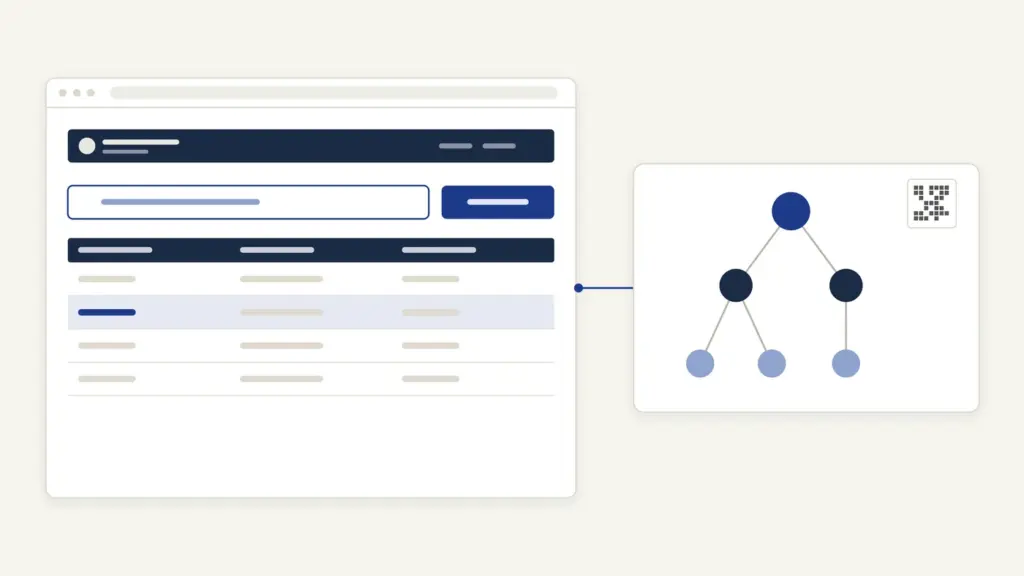
Saral Haryana is the state’s single window for government services, formally called the Antyodaya SARAL Portal, at saralharyana.gov.in. Run by the Haryana government, it is where residents apply for an income, caste or resident certificate, book a slot at a SARAL Kendra, track an application and download the issued certificate. The portal says its aim is to bring over 600 services onto one platform.
The usual mix-up is between the portal and the family ID. Saral Haryana is where you apply; the Parivar Pehchan Patra (PPP), Haryana’s family ID, is the data the portal pulls in to fill your details, which is why many forms no longer ask for separate identity and address proofs. The other point most guides skip is the law behind the deadlines: the Haryana Right to Service Act, 2014, which on this portal files an appeal for you automatically when a deadline is missed.
Saral Haryana at a Glance
These facts come from the portal’s home page and the documents it links.
| Fact | Detail |
|---|---|
| Official name | Antyodaya SARAL Portal |
| Address | saralharyana.gov.in |
| Services | Over 600 services targeted, across state departments |
| Data link | Integrated with Parivar Pehchan Patra (PPP) for auto-filled, verified details |
| Offline counters | Antyodaya SARAL Kendras at district, sub-division and tehsil level, and CSCs |
| Governing law | Haryana Right to Service Act, 2014 (Haryana Act No. 4 of 2014) |
| Helpline | 0172-3968400, 7 am to 8 pm, Monday to Saturday (except government holidays) |
| [email protected] | |
| Corruption complaints | 1064 |
The portal has four connected parts: the citizen portal itself, a dashboard that ranks departments on RTS compliance and delay, an e-ticketing system for grievances, and the Auto Appeal System.
What Saral Haryana Covers: Certificates and Time Limits
The portal’s “RTS Service Timeline” link leads to the consolidated list of notified services, with the time limit, the designated officer and the two grievance authorities for each. The Revenue and Disaster Management Department’s certificates are the most used.
| Service (as notified) | Time limit | Designated officer | First / second grievance authority |
|---|---|---|---|
| Issue of Income Certificate | 15 days | Tehsildar of the sub-division | SDM / Deputy Commissioner |
| Schedule Caste Certificate | 7 days | Tehsildar of the sub-division | SDM / Deputy Commissioner |
| Backward Class Certificate | 7 days | Tehsildar of the sub-division | SDM / Deputy Commissioner |
| Other Backward Caste Certificate | 7 days | Tehsildar of the sub-division | SDM / Deputy Commissioner |
| Resident Certificate | 7 days | Tehsildar of the sub-division | SDM / Deputy Commissioner |
| Certified copies at Fard Centre (jamabandi, girdawri, mutation) | 1 day | Duty Patwari | Tehsildar / SDM |
Read the time limits as working days: the Act defines “days” that way, so a 7-day certificate can take a calendar fortnight once weekends and holidays fall in between. The home page also lists newly added services such as the EWS certificate, arms licences and the Mukhyamantri Tirth Yatra Yojana.
For what each certificate proves beyond Haryana, see our guides to the income certificate, the caste certificate, the domicile certificate and the OBC non-creamy layer.
How to Register and Log In on Saral Haryana
The login box sits on the right of the home page, under Login Here.
- Open saralharyana.gov.in and click Register Here next to “New User ?”.
- Fill the Citizen Registration form: full name, email ID, mobile number, a password and your state.
- Pick a password of at least 9 characters with a special character, a number, a lowercase and an uppercase letter; the form rejects anything weaker.
- Accept the terms and click Submit.
- To sign in, enter your Login ID, password and the captcha, and click Submit.
The registration screen runs on NIC’s ServicePlus platform, so don’t be surprised to see the ServicePlus name at the bottom. If you lose your password, Forgot Password? sends a reset link to your registered mobile number and email.
How to Apply for a Service on Saral Haryana
The FAQ describes the route in one line, and the steps below expand it.
- Log in and go to Apply for Services, then View all available services.
- Search for the service, for example the resident certificate, and open it. You can also use Search Service and Check Eligibility on the home page first.
- Fill the form. Where your family is in the PPP database, the portal fills verified details for you.
- Upload the documents the form asks for.
- Pay any fee through the portal; the FAQ says every intermediate payment can be made online and an acknowledgement slip is generated.
- Note the Application Reference ID. You’ll need it to track, download and appeal.
Keep your PPP record correct before you apply. If the family ID shows a wrong name or income, that error flows straight into the certificate. Our guide to the Haryana Family ID (Parivar Pehchan Patra) explains how the family ID works and how records are corrected.
Applying at a SARAL Kendra
If you can’t apply online, the same services are available at Antyodaya SARAL Kendras at the district, sub-division and tehsil level, and at CSCs. Use Book Appointment for SARAL Kendra on the home page to fix a slot instead of queuing, and List of SARAL Kendra to find the nearest centre.
Fees
Fees vary by service, and the portal doesn’t print one fee table on its home page. The form shows the fee, if any, at the payment step. Pay only through the portal or the counter’s receipt; any extra money a private cyber cafe asks for is its own charge, not a government fee.
How to Check Saral Haryana Status
There are three ways to track an application.
- Online: click Track Application / Appeal. Select the department and service, enter the Application/Appeal Reference ID and click Check Status. The result shows the status, the officer it’s pending with, the remarks and, usefully, the RTS Due Date.
- By SMS: send SARAL, a space and your application ID to 7738299899 from your registered mobile number.
- Inside your login: go to View Status of Application, then Track Application Status.
The portal also sends an SMS and email after each step. Watch the RTS due date: once it passes without a decision, the appeal machinery starts.
How to Download a Saral Certificate
Once the certificate is issued, you don’t need to visit the office.
- Click Download Certificate on the home page.
- Enter your Saral ID, the Application Submission Date and the captcha.
- Click Download Certificate.
The Saral ID and submission date both appear on your acknowledgement and on the tracking page, so keep that slip until the certificate is in hand.
Common Errors and Their Fixes
Most Saral Haryana problems repeat:
- Password rejected at registration. It needs 9 or more characters with a special character, a number and both cases.
- Wrong details auto-filled. The data comes from PPP. Correct the family ID record first, then apply.
- “Application not found” on tracking. Check that you selected the same department and service you applied under; the search is scoped to both.
- Download fails. Enter the submission date exactly as on the acknowledgement, and confirm on the tracking page that the certificate has been issued.
- Application stuck past the due date. Check whether an auto appeal has already been filed under Appeal/Revision Status before filing one yourself.
- Site not loading. The FAQ suggests clearing the browser cache or switching browser or device before calling support.
How to Appeal and Where to Complain
Saral Haryana is unusual because the appeal often files itself. Under the Auto Appeal System, when a notified timeline is breached the system files an appeal to the First Grievance Redressal Authority. If that authority doesn’t decide within 30 working days, the case escalates to the Second Grievance Redressal Authority and then to the Haryana Right to Service Commission. The Act presumes your consent for this when you apply online, which is why your mobile number is mandatory.
You can also appeal yourself:
- Open Track Application / Appeal and find your application.
- Choose the reason, describe the complaint briefly and upload a supporting file (PDF or JPG, up to 500 KB).
- Click File RTS Appeal and confirm with the OTP sent to your registered mobile or email.
The Act sets the clock. A first appeal lies within thirty days of rejection or delay and should be decided within thirty days. A second appeal lies within sixty days. A revision before the Commission lies within ninety days. The Second Grievance Redressal Authority can fine a defaulting official up to Rs 5,000 and award you up to Rs 1,000; the portal states the Commission can go up to Rs 20,000 in penalty and Rs 5,000 in compensation.
For grievances that aren’t appeals, use Track Ticket and the e-ticketing system, or call the helpline on 0172-3968400. Corruption complaints go to 1064. The design, a deadline that triggers its own appeal, goes well beyond the older citizen charters and is a strong example of a working grievance redressal mechanism.
Saral Haryana Today
The portal has recently added services such as the EWS certificate and arms licences to its home page and continues to route most citizen data through PPP. If you’ve applied for certificates in another state, compare it with RTPS Bihar, which added a similar automatic appeal in 2025.
Frequently Asked Questions
What is Saral Haryana?
Saral Haryana, formally the Antyodaya SARAL Portal at saralharyana.gov.in, is the Haryana government’s single platform for citizen services and schemes. It aims to bring over 600 services online. Residents use it to apply for certificates, track applications, book SARAL Kendra appointments and download certificates.
How do I register on the Saral Haryana portal?
Click Register Here next to New User on the home page. Enter your full name, email ID, mobile number, a password of at least nine characters and your state, then submit. Log in afterwards with your Login ID, password and captcha.
How can I check my Saral Haryana application status?
Open Track Application on the home page, select the department and service, enter your application reference ID and click Check Status. You can also send SARAL followed by a space and the application ID to 7738299899 from your registered mobile. The tracking page shows the RTS due date.
How do I download a certificate from Saral Haryana?
Click Download Certificate on the home page and enter your Saral ID, the application submission date and the captcha. Both details are on your acknowledgement slip. The certificate downloads once it has been issued.
How many days does a resident certificate take on Saral Haryana?
The consolidated list of notified services gives 7 days for a resident certificate, with the Tehsildar as designated officer. The Act counts these as working days. The income certificate is notified at 15 days.
What is the Saral Haryana helpline number?
The Antyodaya SARAL helpline is 0172-3968400, open from 7 am to 8 pm, Monday to Saturday, except government holidays. The support email is [email protected]. Corruption complaints go to 1064.
What happens if my Saral application is delayed?
The Auto Appeal System files an appeal to the First Grievance Redressal Authority when the notified timeline is breached. If there is no decision in 30 working days, it escalates to the second authority and then the Haryana Right to Service Commission. You can also file an appeal yourself from the tracking page with an OTP.
Is Parivar Pehchan Patra needed for Saral Haryana?
The portal is integrated with the Parivar Pehchan Patra, Haryana’s family ID, and uses it to fill verified details automatically. That is why many applications no longer need separate identity and address proofs. Keep your family ID record accurate before applying.
Tell Google you want more of this.
Add Anantam IAS as a preferred sourceOne tap, and this site shows up more often in your own Top Stories, AI Overviews and AI Mode. Remove it any time.






