

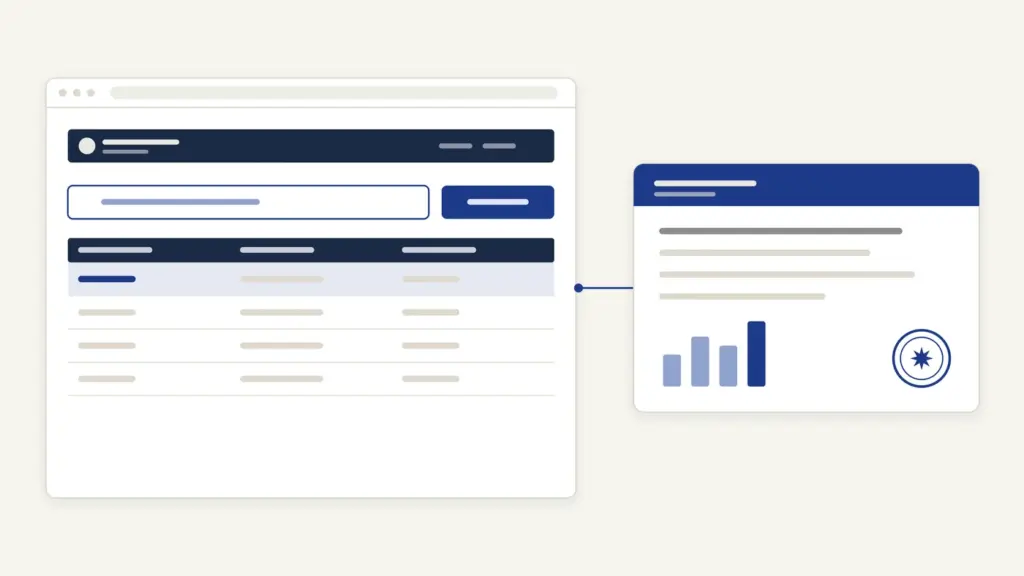
UDISE Plus (written UDISE+, the Unified District Information System for Education Plus) is the national school-data portal of the Department of School Education and Literacy, Ministry of Education, at udiseplus.gov.in. Every recognised school from pre-primary to higher secondary reports its infrastructure, teachers and individual students on it each academic year, and people mostly come to it for three things: a school’s 11-digit UDISE code, the state-wise login to the data-entry modules and the public Know Your School search.
Most visitors carry one wrong assumption: that UDISE+ is a website where a parent or student logs in. It isn’t. Logins exist only for schools and for block, district, state and national officials, and every password problem goes up that same chain. Parents use the public side, and a student’s record sits inside the school’s Student Module.
UDISE Plus at a glance
UDISE+ has run since 2018-19, when it replaced the older UDISE system. Its data is the Ministry of Education’s official statistics on schools.
| Fact | Detail |
|---|---|
| Owner | Department of School Education and Literacy, Ministry of Education; built and hosted by NIC |
| Portal | udiseplus.gov.in |
| Who reports | All recognised schools giving formal or special education, pre-primary to higher secondary |
| Modules | School Directory, Profile and Facilities, Teacher Module, Students Module |
| Key identifiers | 11-digit UDISE code (school), 11-digit Permanent Education Number (student), National Teacher Code |
| Scale (Academic Year 2025-26) | 14.67 lakh schools, 10.05 lakh government schools, 24.72 crore students, 1.02 crore teachers |
| Fee | No fee is published for any UDISE+ service |
| Help | Block or District MIS first; technical queries udiseplus-mhrd[at]gov[dot]in |
What UDISE+ does and who uses it
UDISE+ is a reporting system, not a citizen-service portal. A school fills a standard Data Capture Format (DCF), the national questionnaire on buildings, classrooms, toilets, labs, teachers and students, and officials check it level by level before it becomes official data.
The portal describes four linked verticals:
- School Directory. Onboarding of schools and their basic profile (type, category, management, location) and of the users who may enter data.
- School Profile and Facilities. Buildings, classrooms, laboratories, digital infrastructure and facilities such as ramps, drinking water and CWSN-friendly toilets.
- Student Module. A record for every student, with general and academic profile, kept through the whole period of schooling.
- Teacher Profile. General, academic and appointment details of teaching and non-teaching staff.
The users fall into two groups. Schools, block MIS staff, district and state MIS coordinators and the national administrator enter, verify and certify data. Everyone else, including parents, researchers and journalists, reads the public dashboards. The data matters well beyond the portal: it drives planning under Samagra Shiksha and is the yardstick for progress under NEP 2020.
UDISE code: what it is and how a new school gets one
A UDISE code is an 11-digit number that works as a school’s permanent national identity, based on its geographical location. It is given only to schools that are recognised and running, or that have been sanctioned to open.
Three rules about the code catch people out:
- It never changes. The FAQ says that once assigned, a code can’t be changed. Only the Ministry of Education can modify it, and only if the school’s district or state changes.
- It survives closure. A closed school keeps its code, which is archived in the system.
- Merged schools lose theirs as operational codes. When two schools merge, the one merged in is marked “merged” and stops being operational.
A newly recognised school gets its code in five steps, as the portal sets them out:
- The school goes to the district-level authority with its documents, especially the recognition letter or certificate.
- The district verifies the documents and raises a request through the School Directory in UDISE+, forwarding it to the state.
- The state authority reviews the details and documents, and either approves and forwards the request or sends it back for clarification.
- The Ministry of Education reviews the request and may also return it to the state.
- On approval, the Ministry generates the code. It is the sole authority to do so.
The FAQ puts the time at roughly a week once state verification is complete. To follow a pending request, use Check Status Of New UDISE Code Application on the home page and enter the School Request Id or the respondent’s mobile number. Either the state or the ministry can reject a request if documents are wrong or incomplete.
UDISE Plus login: how the state-wise modules work
There is no single login box on the home page. Click Login For All Modules, choose your state from Select State For Login and press GO. Central school systems appear in the same list as if they were states: Kendriya Vidyalaya Sangathan, Navodaya Vidyalaya Samiti, MSRVVP, Navy Education Society and IAF EC Society. Officials at the centre use National Level Login instead.
The state page then shows separate login buttons:
- Login For School Directory / User Management for onboarding schools and managing users.
- Profile & Facilities for the school’s infrastructure DCF.
- Teacher Module for staff records.
- Students Module for student records.
- UDISE+ Common Login, a common sign-in page for the modules.
Each opens a sign-in page asking for Username, Password and a captcha. The same state page also links to UDISE+ Previous Years Data, which holds data from 2018-19 onward.
For Uttar Pradesh, which is what “udise plus up” searches are after, the route is the same: select UTTAR PRADESH and press GO. There’s no separate UP portal for this data; the state’s schools and officials use the national system with their own credentials.
UDISE Plus Student Module and the PEN
The Student Module keeps one record per student, and since the 2022-23 cycle the national data has been built from these individual records instead of the school-wise totals used until 2021-22. That shift is why figures from 2022-23 onward aren’t strictly comparable with older reports.
Each student gets a Permanent Education Number (PEN), an 11-digit number on UDISE+. The PEN follows the child through academic progression and school transfers: the old school exports the record and the new school imports it, so a transfer doesn’t create a duplicate child. Teachers get a parallel National Teacher Code for the same reason.
Some practical points for schools:
- Enter names exactly as in the admission register and Aadhaar. Mismatches surface later in scholarships and board registration.
- Use the transfer, not a fresh entry. A student who joins from another school should be imported, not re-entered.
- Certify only when complete. Once the DCF is certified, editing needs de-certification from the next higher authority.
The Student Module is also where a school student’s APAAR ID begins: the school generates it from the student’s UDISE+ record after parental consent. The APAAR ID guide explains the ID itself, and the APAAR record then reaches the student through DigiLocker. In July 2026 the Supreme Court directed that parents be given a clear opt-out in the consent process, as covered in this current-affairs note on APAAR consent.
Know Your School and other public tools
Parents and students use the public side, and the most useful tool there is Know Your School (kys.udiseplus.gov.in). You can search by school name, UDISE code or PIN code, pick an academic year from 2021-22 onward or real time, and see the school’s profile and indicators. A mobile app version is linked from the same page.
The home page also links to these public tools:
- Performance Grading Index, with State PGI and District PGI, which grades states and districts on school-education indicators.
- Dashboard & Reports (Powered By NEP-2020), with state and national tables.
- Data Sharing Portal, for researchers who need micro-data under the data-sharing policy.
- UDISE+ Archive, for older data.
- UDISE+ GIS Capture, for school locations.
The annual report is the headline output. The UDISE+ 2025-26 report, released in July 2026, is the latest; a PIB backgrounder of 17 August 2026 summarized it at 14.67 lakh schools and 24.72 crore students.
Common errors and their fixes
Most UDISE+ problems are access problems, and the fix almost always lies one level up. The FAQ fixes the order of who can help whom:
| Your role | Goes to |
|---|---|
| School user | Block MIS |
| Block entry user | Block MIS |
| Block level | District level |
| District level | State level |
| State level | National level admin |
With that chain in mind:
- Forgotten password. Click Forgot Password on the sign-in page, enter the User-ID and registered mobile number, and a new password is sent to the mobile and email.
- Mobile number lost or changed. The reset can’t reach you, so ask the next higher authority in the table to reset the password.
- No credentials at all. A new school user gets credentials from the Block MIS.
- Need to edit after certification. Ask the next higher authority to de-certify the DCF; you can then edit and certify again.
- Shared building or shift school. The FAQ says both schools report shared facilities and the classrooms they use, even if shared.
- School closed by the administration. No DCF is filled, but the school should be marked CLOSED.
- Data-entry window closed. The ministry sets the window each year and sometimes extends it; a notice of 1 December 2025 extended data entry till 15 December 2025. Watch the Notice section on the home page.
Where to complain or ask for help
For anything about your username, password or mobile number, the portal’s Contact Us page sends you to the District or Block MIS, and it has a lookup that finds their details from your state, district, block and UDISE code. Each state also has a named State MIS Coordinator listed on the same page.
For technical queries the address is udiseplus-mhrd[at]gov[dot]in, though the page asks that technical issues go to the block or district MIS first. Queries about the Data Capture Format go to ddgstats-sel[at]gov[dot]in. The ministry’s postal address is the Department of School Education and Literacy, Shastri Bhawan, New Delhi 110001. The portal doesn’t publish a helpline phone number.
UDISE Plus in 2026
Two developments shape the portal right now. The notice of 3 August 2026 covers completion of UDISE+ data for Academic Year 2026-27 and sets up a separate reporting vertical for AWES (Army Welfare Education Society) schools. At the national conference on UDISE+ held in Bhubaneswar on 27 and 28 February 2026, the ministry spoke of using the system and APAAR to track learning outcomes and children who drop out, as reported in this note on the UDISE+ conference.
That direction raises the stakes for accurate entry. Since UDISE+ data feeds Samagra Shiksha planning and the Performance Grading Index of states, a careless Student Module entry today can become a missing scholarship or a “dropout” tomorrow. It is wise for every school to treat the DCF as a record of each child, not a form to clear before the deadline.
Frequently Asked Questions
What is a UDISE code?
A UDISE code is an 11-digit number that works as a school’s permanent national identity, based on its location. It is given to recognised schools and never changes, even if the school closes, when its code is archived.
How can a school get a new UDISE code?
The school applies through its district authority with the recognition letter. The district raises the request in the School Directory, the state verifies it and the Ministry of Education generates the code, which the FAQ says takes about a week after state verification.
Can parents or students log in to UDISE Plus?
No. Logins are only for schools and block, district, state and national officials. Parents can search any school on the public Know Your School tool by name, UDISE code or PIN code.
What is the PEN in the UDISE Plus Student Module?
PEN is the Permanent Education Number, an 11-digit number given to each student on UDISE+. It keeps the student’s record continuous across classes and school transfers, where one school exports the record and the next imports it.
How do I reset a forgotten UDISE Plus password?
Click Forgot Password on the sign-in page and enter your User-ID and registered mobile number; the new password goes to your mobile and email. If you’ve lost that mobile, ask the next higher authority, for a school that is the Block MIS.
How do I log in to UDISE Plus for Uttar Pradesh?
Click Login For All Modules on udiseplus.gov.in, select Uttar Pradesh and press GO. Then choose the module you need, such as Students Module or Profile and Facilities, and sign in with your username, password and captcha.
Can a UDISE code be changed?
No. The code is permanent once assigned. Only the Ministry of Education can modify it, and only when the school’s district or state changes.
Who should a school contact for UDISE Plus problems?
Start with the Block or District MIS, whose details the Contact Us page finds by state, district, block and UDISE code. Technical queries can also go by email to udiseplus-mhrd at gov dot in, and DCF questions to ddgstats-sel at gov dot in.
Tell Google you want more of this.
Add Anantam IAS as a preferred sourceOne tap, and this site shows up more often in your own Top Stories, AI Overviews and AI Mode. Remove it any time.






