
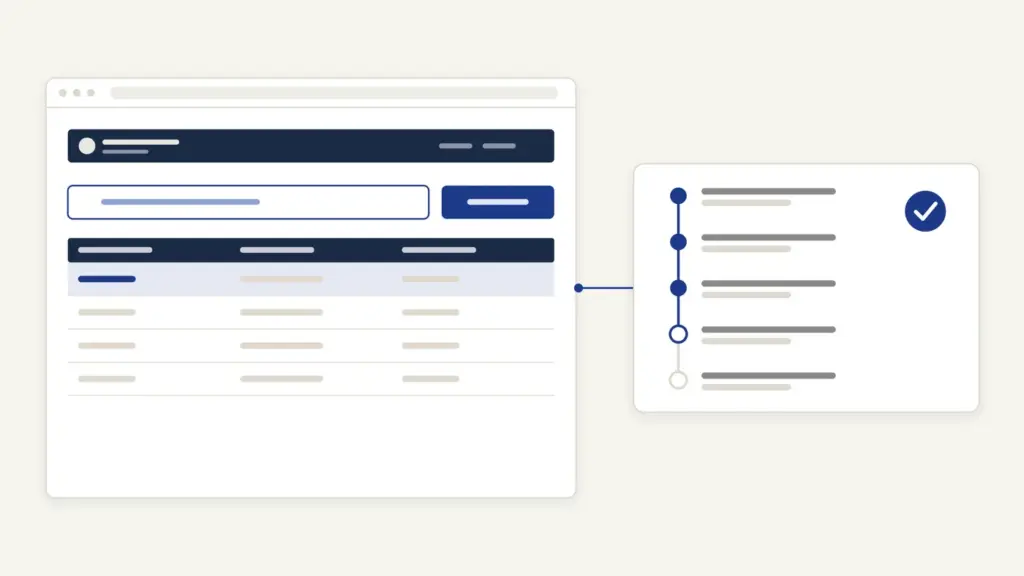
Jansunwai UP is the Uttar Pradesh government’s single portal for public grievances, run from the Chief Minister’s Office at jansunwai.up.nic.in. Its formal name is Jansunwai-Samadhan, and officials call it IGRS (Integrated Grievance Redressal System). People open the jansunwai up portal for four things: to file a complaint against a department, to check what action has been taken, to send a reminder when nothing has moved, and to rate the officer’s disposal once the complaint is closed.
Two misunderstandings waste most people’s time. First, there is no citizen username or password: you register and track with your mobile number and an OTP, and the “Officer Login” (अधिकारी लॉगिन) on the home page is only for government staff. Second, Jansunwai isn’t a catch-all. It won’t take RTI requests, cases pending in court or a demand for a job, and knowing that before you type saves a rejected complaint.
Jansunwai UP at a Glance
The portal pulls complaints from every channel into one system: online filings, the CM Helpline, tehsil and police-station Samadhan Diwas, district offices and the Centre’s grievance portal. These are the basics from the portal and its government orders.
| Fact | Detail |
|---|---|
| Portal | jansunwai.up.nic.in (also reachable at samadhan.gov.in) |
| Owner | Lok Shikayat Vibhag (Public Grievance Department), Chief Minister Office, UP |
| Built and hosted by | NIC Uttar Pradesh |
| Started | District level on 25 January 2016; other levels on 20 February 2016 |
| Phone channel | CM Helpline 1076, per the 17 February 2020 government order |
| Fee | None is listed on the portal for filing a complaint |
| Complaint ID | 14-digit reference number (सन्दर्भ संख्या) |
| Normal time limit | 15 days for online references, or as the department fixes (2020 order) |
| Monthly cap | 10 references per mobile number (1 May 2023 order) |
| Technical help | [email protected] (portal problems only, not complaints) |
What the Jansunwai Portal Takes, and What It Doesn’t
The jansunwai up portal is meant for a grievance against a UP government office: a pending certificate, an unpaid scheme benefit, a police complaint not acted upon, a road or water problem, an encroachment. Each complaint is routed by category to an officer, who has to upload an action-taken report (आख्या) before it can close.
Before the registration form opens, the portal shows a pop-up listing what it does not treat as a public grievance. You must tick a box confirming your complaint falls outside these:
- matters related to the Right to Information Act (file those as RTI applications);
- cases pending in a court;
- suggestions;
- demands for financial assistance or a job;
- service matters of government employees, including transfers, unless the employee has already used the options inside the department.
For a grievance against a central ministry or another state, the home page sends you to CPGRAMS, the Centre’s portal. Corruption and land-encroachment complaints have their own portals linked from the same page: the Anti-Corruption Portal and the Anti Bhu-Mafia Portal.
How to Register a Complaint on Jansunwai UP
Registration takes a working mobile number and a clear description of the problem. These are the steps the portal shows.
- Open jansunwai.up.nic.in. Use the language switch at the top to pick हिंदी or English.
- Click “Register Grievance” (शिकायत पंजीकरण).
- Read the list of excluded matters in the pop-up, tick the box saying your grievance isn’t one of them, and click “सबमिट करें” (Submit).
- On the “Registration Form”, enter your mobile number and the captcha digits, then click “Send OTP”.
- Enter the OTP within the two-minute timer (use “Resend OTP” if it lapses) and submit.
- Fill in the complaint form that opens: your details, where the problem is, and a clear account of what went wrong and what you want done.
- Submit and note the 14-digit reference number. Everything later, from tracking to reminders, runs on this number and your mobile.
The form fields behind the OTP step can’t be viewed without registering, so they aren’t listed here label by label. Two habits help the officer act: name the office and the place exactly, and keep one problem per complaint. The registration page also links a “Complaint Categories Mapping” file that shows which officer handles each category.
You can also call 1076, the CM Helpline. The 2020 government order says complaints made on 1076 are registered and disposed of through the same portal, so they get the same kind of reference number.
What the 14-Digit Reference Number Tells You
The first digit shows where your complaint entered the system. The portal’s FAQ gives the code:
| First digit | Source |
|---|---|
| 1 | Chief Minister reference (मुख्यमंत्री सन्दर्भ) |
| 2 | District Magistrate reference |
| 3 | Tehsil Samadhan Diwas |
| 4 | Online reference (filed by you on the portal or app) |
| 5 | CSC or Lokvani centre |
| 6 | PG Portal (sent by the Government of India) |
So a number starting with 4 is a complaint you filed online yourself.
How to Check Jansunwai Complaint Status
Tracking needs the reference number and the mobile number you registered with.
- Click “Track Grievance” (शिकायत की स्थिति) on the home page.
- Enter the “Complaint No”, your “Mobile Number” or “E-mail ID”, and the captcha.
- Submit, enter the OTP sent to your mobile and click “Verify OTP”.
- Read the action taken so far.
Lost the number? The same page has “Get Registered Complaints From Mobile No”, which lists complaints filed from your number. One limit catches people: the portal shows details only of references disposed of within the last three months.
The portal also sends its messages through the government’s Sandes app. The home page asks you to register on Sandes with the same number you used on IGRS to receive every notification.
Time Limits and How a Complaint Moves
Every category is mapped to officers at up to four levels, called L-1 to L-4. The portal’s category mapping report (as of 18 March 2024) fixes a number of days for disposal at each level. Fifteen days is the most common figure in that report, though some categories carry 10, 30 or more.
The 17 February 2020 government order set the general rule: online references are normally disposed of within 15 days or the period the department fixes, and PG Portal references within 30 days. A reference not disposed of within its limit counts as a “defaulter” reference against the office, and that count feeds the monthly ranking of districts and departments. The 15 January 2025 order added a phone check: L-3 officers must call at least 10 applicants each working day on references escalated to them, or all of them if there are fewer.
How to Send a Reminder
If the time limit has passed and nothing has happened, send a reminder rather than a fresh complaint.
- Click “Send Reminder” (अनुस्मारक भेजें) on the home page.
- Enter the “Complaint No” and your “Registered Mobile no.”
- Fill the captcha and click “ओटीपी भेजें” (send OTP).
- Enter and verify the OTP, then click “रिमाइंडर भेजें” (send reminder).
A duplicate complaint on the same issue only adds to the pile and uses up your monthly quota, which a 1 May 2023 order caps at 10 references per mobile number.
How to Give Feedback and Reopen a Disposed Complaint
Feedback is the strongest tool a complainant has on IGRS, because a poor rating sends the case back up the chain.
- Click “Give Feedback” (आपकी प्रतिक्रिया).
- Enter the “Registered Grievance Id” and “Registered Mobile no.”
- Give a star rating under “Satisfaction Rating”.
- If you’re unhappy, pick the reason from the list, for example “अधूरा निस्तारण” (incomplete disposal) or “अधिकारी द्वारा स्थल निरीक्षण नहीं किया गया” (the officer did not inspect the site).
- Answer the two questions on whether the officer contacted you and whether anyone visited for inspection.
- Fill the captcha, click “OTP प्राप्त करें”, enter the OTP and save.
The rule that matters: the portal says a reference is reconsidered at a higher level only if you give one or two stars. Under the 20 October 2021 order, dissatisfied feedback goes to the officer one level above the one who approved the disposal, who can either accept the report or reopen the complaint with directions. You have four days after disposal to rate it yourself; after that the call centre may call you for feedback. Like tracking, feedback works only for references disposed of in the last three months.
A 2 April 2026 order closed a loophole. Officers at L-1 had been marking many complaints as “special close”, which skipped feedback altogether; the order ended special close at the L-1 level and said feedback will now be taken on all references.
Common Errors and Their Fixes
Most problems on jansunwai up nic in repeat:
- Looking for a citizen login. There isn’t one. “Officer Login” is for staff; citizens use the OTP flow on each tile.
- OTP expired. The timer runs two minutes. Click “Resend OTP” after it lapses.
- Status shows nothing for an old complaint. Only references disposed of in the last three months are shown. Note the outcome when you get the SMS.
- Complaint closed as “not related”. Online references marked “not related to this office” are excluded from feedback under the 2023 order. File afresh with the right office named, or check the category mapping file first.
- Complaint rejected as not a grievance. RTI matters, court cases, suggestions and job demands are outside IGRS. Use the RTI route or the court instead.
- Monthly limit reached. One mobile number can file 10 references a month. Use reminders, not repeat complaints.
Where to Escalate Beyond Jansunwai
Inside IGRS, the escalation route is the one above: a reminder after the time limit, then a one- or two-star rating, which puts the case before a senior officer. Corruption by an official goes to the Anti-Corruption Portal, and illegal occupation of land to the Anti Bhu-Mafia Portal, both linked from the home page. For allegations against public servants that need a statutory body, UP also has a Lokayukta. Write to [email protected] only for technical faults; the contact page says complaint letters sent there won’t be acted on.
Jansunwai UP Today
The portal is now a performance tool as much as a complaint box. A series of orders, from 2020 to the 2 April 2026 change on special closures, grades districts, police stations and departments every month on how fast they forward complaints, how many miss their deadlines and how satisfied complainants are. It’s a working example of the grievance redressal mechanism and citizen’s charter ideas, backed by e-governance data rather than promises.
Many Jansunwai complaints start on other state portals. A certificate stuck on e-District UP or a land-record error on UP Bhulekh is the typical case, and Bhulekh’s own complaint tiles open Jansunwai. If your problem is with a ration card, check the UP ration card list first, since a missing name there is a different fix from a grievance. The official portal is at jansunwai.up.nic.in.
Frequently Asked Questions
What is Jansunwai UP?
Jansunwai UP, also called Jansunwai-Samadhan or IGRS, is the Uttar Pradesh government’s integrated portal for public grievances at jansunwai.up.nic.in. It is run by the Public Grievance Department of the Chief Minister’s Office and hosted by NIC. Complaints filed online, on the 1076 helpline, at Samadhan Diwas or in district offices all land on it.
Is there a citizen login on jansunwai up nic in?
No. Citizens register, track, remind and give feedback using their mobile number, a captcha and an OTP. The ‘Officer Login’ button on the home page is meant only for government officials who handle complaints.
How do I register a complaint on the Jansunwai portal?
Click ‘Register Grievance’, confirm that your complaint isn’t an excluded matter, then verify your mobile number with an OTP and fill in the complaint form. Save the 14-digit reference number you get, because tracking and reminders need it.
What is the CM Helpline number in UP?
The CM Helpline number is 1076. A 2020 government order of the Chief Minister’s Office says complaints made by calling 1076 are registered and disposed of through the Jansunwai portal.
How many days does Jansunwai take to resolve a complaint?
The 2020 government order sets a normal limit of 15 days for online references, or the period the department fixes. The portal’s category mapping assigns days to each officer level, most often 15, and a complaint not disposed of within its limit is counted against the office.
How do I check my Jansunwai complaint status without the number?
Open ‘Track Grievance’ and use the option to get complaints registered from your mobile number, then verify with an OTP. The portal shows details only of references disposed of within the last three months.
What can I do if I am not satisfied with the disposal?
Give feedback with one or two stars and choose the reason. Only a one- or two-star rating sends the case for reconsideration by a higher officer, who can reopen it. Feedback is accepted only on references disposed of in the last three months.
Which complaints does Jansunwai not accept?
The portal excludes RTI matters, cases pending in court, suggestions, demands for financial help or a job, and service matters of government employees, including transfers, unless departmental remedies are exhausted. Grievances against central ministries or other states go to CPGRAMS.
Tell Google you want more of this.
Add Anantam IAS as a preferred sourceOne tap, and this site shows up more often in your own Top Stories, AI Overviews and AI Mode. Remove it any time.