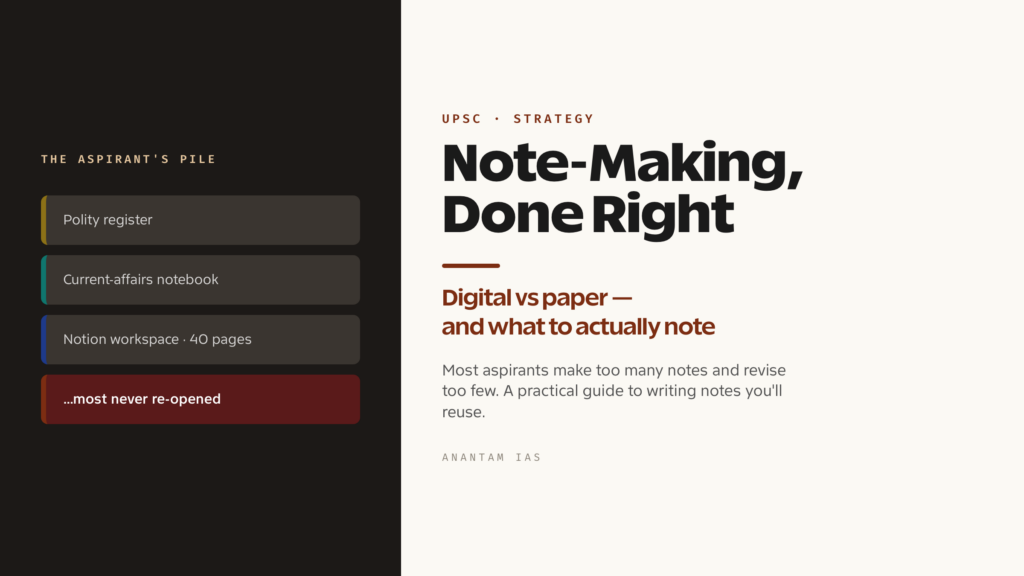
Walk into any UPSC aspirant’s room and you’ll find the same thing: registers stacked by subject, half-filled notebooks, a Notion workspace with forty pages, a folder of PDFs nobody opens. Note-making feels like the most productive thing you can do — it looks like work, produces something tangible, and gives the comforting sense that the syllabus is slowly being captured. The trouble is that most of those notes will never be read again. The Union Public Service Commission rewards what you can recall and deploy under time pressure in the exam hall, not what sits neatly filed away.
So this guide starts from an uncomfortable question rather than a how-to. Before deciding between Notion and a register, or coloured pens and bullet points, you have to decide whether a given note is worth making at all, and what job it’s meant to do. Get that right and notes become one of the highest-leverage tools in your preparation. Get it wrong and they become a beautifully organised way to avoid actually learning.
Should You Even Make Notes?
The honest answer is: for some things, yes; for most things, not yet. The instinct to note everything comes from anxiety, not strategy. A note earns its place only when it does something a re-read of the source cannot do faster — when it compresses a sprawling topic into a form you can revise in minutes, or pulls together scattered material that lives in five different places.
Think about it by purpose, because the four kinds of material in UPSC prep deserve different treatment. For static subjects — polity, history, geography, economy fundamentals — a good standard textbook is often already a better “note” than anything you’d write. Laxmikanth on polity or the NCERTs are tight, structured and tested, and re-writing them is mostly transcription — the single biggest time-sink in UPSC preparation. Here, notes should be thin: only the connections, comparisons and exceptions the book scatters across chapters and your memory keeps dropping.
Current affairs is the opposite case, and where note-making genuinely pays off. A year of newspapers, magazines and government reports is enormous, repetitive and unrevisable in its raw form — nobody re-reads eleven months of newspapers before prelims. So this is the one area where you almost have to build your own condensed, themed record, because no ready-made book exists for the specific year you’re sitting. Optional subjects sit in the middle: standard sources are often dense and exam-irrelevant in parts, so consolidated notes that match the syllabus closely usually earn their effort. And answer-writing material — frameworks, data points, examples, quotes, committee names — is best kept as a small, curated bank you pull from, not buried inside topic notes.
The test for every note is simple. Ask: will I revise this, and is it faster to revise than the source it came from? If the answer to either is no, don’t make it. Read the source again instead.
Digital vs Paper: Choosing Your System
There’s no universally correct answer here, and anyone who tells you otherwise is selling a method. What matters is matching the medium to what each type of material needs, and being honest about your own habits.
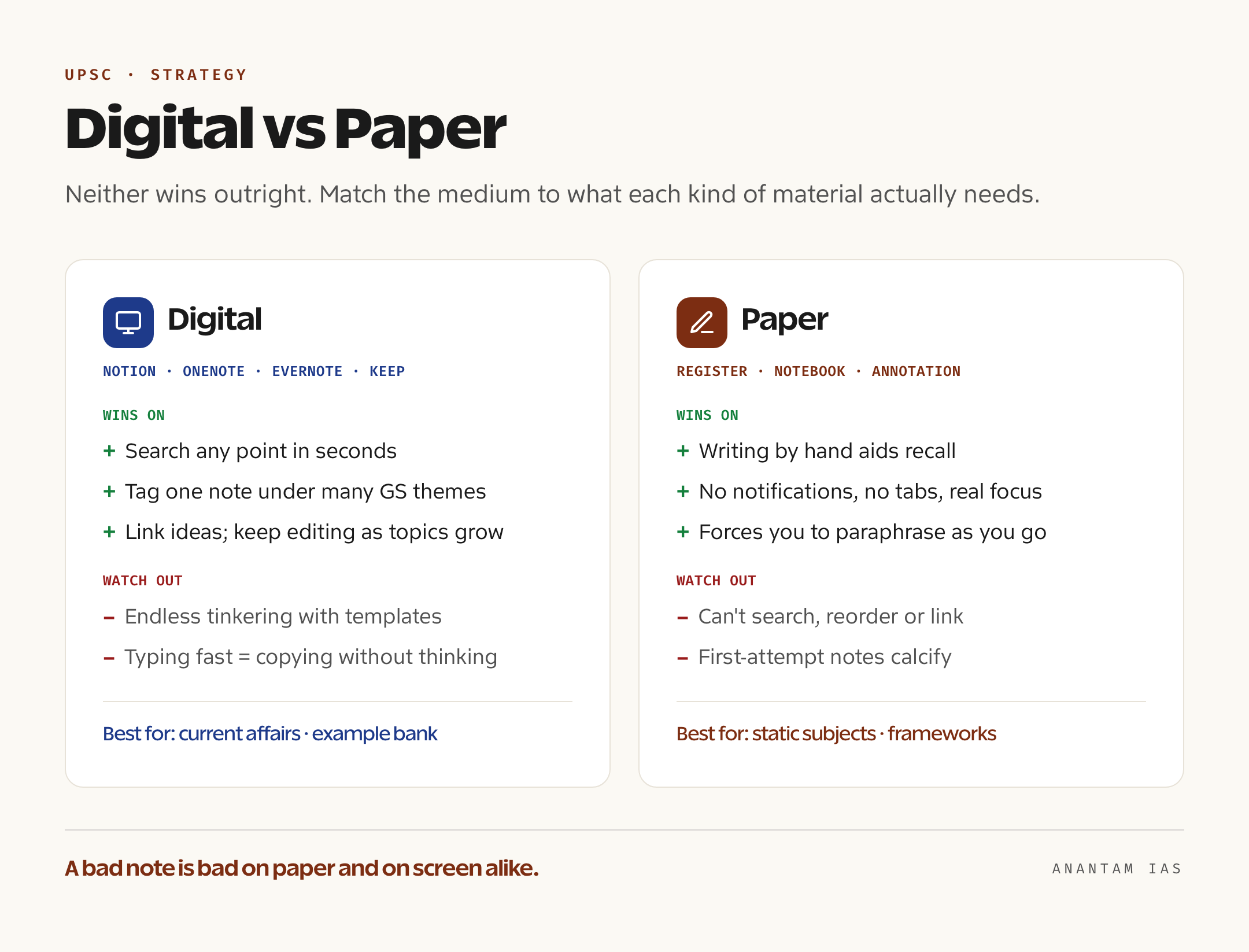
Paper’s strength is recall and focus. The physical act of writing forces you to slow down, paraphrase and decide what matters — and that processing is itself learning. A register has no notifications, no tabs, no temptation to “organise” for an hour instead of studying. For static subjects you revise in sequence, and for the early consolidation of a topic, paper is hard to beat. Its weakness is everything to do with retrieval and change: you can’t search it, reorder it, or slot a new point into a page that’s already full, and linking polity to a current-affairs example means flipping between three registers. Paper notes also can’t easily be edited as your understanding improves, so first-attempt notes calcify.
Digital — Notion, Evernote, OneNote, Obsidian, or even Google Keep for quick captures — flips those trade-offs. Its killer feature is search and structure: you can find any point in seconds, tag a note under multiple GS themes, link related ideas, and keep editing a single page as a topic evolves. For current affairs, where you add to themes across a whole year, this is decisive — a digital theme-by-theme note stays revisable in a way a chronological notebook never does. OneNote and Notion handle this well; Google Keep is fine for fleeting captures but too thin for structured topics. The danger is equally real. Digital tools invite endless tinkering with templates and databases — work that feels productive and teaches nothing — and typing is so fast you can copy a whole article without a single word passing through your understanding. That’s the worst possible note: complete, searchable, and useless.
A practical answer most successful aspirants converge on is a hybrid. Use paper for the things you revise in sequence and want to remember by heart — short static consolidations, answer-writing frameworks, formulae and lists. Use digital for the sprawling, ever-growing, cross-linked material — current affairs above all, plus your example and data bank. Pick one tool per job and stop evaluating apps; the time you spend comparing Notion to Obsidian is time not spent learning. Whatever you choose, the medium is not the point. A bad note is bad on paper and on a screen alike.
When and How to Actually Make Notes
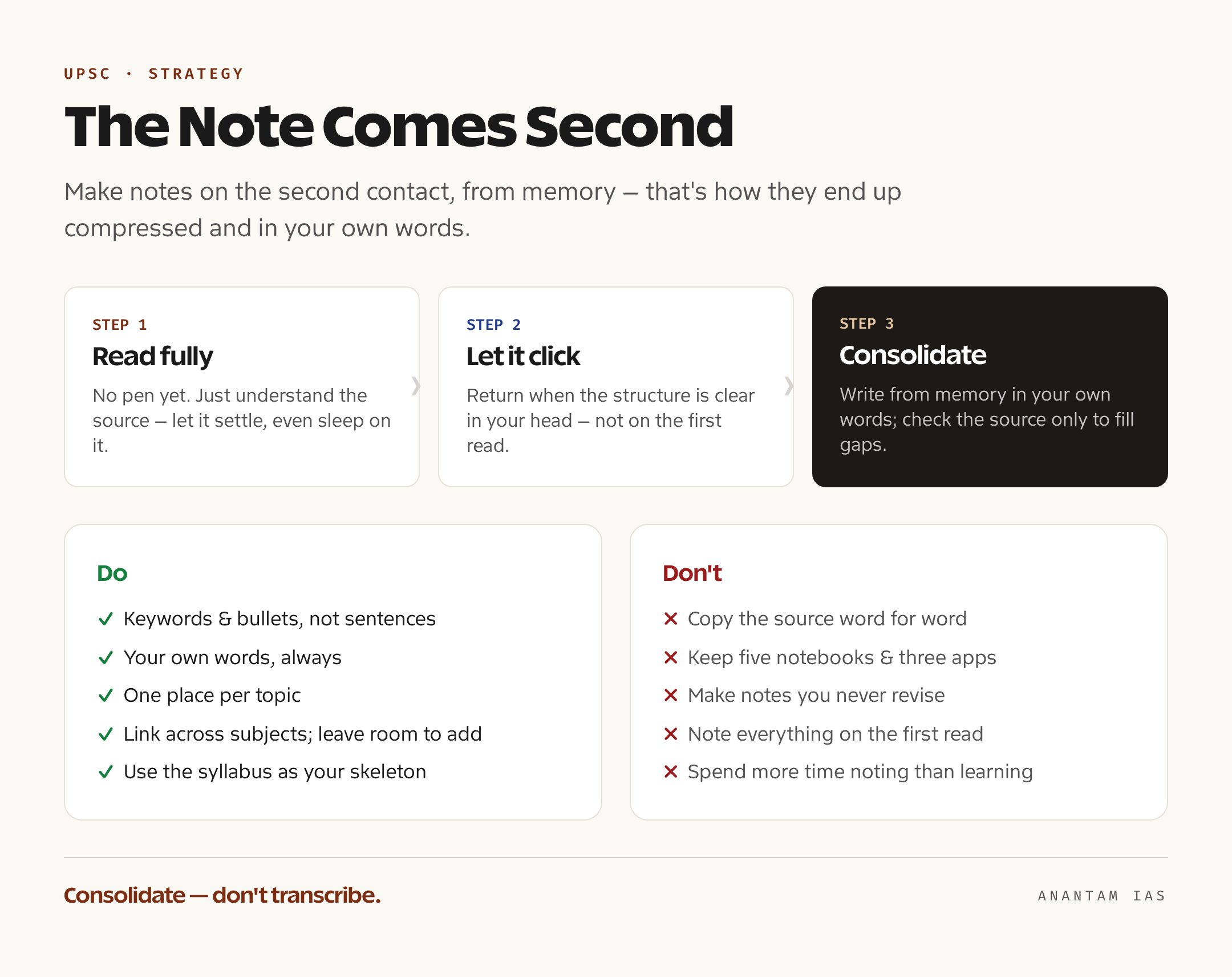
The most common mistake isn’t choosing the wrong tool. It’s making notes at the wrong time. The reflex is to note on the very first read of a topic — highlighter in one hand, pen in the other, transcribing as you go. This produces the worst notes of your entire preparation, because on a first read you can’t yet tell what matters from what doesn’t, so you copy everything, and the result is a near-replica of the source that took three times as long to create.
The better rule is to make notes on the second contact, after a topic has clicked. Read the source first, fully, without writing — just understand it; let it settle, maybe sleep on it. Then, when the structure is clear in your head, write the note from memory as far as you can, checking the source only to fill gaps. A note written from recall is automatically compressed, in your own words, and organised the way your mind actually holds the topic. That single shift — consolidation, not transcription — is the difference between notes that help and notes that waste months.
The mechanics that make a note reusable are few and consistent. Write in keywords and bullets, not full sentences — your future self needs triggers for recall, not prose to re-read. Use your own words, always, because rephrasing is where the learning lives; a copied line teaches nothing. Keep one place per topic, so everything you learn about, say, the Governor’s powers lives on a single growing page rather than scattered across five notebooks you’ll never reconcile. Link aggressively — tie a polity concept to the current-affairs case that illustrates it, a scheme to the provision behind it — because UPSC answers reward exactly these connections. And leave room to add, on paper or in a digital note, because every topic grows as you meet it again. A note you can’t extend is one you’ll abandon and rewrite.
Underneath all of this sits one organising principle that saves more time than any app: use the syllabus as your skeleton. The UPSC syllabus, available on the commission’s own site at upsc.gov.in, is not a checklist to fear — it’s the table of contents for your entire note system. Build your folders, registers and pages to mirror the GS papers and their sub-themes, and every new piece of information has an obvious home the moment you meet it. You stop asking “where do I put this?” and you instantly see which corners of the syllabus your notes are still empty on. The syllabus, mapped to the kind of static-versus-dynamic split this site lays out in its UPSC syllabus 2026 guide, turns a pile of notes into a system.
Notes by Type: Static, Current Affairs, Optional
The same rules apply differently across the four kinds of material, and treating them all alike is why so many note systems collapse.
For static subjects, restraint is the whole game. The standard sources — the NCERTs for foundations, Laxmikanth, Spectrum, the standard geography and economy texts — are already well-organised and exam-tested, so your notes should be a thin top layer, not a parallel book. Note only the things the source handles badly for revision: comparison tables the book describes in paragraphs, exceptions and special cases, recurring confusions, and the cross-links between subjects. Many toppers barely make fresh polity notes at all; they annotate Laxmikanth directly and add a few summary pages. If you’re still unsure which sources to anchor on before noting anything, the NCERT books for UPSC breakdown is the place to start, because there’s no point making notes from a source you shouldn’t be using.
Current affairs is where structured note-making is non-negotiable, and the key is to organise by GS theme, never by date. A chronological diary of events is unrevisable; nobody reads it back. Instead, maintain running theme-pages that mirror the syllabus — Indian economy, polity and governance, international relations, environment, science and tech, social issues — and add each new development to the relevant theme as it happens, with the issue, the background, the arguments on each side and the way forward. Over a year, each theme quietly becomes a tight, revisable note built from a hundred scattered articles. This is precisely where a searchable digital tool earns its keep, and it deserves its own deliberate approach, which the UPSC current affairs strategy guide works through in detail.
Optional subjects need notes that hug the syllabus tightly, because standard optional sources are often academic and full of material the exam never touches. Build notes paper by paper against the optional syllabus, pulling from multiple sources into one consolidated set you can revise in the final weeks. And keep answer-writing material separate from all of it — a small, living bank of data points, committee and report names, examples, diagrams and quotations you can drop into answers across topics. That bank turns a generic answer into a specific, marks-fetching one, and works best as a short curated list you actually memorise, not a sprawling document.
The Mistakes That Waste Months
Almost every note-making failure is one of a handful of traps, and they’re worth naming bluntly because they’re so easy to fall into while feeling productive.
The first and worst is making notes that just copy the source. If your note could be mistaken for a photocopy, it has taught you nothing and saved you nothing — you’ll still have to learn the material later, and now you’ve also spent hours writing it out. The fix is the from-memory rule: if you can’t write it in your own compressed words, you don’t understand it yet, so go back and read, don’t copy.
The second is too many notebooks and too many tools. Five registers, three apps and a stack of loose printouts mean no single source of truth, so the same topic gets noted three times and revised never. One place per topic, one tool per job, is the cure. The third is the most quietly destructive: notes you never revise. Notes exist to be revised — that is their entire purpose — and a note made once and never reopened is pure waste, however beautiful. Build revision into a schedule from day one, and treat any note you haven’t revisited as a candidate for deletion, not pride. The disciplined revision habit that makes notes pay off is a skill in itself, set out in the UPSC revision strategy guide.
The fourth trap is spending more time making notes than learning. Note-making is a means, not an end, and there’s a point at which a prettier, more cross-referenced note adds zero marks. When you catch yourself reformatting or re-organising rather than reading, recalling and writing answers, stop — you’ve crossed from studying into productive procrastination. The aspirants who clear this exam are rarely the ones with the most beautiful notes. They’re the ones who made fewer notes, in their own words, in one place, and actually revised them.
Frequently Asked Questions
Should I make handwritten or digital notes for UPSC?
Use both, matched to the material. Paper suits static subjects and answer-writing frameworks you revise in sequence and want to memorise, since writing by hand aids recall and avoids distraction. Digital tools like Notion, OneNote or Evernote suit current affairs and your example bank, where searchability, tagging and constant editing matter far more than handwriting. The medium matters far less than whether you write in your own words and actually revise.
When in my preparation should I start making notes?
Not on the first read of a topic. Read the source fully and let it click first, then make notes on the second contact, ideally from memory. Notes made during a first read are just transcription — slow to write and useless to revise. The exception is current affairs, which you should start noting by GS theme from day one, since the raw material is otherwise unrevisable.
Do I really need notes for static subjects like polity and history?
Far less than you’d think. Standard books such as Laxmikanth and the NCERTs are already well-structured and exam-tested, so making parallel notes is mostly wasted transcription. For static subjects, keep notes thin — comparison tables, exceptions, cross-links and recurring confusions — and consider annotating the book directly instead of rewriting it.
What’s the single biggest note-making mistake aspirants make?
Making notes they never revise. Notes exist only to be revised faster than the source they came from, so a beautiful note made once and never reopened is pure wasted time. Close behind it is copying the source word for word, which feels productive but teaches nothing. Both are fixed by the same discipline: write less, write in your own words, keep one place per topic, and build revision in from the start.
Tell Google you want more of this.
Add Anantam IAS as a preferred sourceOne tap, and this site shows up more often in your own Top Stories, AI Overviews and AI Mode. Remove it any time.