

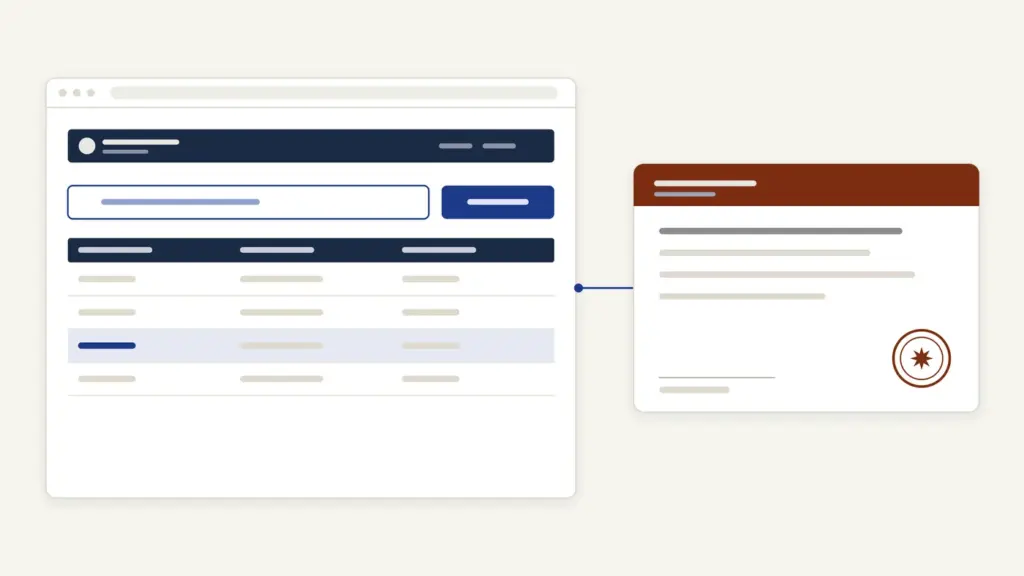
Jharsewa is Jharkhand’s e-District portal, the state’s online counter for government certificates and a handful of other citizen services. It runs at jharsewa.jharkhand.gov.in on ServicePlus, the National Informatics Centre’s service-delivery platform, and calls itself e-Nagrik Seva (version 2.0). Most people use it for three jobs: to apply for a caste, income, local resident or EWS certificate, to track an application with its reference number, and to verify a certificate someone has handed them. You can apply yourself after a free registration, or walk into a Pragya Kendra and let the operator file it.
The confusion most applicants carry is that Jharsewa is one service with one form. It isn’t. A “caste certificate” on Jharsewa is more than ten separate services, split by category (ST, SC, EBC-I and BC-II, OBC, migrants) and by who signs it: the Circle Officer for state use, or the SDO and Deputy Commissioner for the central format. Pick the wrong service and the application goes to the wrong desk. Get the service right and the rest of Jharsewa is form-filling.
What Jharsewa Offers at a Glance
Jharsewa is the citizen front end of the Jharkhand e-District project, one of the 31 Mission Mode Projects under the National e-Governance Plan. The table pulls together what the live portal and its own documents state.
| Fact | Detail |
|---|---|
| Portal | jharsewa.jharkhand.gov.in, branded e-Nagrik Seva (version 2.0) |
| Platform | ServicePlus, built and hosted by NIC |
| Main services | Caste, income, local resident and EWS certificates; marriage registration; social security pensions |
| Ways to apply | Online after registering, Pragya Kendra (CSC), Jan Suvidha Kendra, government-approved private kiosk |
| State right-to-service law | Jharkhand Rajya Sewa Dene Ki Guarantee Adhiniyam, 2011, amended in 2020 |
| Tracking | Application reference number, or OTP and application details |
| Certificate check | Application reference number plus token |
| State support | JAP-IT, Dhurwa, Ranchi; 0651-2401581, 2401040; [email protected] |
| Grievances | Jharkhand Samadhan, linked from the portal |
The home page also links out to services that run elsewhere: land records on Jharbhoomi, revenue court case status, electoral services and consumer court case tracking. Those links only open the other portals, and applications there follow their own rules.
Which Certificate Service to Choose
Jharsewa’s certificates are issued by different officers, and the portal treats each officer’s version as its own service. The service names below are taken from the portal’s tracking list and its service-wise requirements document.
| Service on Jharsewa | What it is for | Key documents listed |
|---|---|---|
| Issue of Local Resident Certificate | Proof that you are a local resident of Jharkhand | Residential proof, self-declaration, letter of pledge, documents in evidence of claim |
| Caste Certificate for Scheduled Tribe / Scheduled Caste | State caste certificate issued at circle level | Identity proof, proof of citizenship, proof of ordinary and permanent residence, proof of caste, self-declaration |
| Caste Certificate for EBC-I and BC-II (Non Creamy Layer) | Backward class certificate with non-creamy-layer status | As above, plus promotion order of parents where relevant |
| Caste Certificate for OBC | OBC certificate for state purposes | Proof of caste, residence and citizenship, identity proof, self-declaration |
| Caste Certificate for ST, SC or OBC by SDO and DC | Central-format certificate | Reference number of the caste certificate issued by the Circle Officer, document showing the reason for applying |
| Caste Certificate for OBC Migrants, ST and SC Migrants | For applicants who migrated into Jharkhand | Proof of migration plus the caste documents |
| Income and Asset Certificate for EWS | EWS reservation | Identity proof, proof of residence, self-declaration |
| Issue of Income Certificate | Income proof for schemes and admissions | Income-related affidavit (mandatory), salary slip |
| Marriage Registration Certificate | Registering a marriage | Photos and signatures of the couple and three witnesses, age, ID and residence proofs |
| Social Security Pension (Old Age, Widow, Disability) | State pension schemes | Aadhaar, residential certificate, age proof, income or BPL certificate, bank or post office passbook |
The SDO and DC versions are built on top of the Circle Officer’s certificate. The requirements list asks for the reference number of the certificate already issued by the Circle Officer, so the circle-level certificate comes first and the central format follows.
Many services also appear twice, once for areas under an urban or rural local body and once “for the area not covered under ULB or RLB”. Choose the version that matches where you live. The general rules behind these certificates are in the notes on the caste certificate, income certificate, domicile certificate and EWS certificate.
How to Register on Jharsewa
You need an account only if you want to apply from your own phone or computer. Registration is free and takes one screen.
- Open Jharsewa and click Register Yourself.
- Enter your Full Name, Email Id and Mobile No.
- Set a password. The form requires a lowercase letter, an uppercase letter, a number, a special character and at least 8 characters, with no sequential or repeated characters such as abc or 111.
- Under Select State, choose JHARKHAND.
- Type the captcha, tick the box agreeing to the ServicePlus Terms of Use and click Submit.
- Use the Login link on the home page with your new credentials.
Keep the email ID and mobile number current. Both tie the account to you, and the requirements document names them as the basis of online registration.
How to Apply for a Certificate on Jharsewa
The application flow is the same for every certificate: choose the service, fill the form, attach documents and submit. ServicePlus lets you apply online, at a kiosk, or by submitting a paper form at the office, as its own FAQ explains.
- Log in to Jharsewa.
- Open the list of services and pick the exact service, for example Caste Certificate for OBC or Issue of Income Certificate. Check the ULB or RLB version against your address.
- Fill the application form. Spell your name, your father’s name and your address exactly as they appear on your supporting documents.
- Upload the enclosures the service asks for, such as identity proof, residential proof, the self-declaration and the income affidavit.
- For a Tatkal application, upload the enclosure showing the reason for urgency.
- Review the form and submit. Note the application reference number on the acknowledgement.
If you’d rather not do it yourself, a Pragya Kendra operator files the same application from the counter. The portal’s own note says that some services are available through Pragya Kendras, and the operator gives you the acknowledgement with the reference number.
Not sure which services you qualify for? The ServicePlus FAQ points to Check Your Entitlement under the Citizen Section, where you choose your profile (state, caste and so on) and see the services listed for it.
Documents for Caste and Income Certificates
The portal’s requirements document names the enclosures; district websites spell out what counts. The Palamu district site, for example, lists these for a caste certificate (ST, SC, BC1, BC2 or OBC):
- a recommendation letter from an elected member verifying the caste
- a self-declaration as per Sankalp No 713 dated 28/01/2016 of the Department of Personnel, Administrative Reforms and Rajbhasa
- applicant photograph and a photocopy of the khatiyan
- a land-related certificate that mentions caste, mandatory for OBC
- income certificate, BC1 or BC2 caste certificate and residential certificate, mandatory for OBC
- genealogy (vanshavali), mandatory for SC, ST, BC1 and BC2
For an income certificate, the same district lists the applicant’s photograph, an income-related affidavit (mandatory), a salary slip where there is one, and a parent’s affidavit if the applicant is under 18.
The khatiyan copy is the document that trips people up most often. It is the land record that ties a family to a place and often records caste, and you can view it on Jharbhoomi before you go to the counter.
Tatkal, Fees and Time Limits
Jharsewa offers a Tatkal (urgent) route for most certificates, and eligibility turns on an officer’s recommendation. According to the Palamu district’s service pages, a Tatkal application needs uploaded proof of the reason for urgency, recommended by the local Circle Officer, Block Development Officer, an Executive Magistrate, the SDM, the Additional Collector or the Deputy Commissioner. Without that recommendation, the application is treated as a normal one.
Jharsewa’s public pages do not publish a fee table, and they do not list days for each service. The state’s right-to-service law is the Jharkhand Rajya Sewa Dene Ki Guarantee Adhiniyam, 2011, under which notified services carry a time limit, a designated officer and an appeal route. Ask the processing office whether your service is notified and what its time limit is. The ServicePlus FAQ says the Act’s details can be viewed through Find State Service Delivery Act under the Citizen Section.
If an operator asks for money, ask what the charge is for and take a receipt. The only legitimate charges are the ones the system or the kiosk receipt shows.
How to Track a Jharsewa Application
Tracking works without logging in. Click Tracking on the home page to open the Track Application screen.
- Under Select an option to track application, choose Through Application Reference Number.
- Enter the Application Reference Number from your acknowledgement.
- Under Track through, choose Application Submission Date or Application Delivery Date and enter that date.
- Select Service from the list, choosing the same service you applied for.
- Type the characters under Word verification and click Submit.
The second option, Through OTP/Application Details, helps when you have lost the reference number. The same screen asks whether you want to view or download the documents attached to your application. Logged-in users can also open Track Application Status under View Status of Application, as the FAQ explains.
Most “no record found” results come from choosing the wrong service in step 4. The caste services have near-identical names, so copy the service name from your acknowledgement.
How to Verify a Jharsewa Certificate
A school, employer or office that receives a Jharsewa certificate can check it online. Click Verify Certificate on the home page, then fill in Enter Application Reference Number and Enter Token, both printed on the certificate, and click Get Certificate. The portal opens the issued certificate so it can be matched against the paper copy.
This check matters because certificates are issued electronically, and the portal’s FAQ describes officials registering a DSC (digital signature certificate). A copy that does not open through Get Certificate deserves a second look. Saving the PDF to DigiLocker means you don’t depend on the paper original.
Common Jharsewa Errors and Their Fixes
Most problems are about choosing and naming, not the server:
- Wrong service selected. A central-format caste certificate filed as a state one, or the ULB version chosen for a village address. Ask the processing office or the Pragya Kendra how to refile under the correct service.
- SDO and DC application stuck. The form needs the reference number of the Circle Officer’s certificate. Get the circle-level certificate first.
- Name mismatch. Spelling differs between Aadhaar, school records and the khatiyan. Use one spelling and attach the document that links the two.
- Password rejected at registration. The rules forbid sequences and repeats such as 123 or AAA. Choose a password with all four character types and at least 8 characters.
- Tracking shows nothing. Check the service name and the date type, submission or delivery, against your acknowledgement.
- Tatkal not processed as urgent. The recommendation from an eligible officer was missing. Upload it with the reason.
Where to Complain About Jharsewa
Start with the office that handles your application, then move up. For a delay or rejection, quote the application reference number at the Circle Office or the SDO’s office that processes the service.
- Portal or login problems: your district’s Jharsewa helpdesk email, listed in the Support document on the home page, or the State Designated Agency, JAP-IT, at 0651-2401581, 2401040 and [email protected].
- Service not delivered in time: an appeal under the Jharkhand Rajya Sewa Dene Ki Guarantee Adhiniyam, 2011, to the first appellate officer named for that service. A 2020 amendment allows the administrative department to take disciplinary action against a designated officer or first appellate officer who fails in these duties without good reason.
- General grievances: Jharkhand Samadhan, the state grievance portal linked from Jharsewa.
The right-to-service law follows the same idea as citizen charters: a named officer, a stated time and a remedy when either fails. Andhra Pradesh runs a comparable counter through the AP Seva Portal, and the wider design of such systems is in the note on grievance redressal mechanisms. On Jharsewa, the one habit that saves most trouble is simple: pick the exact service name before you fill a single field.
Frequently Asked Questions
What is Jharsewa?
Jharsewa is Jharkhand’s e-District portal at jharsewa.jharkhand.gov.in. It runs on NIC’s ServicePlus platform and handles applications for caste, income, local resident and EWS certificates, marriage registration and social security pensions.
How do I log in to Jharsewa?
First register with your full name, email ID, mobile number and a strong password, choosing Jharkhand as the state. Then use the Login link on the home page with those credentials.
How can I track my Jharsewa application?
Click ‘Tracking’ on the home page, choose ‘Through Application Reference Number’, enter the reference number, pick the submission or delivery date, select the same service and complete the word verification. If you lost the number, use the OTP or application details option.
Can I apply on Jharsewa without registering?
Yes. You can apply through a Pragya Kendra, a Jan Suvidha Kendra or a government-approved kiosk, where the operator files the application for you. Registering yourself is only needed to apply from your own device.
What is the difference between a caste certificate from the Circle Officer and from the SDO and DC?
The Circle Officer issues the state caste certificate. The SDO and Deputy Commissioner issue the central-format certificate, and that application asks for the reference number of the Circle Officer’s certificate, so the circle-level one comes first.
How do I verify a Jharsewa certificate online?
Click ‘Verify Certificate’ on the home page, enter the application reference number and the token printed on the certificate, and click ‘Get Certificate’. The issued certificate opens so you can compare it with the copy you hold.
What is Tatkal in Jharsewa?
Tatkal is the urgent route for a certificate. You must upload proof of the reason for urgency, recommended by an officer such as the Circle Officer, BDO, SDM or Deputy Commissioner, or the application is handled normally.
Which law gives a time limit for Jharsewa services?
The Jharkhand Rajya Sewa Dene Ki Guarantee Adhiniyam, 2011 is the state’s right-to-service law. Services notified under it carry a time limit, a designated officer and an appeal route, and a 2020 amendment added disciplinary action against officers who fail without good reason.
Tell Google you want more of this.
Add Anantam IAS as a preferred sourceOne tap, and this site shows up more often in your own Top Stories, AI Overviews and AI Mode. Remove it any time.






