eSanjeevani is the Union Health Ministry’s national telemedicine service, and it’s free. Most people who search for it want one of two things: a video consultation with a government doctor from home, or an explanation of the teleconsultation their village health centre just arranged for them. Both run on eSanjeevani, but they’re two different services with different rules.
The official address is esanjeevani.mohfw.gov.in. It opens in any phone or laptop browser. The ministry’s live counter on that site passed 49.9 crore patients served in September 2026, and the ministry describes it as the world’s largest government-owned telemedicine platform.
This guide separates the two services first, because almost every failed consultation starts with people mixing them up. Then it covers registration, the consultation itself, timings and what the service can’t do.
What eSanjeevani Is: Two Services Under One Name
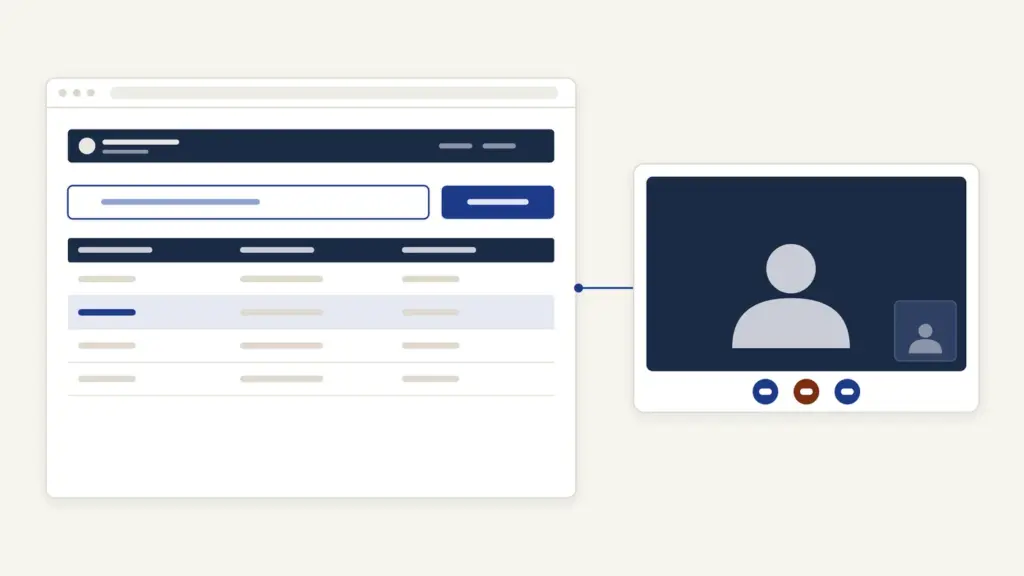
eSanjeevani is a cloud-based platform with two verticals. One connects you directly to a doctor. The other connects a health worker sitting next to you to a doctor somewhere else.
- eSanjeevaniOPD (patient-to-doctor). You consult a doctor over video from home on a smartphone, tablet or laptop. This is the service most people mean when they search for eSanjeevani.
- eSanjeevani AB-HWC (doctor-to-doctor). You walk into an Ayushman Bharat Health and Wellness Centre (now called Ayushman Arogya Mandir). A health worker or Community Health Officer there connects you to a doctor or specialist at a hub, usually a district hospital or medical college.
Think of the AB-HWC mode as a relay. The health centre is the spoke, the hospital doctor is the hub, and you never need a smartphone because the centre has the device, the connection and a trained person to run it.
The numbers show which service carries the load. In the portal’s own state-wise table, consultations through health centres outnumber home OPD consultations by more than 13 to 1. Home video OPD gets the attention. Assisted teleconsultation does most of the work.
eSanjeevani launched in November 2019 with the health centre model. The patient-to-doctor OPD followed during the first national lockdown in March 2020, built by the Centre for Development of Advanced Computing (C-DAC), Mohali, which still runs the platform for the ministry.
Who Can Use It and What It Costs
Anyone in India can use eSanjeevani, and consultations cost nothing. The ministry describes it as free-of-cost consultation for everyone, not a scheme tied to income or a card.
Eligibility has three practical conditions:
- A working mobile number. Registration and login run on an OTP sent to it.
- A device with a camera and microphone for the home OPD. The portal asks for an internet speed of at least 2 Mbps.
- The right OPD for your need. State general OPDs serve residents of that state. National OPDs, such as the AYUSH ones, are open more widely. CGHS speciality OPDs are only for CGHS beneficiaries.
The CGHS rule catches people out. The portal says uploading a CGHS beneficiary ID card is compulsory for every CGHS OPD. If you’re a central government employee or pensioner, keep that card ready. This guide to CGHS cards and wellness centres covers how to get one.
What You Need Before You Start
Nothing on paper is needed to register. What matters is having your medical history ready, because the doctor can’t examine you.
| Item | Why it matters |
|---|---|
| Mobile number you can receive SMS on | OTP for registration and login |
| Smartphone, tablet or laptop with camera and mic | The consultation is a video call |
| Internet of 2 Mbps or more | The portal’s stated minimum for a stable call |
| Old prescriptions, lab reports, discharge summaries | The doctor relies on these in place of a physical exam |
| List of current medicines with doses | Avoids duplicate or clashing prescriptions |
| CGHS beneficiary ID card (CGHS OPDs only) | Upload is compulsory for CGHS consultations |
| ABHA number | The portal asks for it in every consultation to link your health records |
The ABHA line matters more than it used to. The portal now runs a notice asking patients to provide an ABHA ID in all consultations, because that’s how your records get linked. You can still register without one, since the Register tab asks whether you want to proceed with ABHA or not. eSanjeevani is part of the Ayushman Bharat Digital Mission, and an ABHA number links your consultation records to one health ID. This explainer on ABHA and the digital health mission shows how that account works.
How to Consult a Doctor on eSanjeevaniOPD
The home OPD follows the same sequence every time: register, pick an OPD, raise a consultation, wait, consult, download the prescription.
- Open esanjeevani.mohfw.gov.in in your browser and click Patient at the top right.
- The first time, open the Register tab, answer whether you want to proceed with ABHA and click Continue. After that, use the Login tab: enter your email, mobile number or ABHA number and click Get OTP, or switch to password login.
- Fill in basic details such as name, age, gender and state. You can add family members to the same login and consult for them.
- Select your state and the OPD you need: a general OPD, a speciality OPD, an AYUSH OPD or a CGHS OPD.
- Describe the problem and upload old reports if you have them. This creates your consultation case.
- Wait in the virtual queue, or book a slot where the OPD offers appointments.
- When your turn comes, join the video call. Allow camera and microphone access when the browser asks.
- After the call, open the e-prescription from your dashboard and download it. Past consultations stay there too.
Appointments carry three rules the portal spells out:
- Consult Now switches on only at your scheduled time, so refresh the page if it’s still greyed out.
- Reschedule and cancel options close one hour before the appointment.
- A reschedule request needs the doctor’s approval.
The step that fails most often is step 4. A patient picks a speciality OPD that’s closed that day and waits in a queue that never moves. Check the timings first. The next section shows why.
How the Health Centre Mode Works
In the AB-HWC mode you don’t register online at all. The health centre does it for you.
- Visit your nearest Ayushman Arogya Mandir or health and wellness centre.
- The Community Health Officer or health worker records your details and symptoms on eSanjeevani.
- They connect to a doctor or specialist at the mapped hub over video.
- The hub doctor examines what can be examined remotely, often with the health worker’s help, and issues an e-prescription.
- You collect medicines from the centre where they’re stocked.
This is the better route for older patients, anyone without a smartphone, and anyone who needs a basic measurement such as blood pressure taken during the consult. The ministry’s figures back that up. Women made up over 57% of eSanjeevani beneficiaries and senior citizens about 12%, according to its 2023 update.
Timings, Scale and Other Numbers
Timings vary by state and by OPD. There’s no single national schedule, and that’s the most important fact on this page.
| OPD type | Timing shown on the portal |
|---|---|
| Andhra Pradesh general OPD | Monday to Saturday, 9 AM to 4 PM |
| Tamil Nadu and Kerala state general OPDs (also serving Andaman and Nicobar) | Monday to Sunday, 8 AM to 8 PM |
| AYUSH national OPDs (Ayurveda, Yoga, Naturopathy, Unani, Homeopathy, Siddha) | Monday to Saturday, 10 AM to 2 PM |
| CGHS Medicine | Monday to Friday 9:30 AM to 6 PM, Saturday 7:30 AM to 2 PM |
| CGHS Ophthalmology | Monday and Friday, 9:30 AM to 6 PM |
| CGHS ENT | Tuesday and Friday, 9:30 AM to 6 PM |
| CGHS Psychiatry | Tuesday and Thursday, 9:30 AM to 6 PM |
| CGHS Orthopaedics | Monday and Thursday, 9:30 AM to 6 PM |
CGHS speciality OPDs break from 2 PM to 3 PM. To reach an AYUSH OPD, the portal tells you to choose “Anywhere in India” and then the State of Delhi. Before you log in, open your own state’s timing panel on the portal, because state general OPDs set their own days and hours.
The scale figures come from the portal’s live counter and the ministry’s releases:
- Patients served: 49,93,11,444 on the portal counter in September 2026, up from over 36 crore in April 2025.
- Providers onboarded: 2,41,593 doctors, specialists and health workers.
- Hubs: 19,462. Spokes (health centres): 1,42,417.
- Specialities listed: 103.
- Busiest day recorded in the ministry’s 2023 update: 5,10,702 patients.
Roughly 13 crore more consultations were added in 17 months. That’s the growth rate of a service that’s become routine, not a pandemic stopgap.
Common Problems and Fixes
Most eSanjeevani problems are about the device or the timing, not the doctor.
- OTP not arriving. Check the number you typed, wait a minute, and request again. Do-not-disturb settings and full SMS inboxes block OTPs more often than the portal does.
- Queue not moving. The OPD may be outside its hours. Check your state’s timing panel, then try a general OPD if the speciality one is closed.
- Consult Now greyed out. It unlocks only at your appointment time. Refresh the page at the slot.
- Doctor can’t hear or see you. Allow microphone and camera access in the browser, close other apps using the camera, and move to a stronger signal. The portal’s minimum is 2 Mbps.
- CGHS OPD rejects your case. The beneficiary ID card upload is compulsory there. Upload it and raise the case again.
- Prescription not visible. Look under past consultations on your dashboard. The doctor may still be finishing the note after the call ends.
Help and Grievances
The national site is a patient portal, not a call centre, and its front page doesn’t list a single national patient helpline. That’s a real gap for first-time users. What it does have is a Support page with Grievance, Feedback and Request forms, which ask for your name, mobile number, email, state, district, city and a message.
In practice, help comes from three places:
- Your state health department, which runs the state OPDs and sets their timings.
- Your nearest Ayushman Arogya Mandir, whose staff use eSanjeevani daily and can raise a consultation for you.
- The CGHS wellness centre, for problems with CGHS OPDs.
For a broader complaint about a public service, the central grievance portal remains open. This note on e-governance in India explains how those grievance channels fit together.
What eSanjeevani Can’t Do
eSanjeevani replaces the queue, not the hospital. It’s built for first consultations, follow-ups and chronic-disease reviews, and it has hard limits.
- No emergencies. Chest pain, breathlessness, heavy bleeding or a head injury need a hospital, not a video queue. Call 112 or go to the nearest emergency department.
- No physical examination. The doctor can’t feel an abdomen or listen to lungs. If they need to, they’ll refer you.
- No tests at home. The doctor can order tests. You still get them done at a lab or health centre.
- No admission or procedures. Anything beyond advice and a prescription happens offline.
- No insurance claim. eSanjeevani is a free service, not a PM-JAY entitlement. Hospital treatment under PM-JAY needs an Ayushman card, which you can download through this process. This overview of PM-JAY’s ₹5 lakh cover explains what that card pays for.
The honest verdict: eSanjeevani saves time for a known problem that needs a doctor’s opinion and a prescription. It isn’t a substitute for walking into a hospital when something is wrong right now.
Final Remarks
If you’ve followed this far, you know the one thing most first-time users get wrong: eSanjeevani is two services, and the timing panel matters more than the registration form.
A few habits make every consultation smoother. Photograph your old prescriptions and reports before you log in, so the doctor sees your history in the first minute. Consult from a quiet spot with a steady signal, since a dropped call sends you back to the queue. For an elderly parent, the health centre route usually beats the home OPD, because a health worker in the room can take the measurements the doctor asks for.
For the bigger picture of where telemedicine sits in India’s health system, the notes on universal health coverage and the ABDM’s recent progress are worth a read. Keep your digital records safe in DigiLocker too.
That is all from my side. I hope it helps you.
Frequently Asked Questions
Is eSanjeevani free?
Yes. eSanjeevani is a free telemedicine service of the Union Ministry of Health and Family Welfare. There is no consultation fee for the home OPD or for teleconsultation at an Ayushman Arogya Mandir.
What is the official eSanjeevani website?
The official portal is esanjeevani.mohfw.gov.in. It works in a phone or laptop browser. Click Patient, register once, then log in with your email, mobile number or ABHA number and an OTP.
What is the difference between eSanjeevaniOPD and eSanjeevani AB-HWC?
eSanjeevaniOPD connects you directly to a doctor over video from home. eSanjeevani AB-HWC is assisted: a health worker at a health and wellness centre connects you to a doctor at a hub hospital. The health centre route needs no smartphone.
What are eSanjeevani OPD timings?
Timings differ by state and by OPD. For example, the AYUSH national OPDs run Monday to Saturday from 10 AM to 2 PM, and Andhra Pradesh’s general OPD runs Monday to Saturday from 9 AM to 4 PM. Check your state’s timing panel on the portal before logging in.
Can I get a prescription from eSanjeevani?
Yes. After the video consultation the doctor issues an e-prescription. You can view and download it from your dashboard, where past consultations are also stored.
Can I use eSanjeevani in an emergency?
No. eSanjeevani is for routine consultations, follow-ups and chronic-disease reviews. For chest pain, breathlessness, heavy bleeding or an injury, call 112 or go to the nearest hospital.
Tell Google you want more of this.
Add Anantam IAS as a preferred sourceOne tap, and this site shows up more often in your own Top Stories, AI Overviews and AI Mode. Remove it any time.