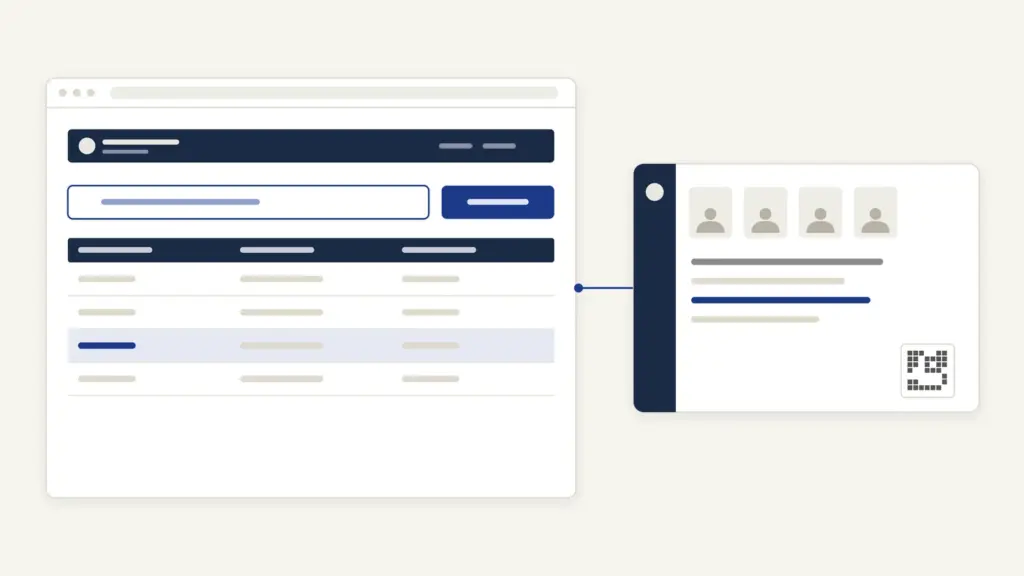
Sooner or later, a scheme form in Rajasthan asks for your Jan Aadhaar number. Jan Aadhaar is the state’s family ID card: one 10-digit number for the household and an 11-digit number for each member, used to check who’s eligible and to send scheme money straight to the bank. The sections below cover enrolment, the e-card download, e-KYC, status checks, corrections and the new update fees in the order most families meet them.
The scheme is run by the Rajasthan Jan Aadhaar Authority under the state’s Planning Department, and its official site is janaadhaar.rajasthan.gov.in. Almost everything happens through one of two doors: your own SSO ID on the Rajasthan single sign-on portal, or an e-Mitra kiosk. Which door you use, and how often you come back, now decides whether you pay.
What Jan Aadhaar Is
Jan Aadhaar is a family-level identity and benefits record for residents of Rajasthan, built on the idea of “one number, one card, one identity”. Aadhaar tells the state who you are. Jan Aadhaar tells it who you live with, what the family earns and which bank account to pay.
The key facts:
- Announced: in the modified state budget for 2019-20.
- Launched: the Rajasthan Jan Aadhaar Yojana, 2019 was inaugurated on 18 December 2019.
- Law: the Rajasthan Jan Aadhaar Authority Act, 2020 (Act No. 3 of 2020), with Rules published in the Rajasthan Gazette on 4 August 2021.
- Numbers: a 10-digit Jan Aadhaar family ID and 11-digit individual IDs, issued after verification.
- Proof value: it serves as documentary proof of identity and address for the head of the family and all members.
- Reach: the Authority lists 174 schemes and 34 services integrated with Jan Aadhaar.
Those integrated schemes range from ration under the National Food Security Act and the Rasoi Gas Cylinder Subsidy Yojana to scholarships, the Yuva Sambal Yojana and the Lado Protsahan Yojana. The cash goes to bank accounts through Direct Benefit Transfer, which is why a verified bank account is mandatory for the head of the family.
Madhya Pradesh runs a similar family database, covered in this guide to the Samagra portal. The idea is the same: register the family once and let every department read one record.
Haryana runs a comparable family register; our Parivar Pehchan Patra guide covers how that one works.
Who Can Enrol and Who Becomes Head of Family
Every resident family of Rajasthan can enrol. So can state government employees and pensioners who live or work outside the state. The Authority defines a resident as someone who has lived in Rajasthan for at least 6 months.
The rules that shape the application:
- Head of family: a woman aged 18 or more. If there’s none, a man aged 21 or more. If there’s neither, the eldest member.
- Aadhaar: required for every member above 5 years of age.
- Children 5 and under: a birth certificate is needed, plus a passport-size photo if e-KYC is done through the birth certificate.
- Bank account: a valid account in the head of the family’s name is mandatory.
- Language: details are entered in both Hindi and English.
The head-of-family rule is deliberate. The Authority lists women’s empowerment and financial inclusion among the scheme’s aims, and the head’s bank account is the one that must be verified before a family ID is issued.
Documents Required for Jan Aadhaar
You need four kinds of proof, plus income papers if you claim an income level. This table puts the enrolment page and the FAQ together:
| What it proves | Accepted documents |
|---|---|
| Identity | Aadhaar of the head and every member above 5 years |
| Bank account | Bank passbook, bank statement or cancelled cheque of the head of family |
| Age or date of birth | Birth certificate or Class 10 marksheet |
| Address | Aadhaar, domicile certificate, electricity bill, water bill, ration card, PAN card or passport |
| Children 5 and under | Birth certificate and passport-size photo, or Aadhaar if born outside Rajasthan |
| Income, if needed | Income certificate signed by a notary or revenue officer, pay slip, ITR or Form-16 |
One edge case catches families out. A member older than 5 years who was born after 1 January 2018 needs both Aadhaar and a birth certificate.
How to Enrol in Jan Aadhaar
Enrolment is free, and any adult member of the family can apply. You can do it yourself through your SSO ID, or at an e-Mitra kiosk.
- Log in at https://sso.rajasthan.gov.in with your SSO ID and open the Jan Aadhaar app under Citizen Apps, or visit an e-Mitra kiosk.
- Enter the Aadhaar number of the proposed head of family and complete Aadhaar authentication.
- Enter the details of the head and every member, then upload the supporting documents.
- On the acknowledgement page, complete the e-Sign through an Aadhaar OTP. The application moves forward only after this.
- Wait for two-level verification and bank verification.
- Receive the 10-digit family ID and 11-digit member IDs once verification, e-KYC and bank details are complete.
Verification happens at two levels, and bank details go to the National Payments Corporation of India:
| Stage | Rural areas | Urban areas |
|---|---|---|
| First level | Village Development Officer | Commissioner, Deputy Commissioner or Executive Officer of the urban body |
| Second level | Block Statistical Officer | Sub Divisional Officer |
| Bank details | NPCI verification | NPCI verification |
If NPCI hasn’t verified the bank details within 5 days of second-level verification, the Joint or Deputy Director of the District Statistics Office can verify them.
How to Check Jan Aadhaar Status
The homepage has two public status links, and you don’t need to log in for either.
- Open janaadhaar.rajasthan.gov.in.
- Click Jan Aadhaar Status to check an enrolment, or Aadhaar Status in Jan Aadhaar to see whether a member’s Aadhaar is seeded.
- Enter the details asked for and read the status.
You can also check the status inside the Jan Aadhaar app through your SSO ID or at e-Mitra. The three statuses people ask about most:
- Pending at citizen: the e-Sign wasn’t completed. Log in, authenticate with Aadhaar, continue and finish the e-Sign.
- Bank NPCI pending: the bank account is still being verified. Wait for NPCI.
- Verified, but no ID issued: e-KYC of the head or a member is pending, or the head’s bank details aren’t updated.
How to Download the Jan Aadhaar Card
Once the family ID is issued, the Jan Aadhaar e-card can be downloaded free, as often as you like. The e-card is the PDF version of the card you’ll show at offices.
- Log in with your SSO ID and open the Jan Aadhaar app, or visit an e-Mitra kiosk.
- Choose the e-card option and enter your Jan Aadhaar details.
- Complete Aadhaar OTP authentication.
- Download the e-card PDF.
The PDF is password-protected. The password is the first 4 letters of the head of family’s name followed by the day and month of birth. For a head named SANTOSH DEVI born on 20.01.1970, the password is SANT2001.
There’s also an official Jan Aadhaar mobile app on Google Play, and the Authority has announced Jan Aadhaar on DigiLocker. If you use DigiLocker, check its issued documents section before carrying paper.
How to Do Jan Aadhaar e-KYC
Jan Aadhaar e-KYC is Aadhaar authentication of each member, which pulls the name, date of birth, gender and photo from the Aadhaar database into Jan Aadhaar. It’s mandatory for the head of the family and every member above 5 years.
The rules:
- Any edit needs e-KYC first. You can’t update Jan Aadhaar until e-KYC is done.
- Children under 5: e-KYC through the birth certificate if it was issued in Rajasthan, or through Aadhaar if it was issued outside Rajasthan.
- Where: through your own SSO ID using the “Family eKYC” option, or at the nearest e-Mitra.
- Wrong Aadhaar seeded: the second-level verifier can correct it.
Since e-KYC copies whatever Aadhaar holds, fix a wrong name or date of birth in Aadhaar first. This guide to Aadhaar card update online covers the free document update.
How to Edit or Update Jan Aadhaar
Almost every field can be changed through your SSO ID or an e-Mitra, after Aadhaar authentication by the head or an adult member. Every change then goes through the same two-level verification before it shows in the record.
What you can change:
- details entered at enrolment
- add a new member
- change the head of the family
- split a family into a new Jan Aadhaar, where a split member must qualify as head
- merge two or more enrolments into one
- transfer a head or member to another Jan Aadhaar family
- correct the family’s annual income
- delete a family or individual enrolment
A few changes follow special rules:
- Death of a member: give the Jan Aadhaar number when obtaining the death certificate, and the name is removed automatically. Otherwise, apply through e-Mitra or SSO.
- Removal for any reason other than death: needs the second-level verifier’s recommendation and the District Collector’s approval.
- Income: you submit the previous financial year’s income with an ITR or notarised documents. It can be amended only once, and only for a typing error.
- Caste and domicile certificates: these update automatically when the certificate is issued through e-Mitra. See this explainer on the caste certificate.
- Ration card and NFSA status: these come from the food department, not from Jan Aadhaar. This guide to ration card download covers the state portals.
A newer circular also provides for auto-enrolment of a newborn and auto-deletion of a member after death, so birth and death registration now feed the record directly.
Fees and Update Limits
Enrolment, adding a member and downloading the e-card are free. Other updates now carry limits and fees. Circular-10, dated 7 May 2026 and effective from 1 June 2026, sets these for updates residents make through their own SSO ID:
| Change | Limit | Fee |
|---|---|---|
| Father’s name, mother’s name, minority category, marital status, spouse’s name | Maximum 2 times | First free, then ₹15 each |
| Education, income details | 2 times per financial year | First free, then ₹25 each |
| Bank details | 2 times per financial year | First free, then ₹40 each |
| Contact details, Aadhaar authentication, occupation, resident status, address | No limit | First free, then ₹40 each |
| Family split, family or member transfer, change of head | Maximum 5 times | First free, then ₹25 each |
| Gas, water, electricity connection, passport, driving licence, voter ID details | Maximum 5 times | ₹25 each |
| New enrolment, adding a member, removing a head or member on death | Only once | Free |
| e-Jan Aadhaar download | No limit | Free |
At an e-Mitra kiosk, the government-prescribed e-Mitra fee applies. The practical lesson is to get each change right the first time, because the first attempt is the free one.
Common Errors and Fixes
These are the issues the Authority’s own FAQ deals with most often:
- Stuck at “pending at citizen.” Finish the Aadhaar OTP e-Sign on the acknowledgement page.
- Verified but no Jan Aadhaar number. Complete the head’s and members’ e-KYC and update the head’s bank details.
- Bank NPCI pending for long. After 5 days past second-level verification, the District Statistics Office can verify the bank details.
- Can’t edit anything. Aadhaar e-KYC is pending. Do it first.
- Wrong Aadhaar number linked. Ask the second-level verifier to correct it.
- Income entered wrongly. You get one amendment per financial year, and only for a typing error, so upload the right document the first time.
- E-card PDF won’t open. Use the password pattern: first 4 letters of the head’s name plus the day and month of birth.
Helpline and Grievance
The Authority runs a toll-free line and district helpdesks, and grievances go through the state’s Rajasthan Sampark system.
- Toll-free: 181
- Headquarters helpdesk: 0141-2850287 and 0141-2923377, 10:00 AM to 6:00 PM
- Email: [email protected]
- Grievances: https://sampark.rajasthan.gov.in/
- District and block helpdesks: names and numbers are listed on the Jan Aadhaar website under Grievance Redressal
- Head office: Third Floor, Yojana Bhawan, Tilak Marg, C-Scheme, Jaipur 302005
What Jan Aadhaar Can’t Do
Jan Aadhaar is a family record and a payment rail, and it has limits:
- It doesn’t replace Aadhaar. It copies Aadhaar data through e-KYC. Errors in Aadhaar are fixed with UIDAI.
- It doesn’t issue your ration card or caste certificate. It pulls them from the departments that do.
- Enrolment isn’t eligibility. Each scheme sets its own rules. The state’s Jan Soochna portal, https://jansoochna.rajasthan.gov.in/, has a scheme eligibility check.
- It can’t remove a living member on request. Removal for reasons other than death needs the District Collector’s approval.
- It only works for Rajasthan schemes. For state-wise unemployment allowances, including Rajasthan’s, see Berojgari Bhatta Yojana, and for central schemes see this sarkari yojana list.
The offline route is the e-Mitra kiosk or the block helpdesk. New schemes that ride on Jan Aadhaar tend to appear in the state budget first, so the Rajasthan budget is worth a look every year.
Jan Aadhaar rewards families who keep it tidy. It is wise to finish e-KYC for every member, keep the head’s bank account active and make each correction once, carefully, before the next scheme deadline arrives.
Frequently Asked Questions
What is the Jan Aadhaar card?
Jan Aadhaar is Rajasthan’s family identity card under the Rajasthan Jan Aadhaar Authority Act, 2020. Each family gets a 10-digit family ID and each member an 11-digit ID, used to check scheme eligibility and to pay benefits directly into bank accounts.
Is Jan Aadhaar enrolment free?
Yes. New enrolment and adding a new member are free, and so is downloading the e-card. From 1 June 2026, some later updates through your own SSO ID carry limits and fees after the first free change, and e-Mitra kiosks charge the government-prescribed fee.
How do I download my Jan Aadhaar card?
Log in with your SSO ID, open the Jan Aadhaar app, choose the e-card option and complete Aadhaar OTP authentication. You can also get it at any e-Mitra kiosk. The download is free and has no limit.
What is the password of the Jan Aadhaar e-card PDF?
It is the first 4 letters of the head of family’s name followed by the day and month of birth. For a head named SANTOSH DEVI born on 20.01.1970, the password is SANT2001.
Who can become head of family in Jan Aadhaar?
A woman aged 18 or more becomes head of family. If there is none, a man aged 21 or more. If there is neither, the eldest member of the family becomes head.
Is Jan Aadhaar e-KYC mandatory?
Yes. Aadhaar e-KYC is mandatory for the head of family and every member above 5 years. Children under 5 can do e-KYC through a Rajasthan birth certificate. No edit in Jan Aadhaar is possible until e-KYC is complete.
Tell Google you want more of this.
Add Anantam IAS as a preferred sourceOne tap, and this site shows up more often in your own Top Stories, AI Overviews and AI Mode. Remove it any time.